2.49.0
General
Improvement Expanded Event Management API
We’ve significantly enhanced our Rest API to provide even more flexibility for event management! While searching for available rooms and checking occupancy was already possible, developers and administrators can now fully manage events programmatically. This allows for seamless integration with external tools or custom internal portals.
What’s new?
Our updated API endpoints now support a complete 'CRUD' (Create, Read, Update, Delete) workflow for events. This includes:
- Flexible Management: Create new single events, update room assignments, or adjust dates and times directly via the API.
- Full Control: Easily edit or delete existing event bookings as your plans change.
- Existing Power: Of course, you can still search and filter for available rooms (based on capacity/tags) and retrieve detailed occupancy insights with pagination support.
Flexopus Visitor
Improvement Dedicated Visitor Manager Role for Better Access Control
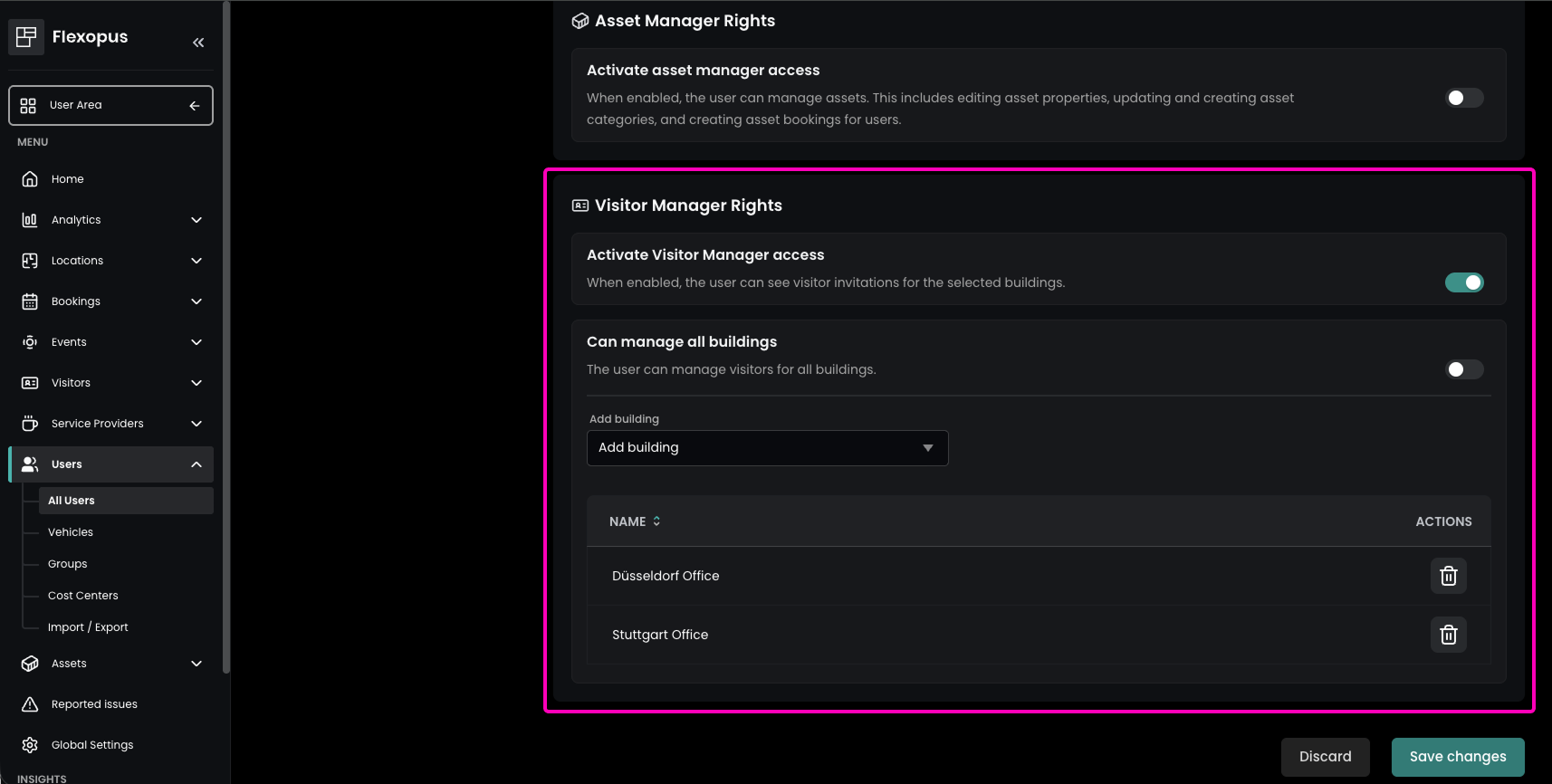
Looking for a way to delegate guest management without granting full admin access? Our new Visitor Manager role provides granular control over visitor responsibilities. This allows you to appoint dedicated team members to oversee guest arrivals and data for specific buildings — ensuring clear accountability and smoother operational workflows.
To set this up, go to the Admin Area under Users → All Users and edit the desired user. In the Administrative Rights tab, you can then assign the Visitor Manager role and precisely define which buildings the user is responsible for. Once assigned, these users gain access to the Visitors section in the Admin Area for their designated locations, ensuring clear accountability and smoother operational workflows.
Improvement Controlled Visitor Invitations with Approval Workflows
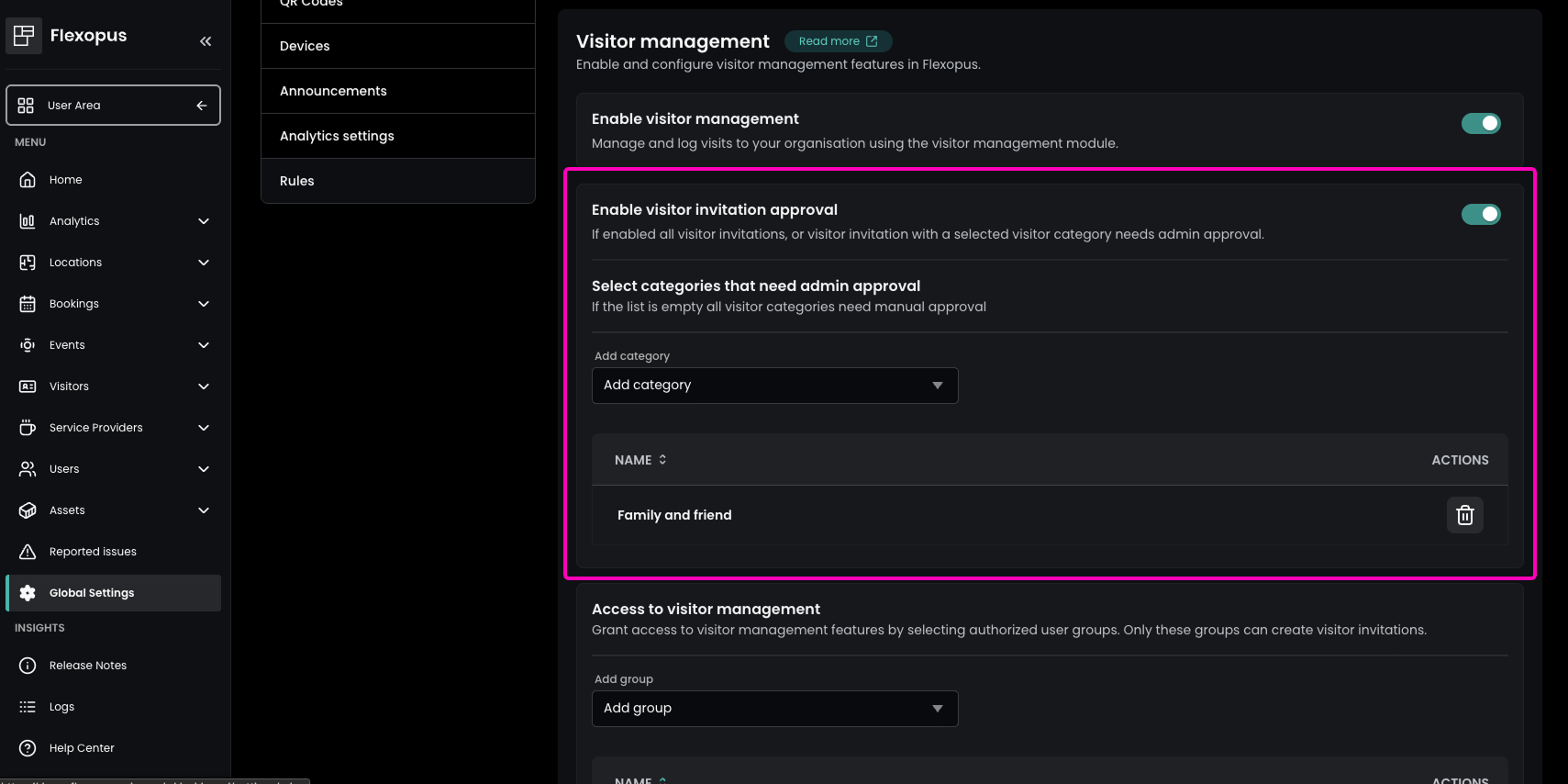
Need more control over who is allowed to visit your company? Our new visitor approval workflows allow you to review and manage external access with ease. You can now define specific invitation categories that require official approval before a guest is permitted to visit — ensuring every visitor is vetted and your facility remains secure.
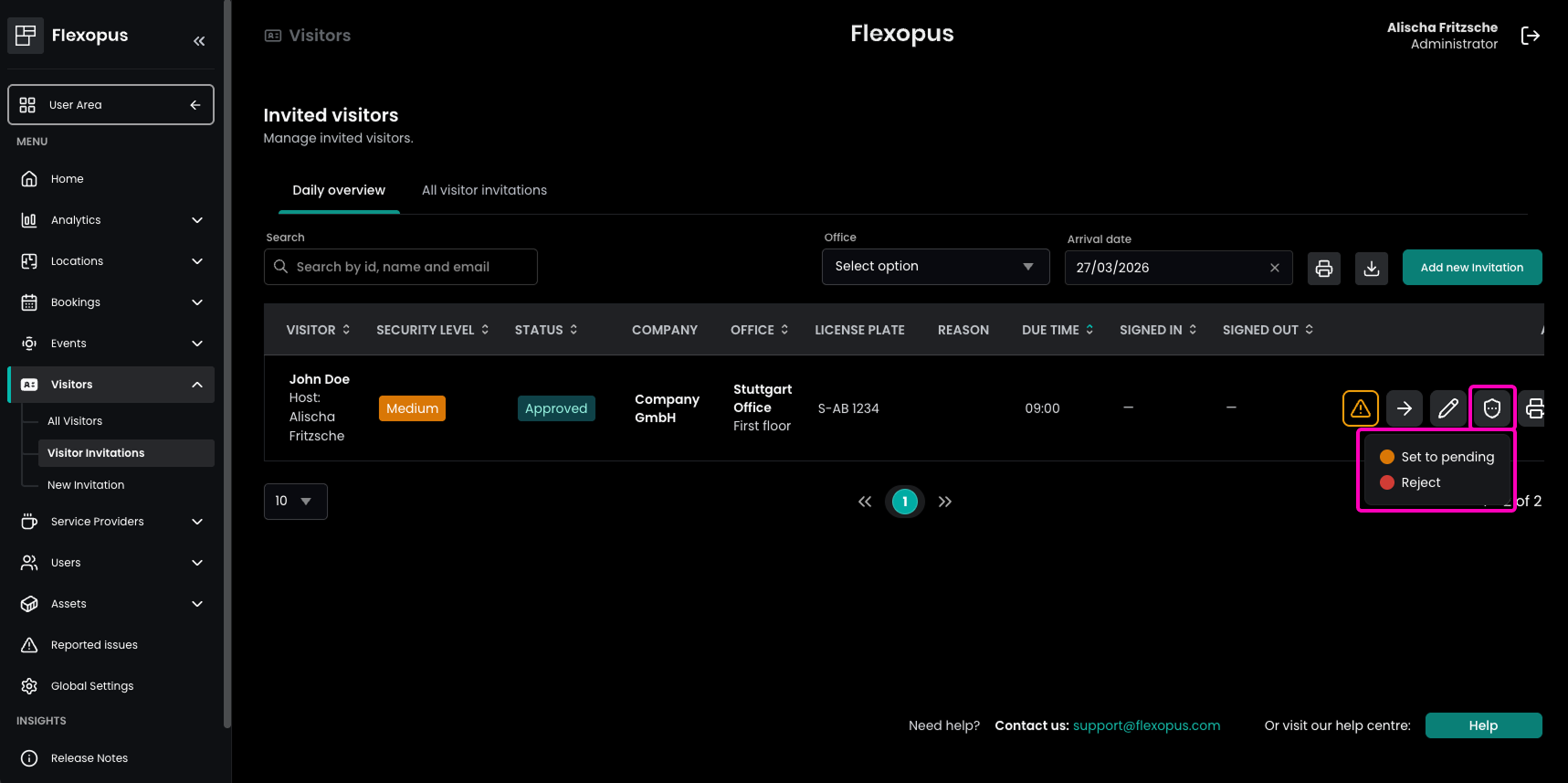
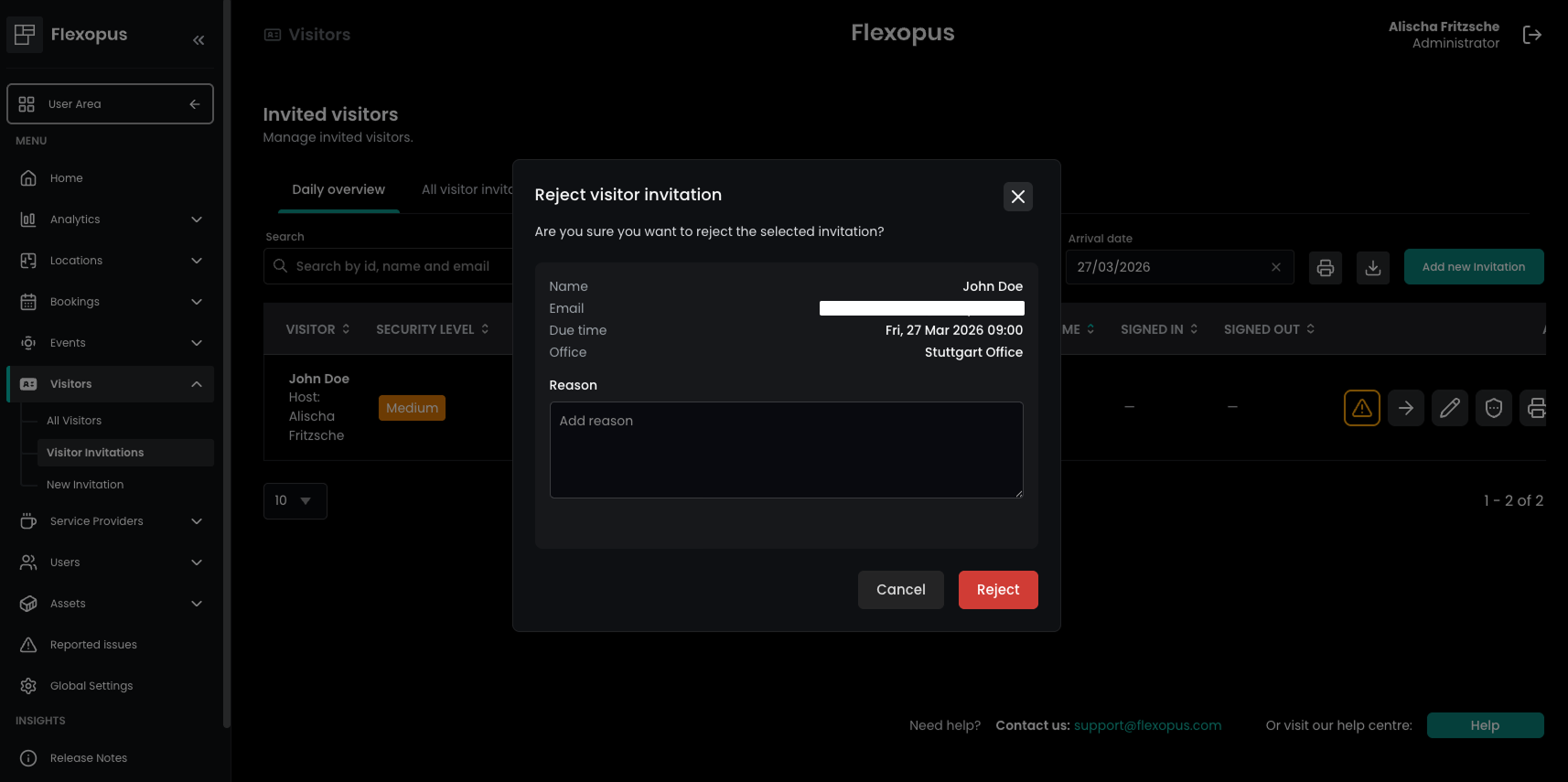
In the Admin Area under Global Settings → Visitor and Guest Management, administrators can enable Visitor invitation approval and choose which categories require it. Authorized users, such as Admins, Location Managers, or Visitor Managers, can then manage and update statuses directly in the Admin Area under Visitors → Visitor Invitations. This includes the ability to manually change invitations to approved, pending, or rejected — even for those that were initially approved automatically. If Send booking notification to externals is enabled in the Global Settings under Visitor and Guest Management, visitors are automatically kept in the loop about any status changes.
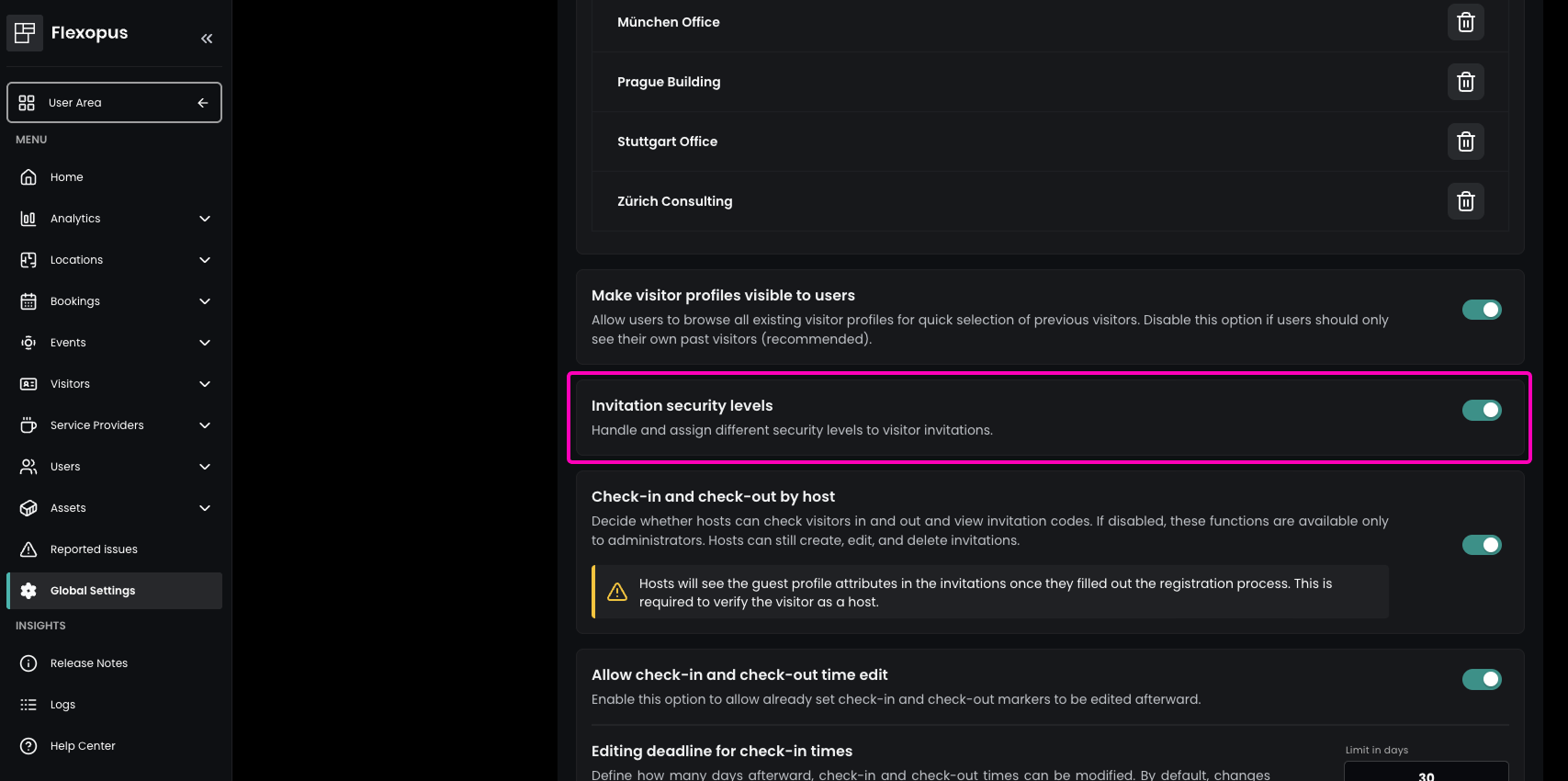
Improvement Enhanced Visitor Security with Invitation Security Levels
Want to tailor your guest reception to specific security needs? You can now include security levels (low, medium, high) in your visitor invitations, helping your organization better prepare for every arrival. This allows reception and facility teams to immediately see the required level of attention or security handling — improving internal coordination and efficiency.
Once enabled in the Admin Area under Global Settings → Visitor and Guest Management, users can assign the appropriate security level during the invitation process. This ensures that everyone involved is on the same page before the guest even arrives.
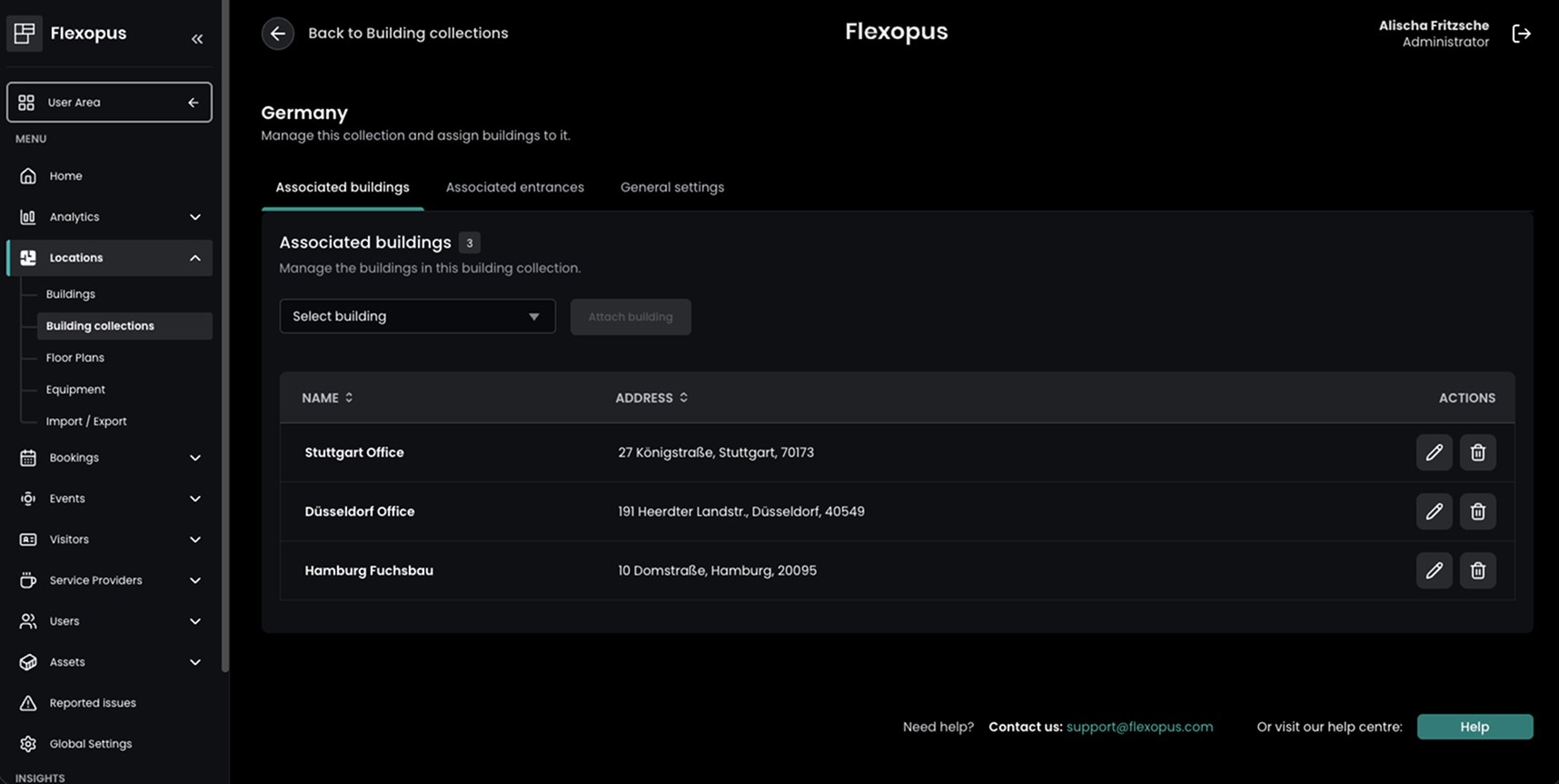
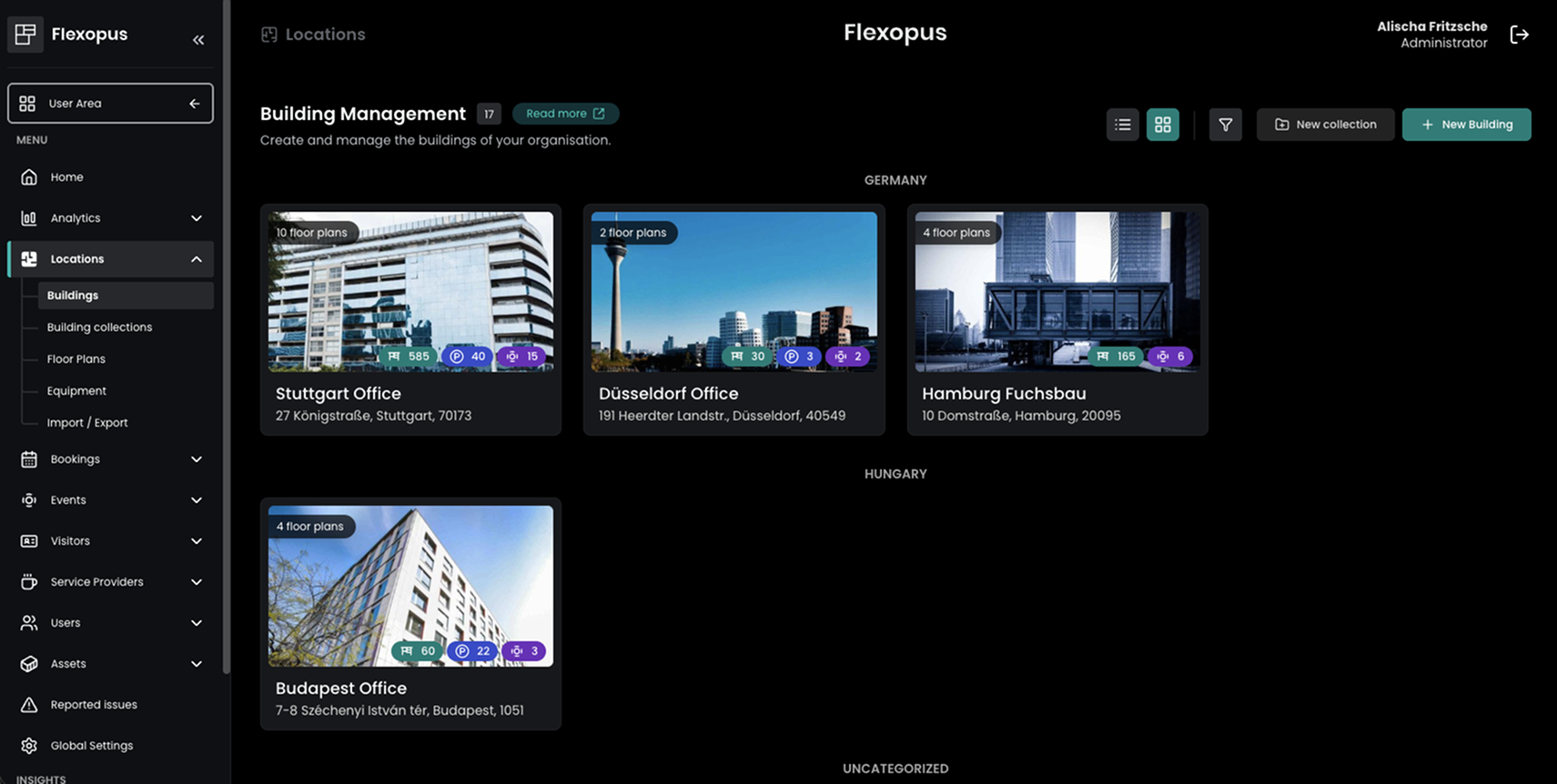
Improvement Smarter Building Organization with Collections and Entrances
Stay organized as you scale! The Admin Area under Locations now features Building Collections — a new way to better structure and group your buildings. Administrators can now organize buildings into collections and define specific entrances, creating a more professional and scalable setup for your entire campus.
This enhancement lays the groundwork for our upcoming Visitor Management features — so stay tuned for what’s next!
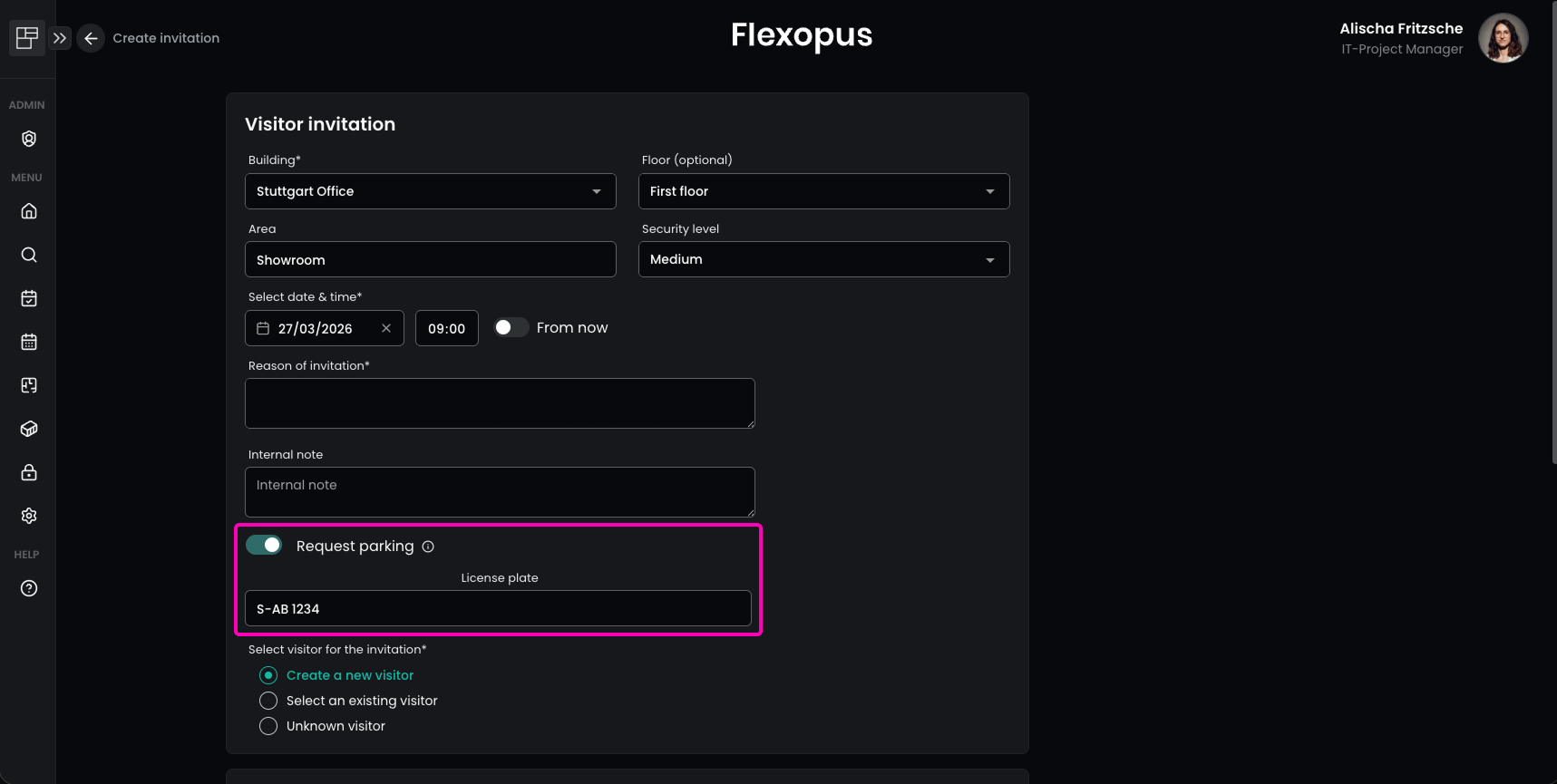
Improvement Simplified Parking Coordination for Visitors
Visitor invitations now include a Request parking option, making it easier to coordinate parking needs for your guests. When creating an invitation, users can simply activate the parking request toggle to flag the requirement for the reception or facility team.
Additionally, if enabled in the Required fields for visitor registration, license plate information can be captured — allowing your teams to better manage and verify guest parking. This ensures a smoother arrival experience and improves internal coordination before your visitors even reach the front door.
Flexopus Assets
No changes.