2.52.0
General
Passkey Login
Passwordless is here! We are excited to announce a faster, more secure way to access Flexopus. Passkeys are now available for the web version of Flexopus. Stay tuned for mobile applications which are soon to follow!
By using a passkey, users can sign in using their device’s biometric authentication or a security key.
Passkeys has to be enabled first, in the admin settings at Admin Area → Global Settings → Authentication → Passkey Login .
Afterwards users can create a passkey in their profile settings under Password & 2FA
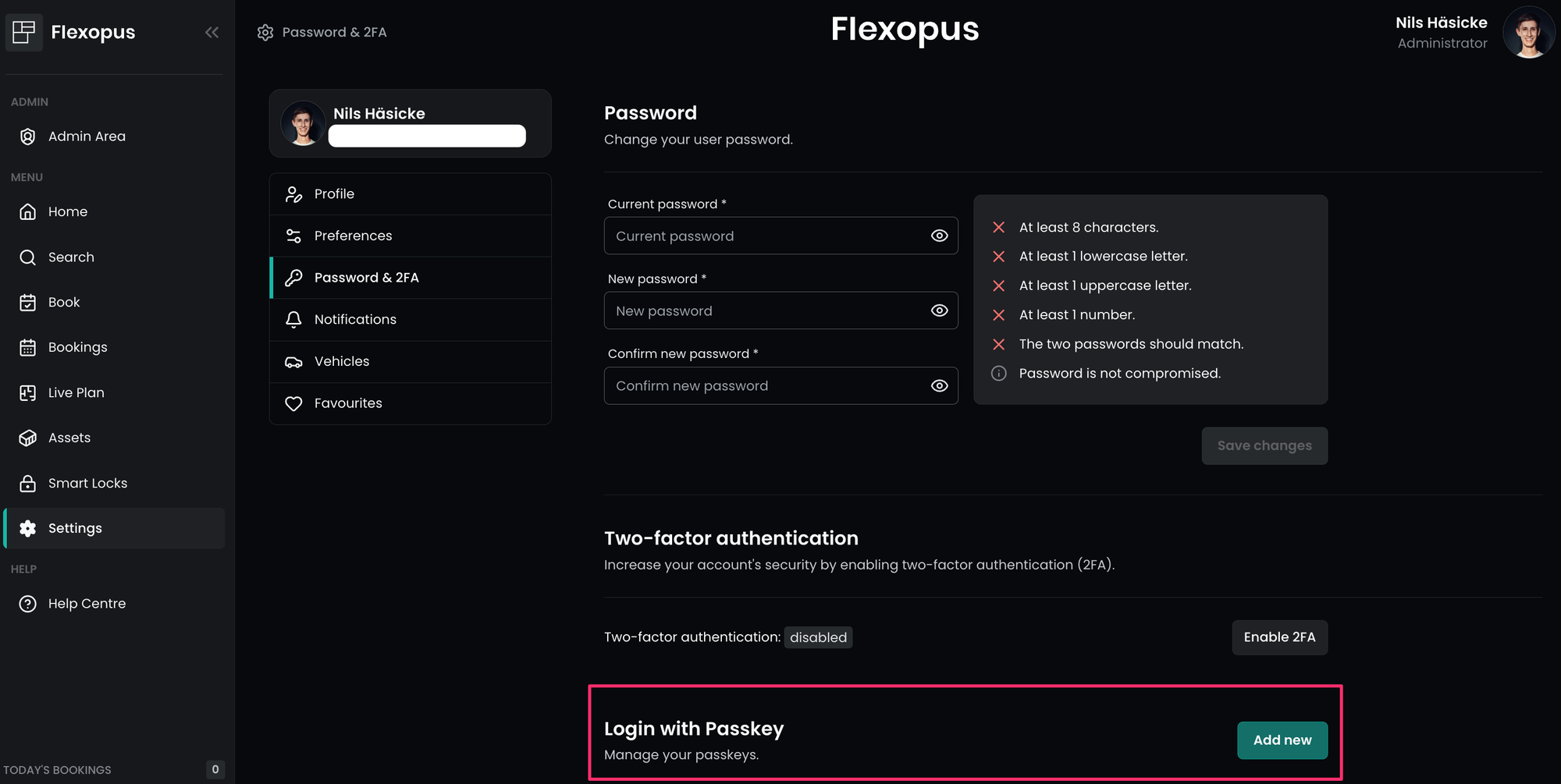
Once enabled, the login page will show an additional option to login via passkey.
Introducing Hardware e-Paper Displays for Desk Bookings
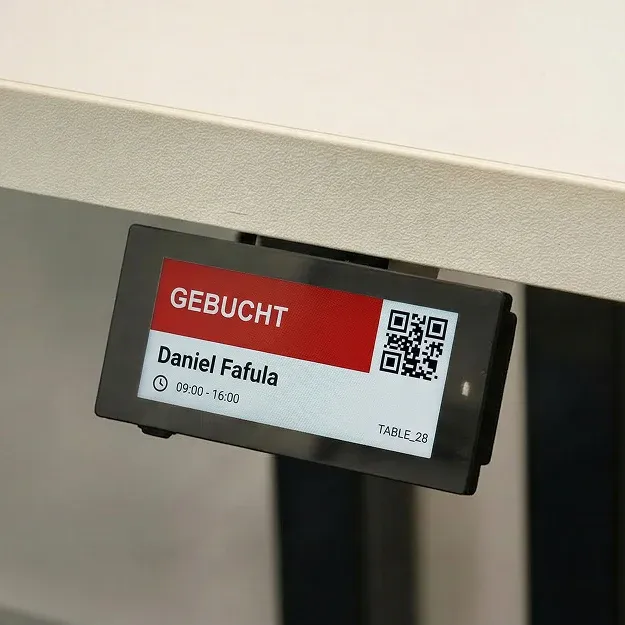
Bringing clear visibility straight to your workstations! We are excited to introduce support for e-paper displays, which can be easily mounted on your desks. These displays clearly show whether a desk is available, from what time it is booked, and by whom.
Even better, they come equipped with an integrated QR code and NFC chip, allowing users to instantly check in or book the desk on the spot. The integrated NFC chip is the perfect solution for companies where the use of smartphone cameras for QR code scanning is restricted or prohibited.
The new e-paper displays are available in both black and white. You can purchase them along with the required Gateway directly at flexopus.shop.
Flexopus Visitor
Visitor invitation .ics attachment
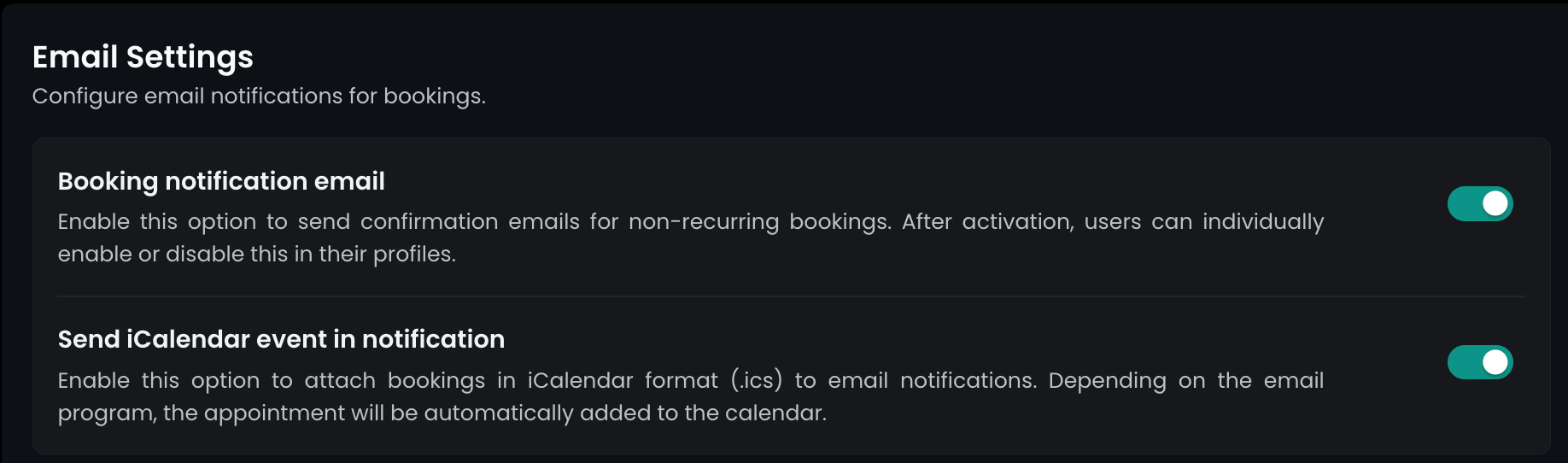
Hosting guests just got easier. When you invite a visitor, they will now receive an .ics calendar attachment directly in their email invitation. With just one click, they can add the visit details, location, and time straight to their personal calendar.
This setting is paired with the .ics attachments of regular booking confirmations. If the setting is already active, visitor attachments will be sent out right away. If not, you can find it at Admin Area → Global settings → Booking Settings → Email settings
Flexopus Assets
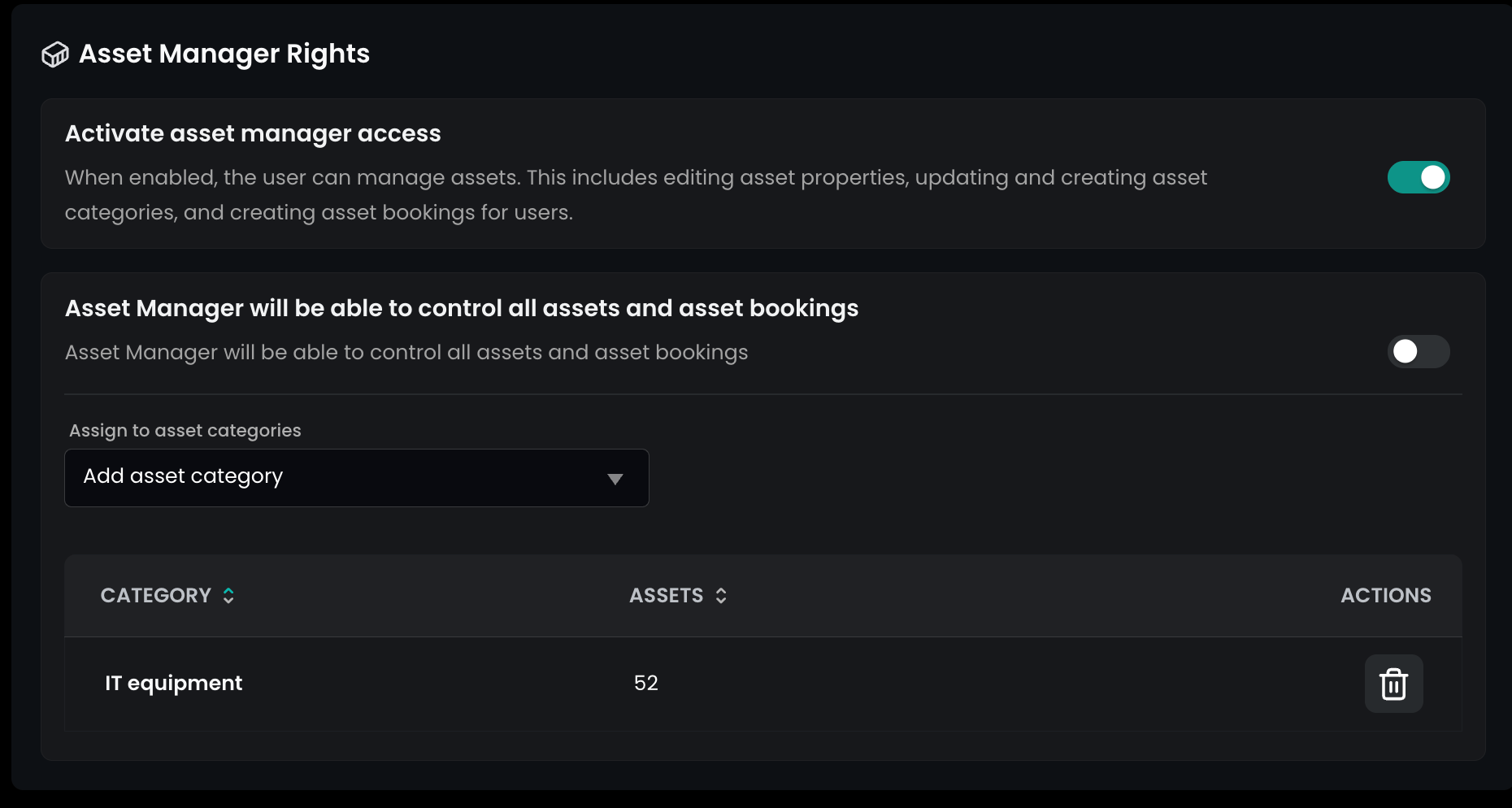
Asset manager for specific categories
We’ve upgraded our asset management permissions to give you much finer control. You can now restrict an asset manager’s access to only specific asset categories rather than giving them access to everything.
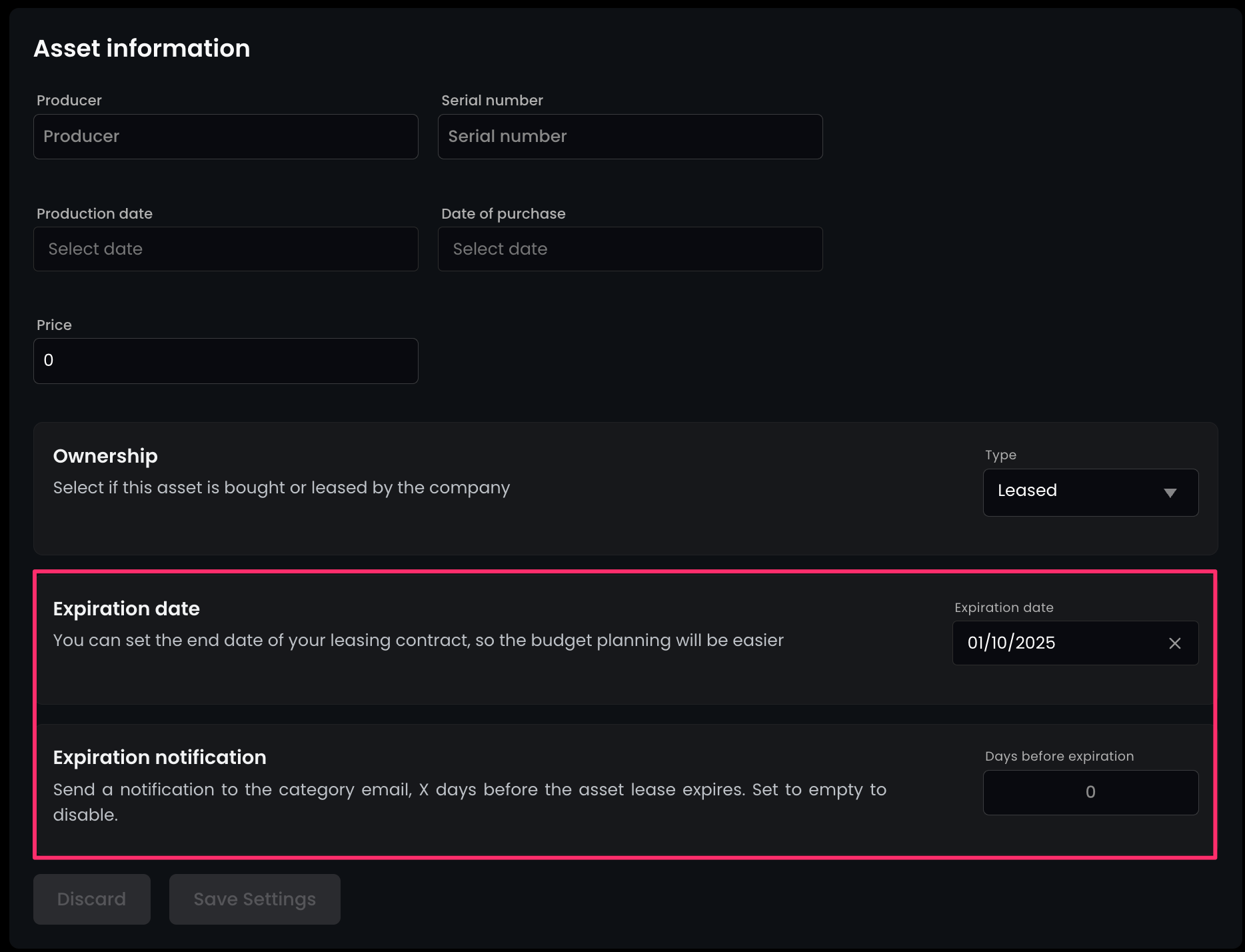
Asset end of lease notification
Stay on top of your contracts! You can now opt in, to receive automatic notifications when an asset's lease time is nearing its end, helping you avoid late fees, and manage renewals proactively.