2.53.0
General
Personalized Booking Times for Every User
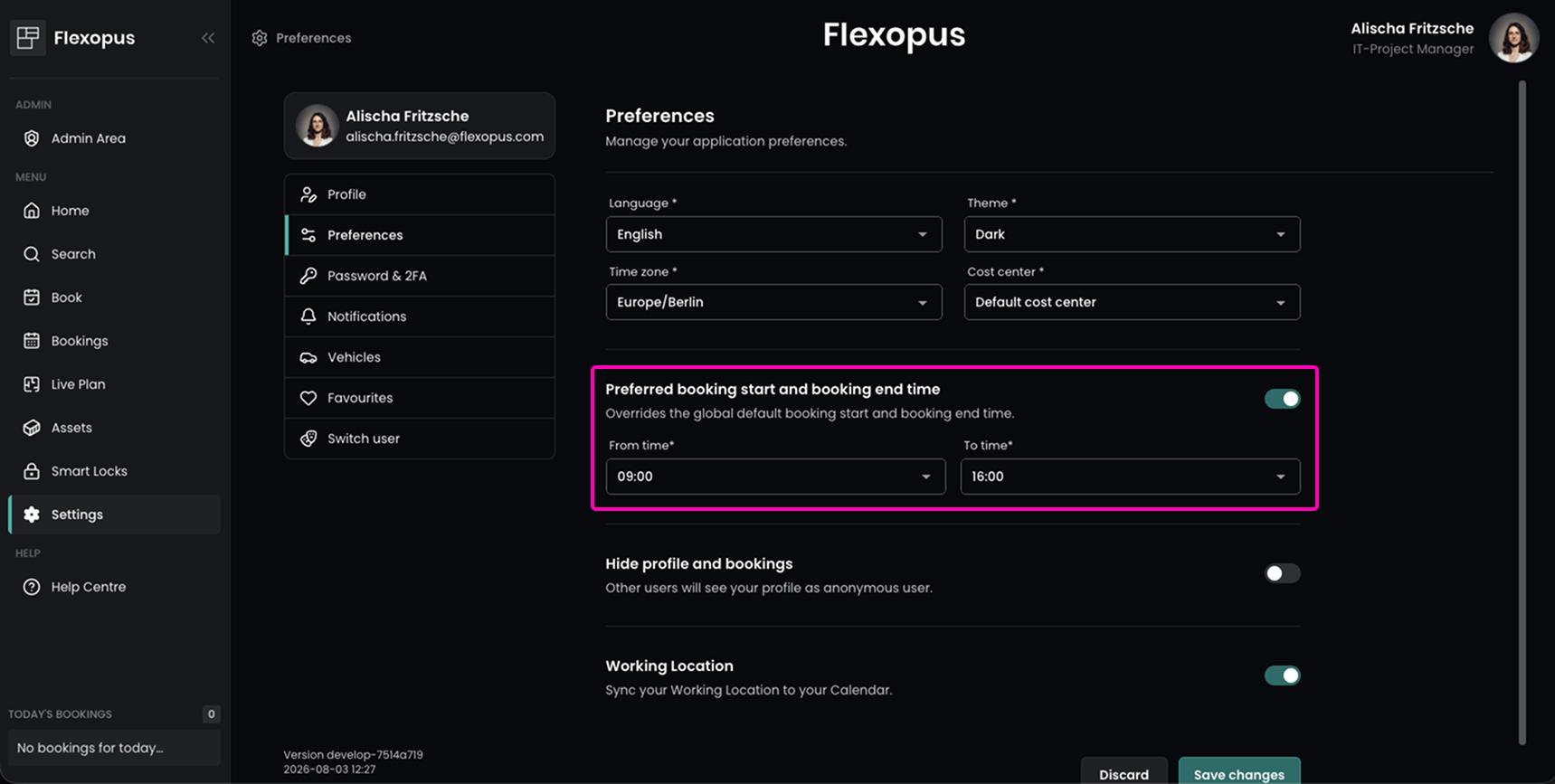
Users can now define their own preferred booking start and end times, making the booking process even faster and more personalized.
In the Settings under Preferences users can configure their Preferred booking start time and booking end time. These personal preferences override the global default booking times and are automatically preselected whenever a new booking is created.
This is particularly useful for employees working part-time or with flexible working hours, as they no longer need to adjust the booking times manually each time they make a booking.
Simplified Whole-Day Parking Bookings
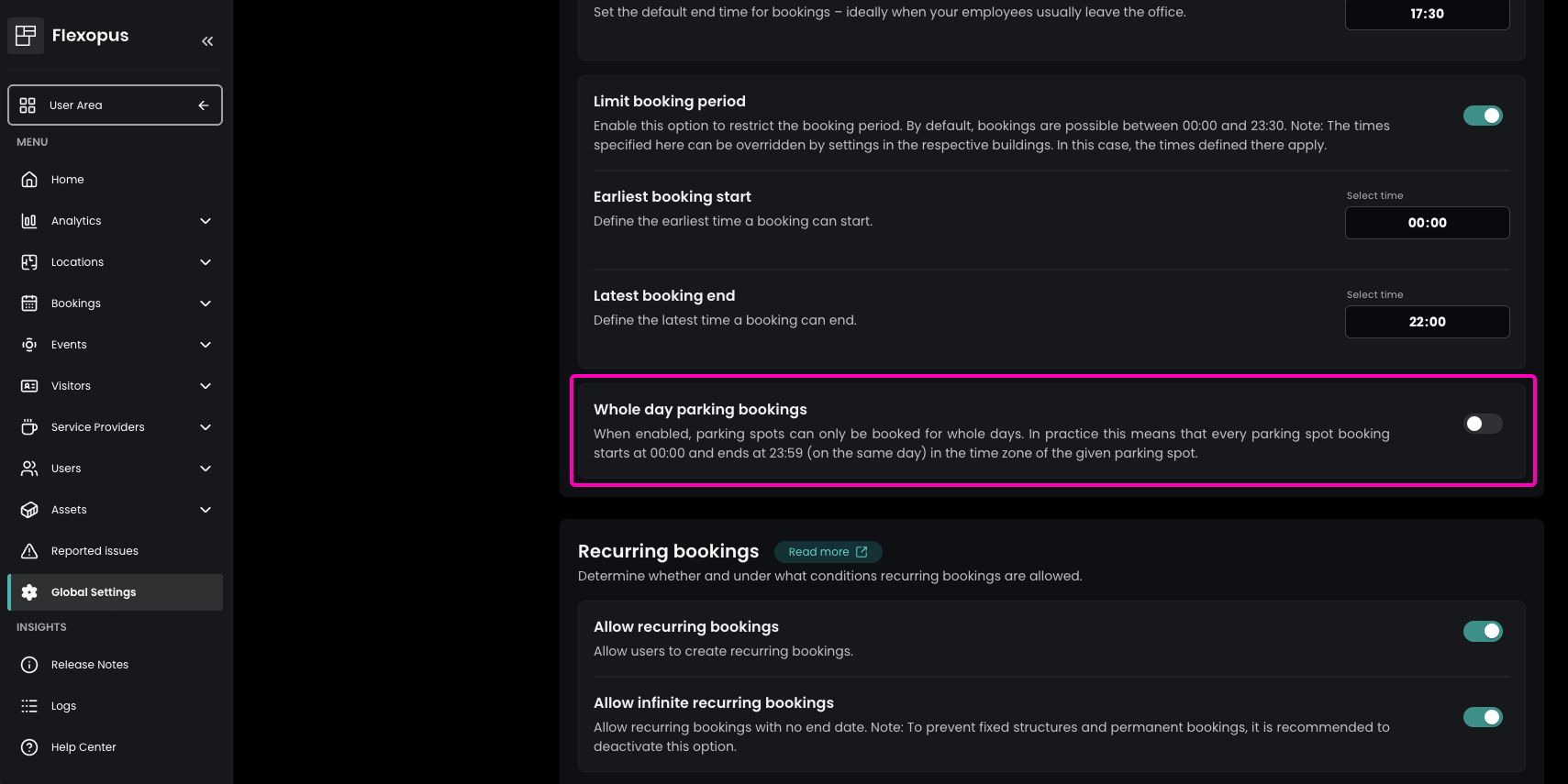
Administrators can now configure parking bookings to be made exclusively for full days.
The new Whole day parking bookings setting is available in the Admin Area under Global Settings → Booking Settings → Booking time settings. When enabled, parking bookings automatically start at 00:00 and end at 23:59 on the same day in the respective parking spot's time zone.
This provides a consistent booking experience and is particularly beneficial for organizations where parking spaces are intended to be reserved on a daily basis rather than for individual time slots.
Guest Bookings from the Admin Area
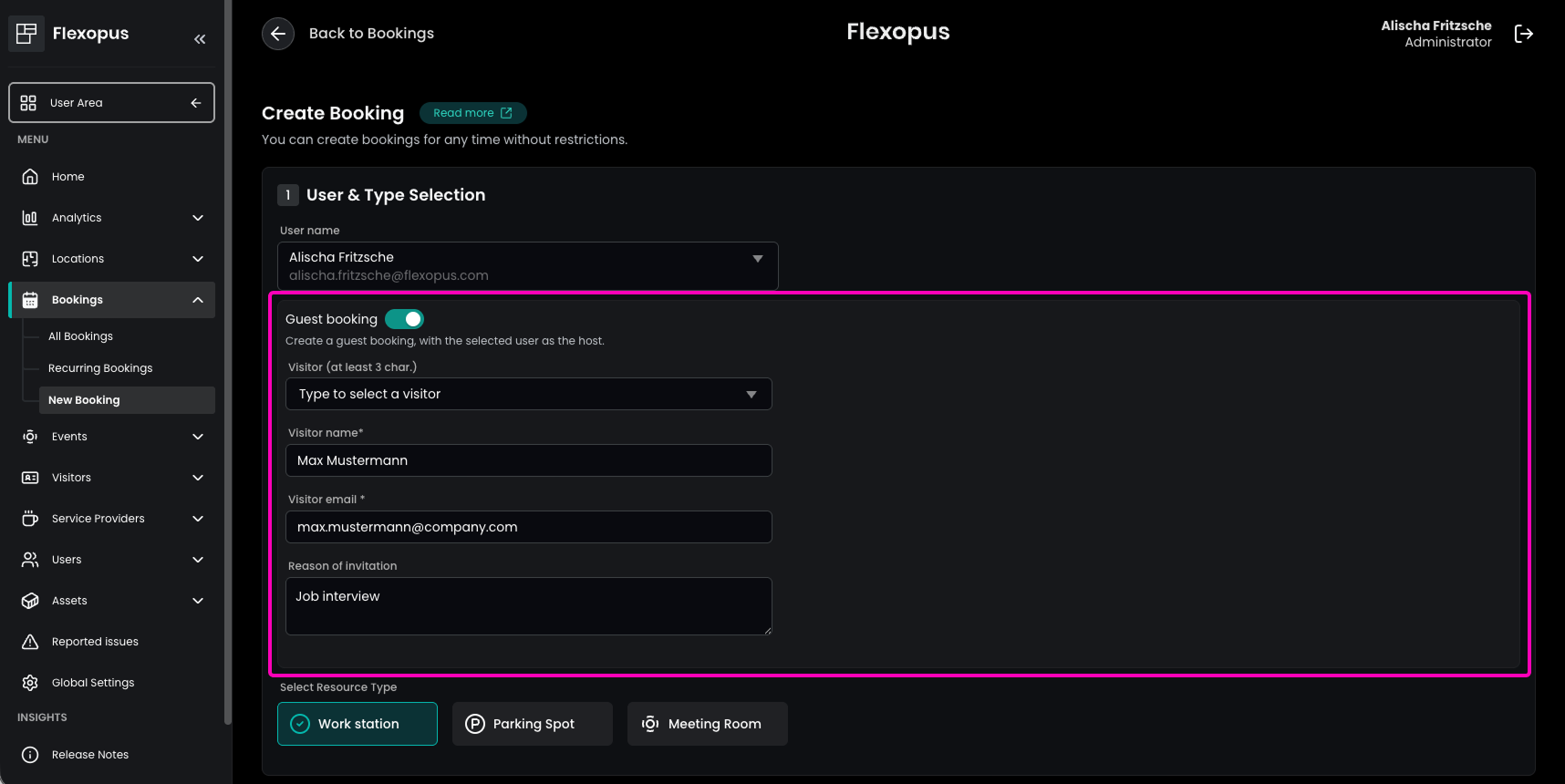
Guests can now also be invited directly from the Admin Area, providing greater flexibility when creating guest bookings.
In the Admin Area under Bookings → New Booking, administrators can now create guest bookings. This makes it possible to book multiple desks for a guest, create bookings beyond the booking limits, and create bookings on behalf of colleagues.
This enhancement streamlines administrative workflows and provides greater flexibility for organizations that frequently coordinate guest bookings.
Flexopus Visitor
Centralized Company Documents for Visitor Management
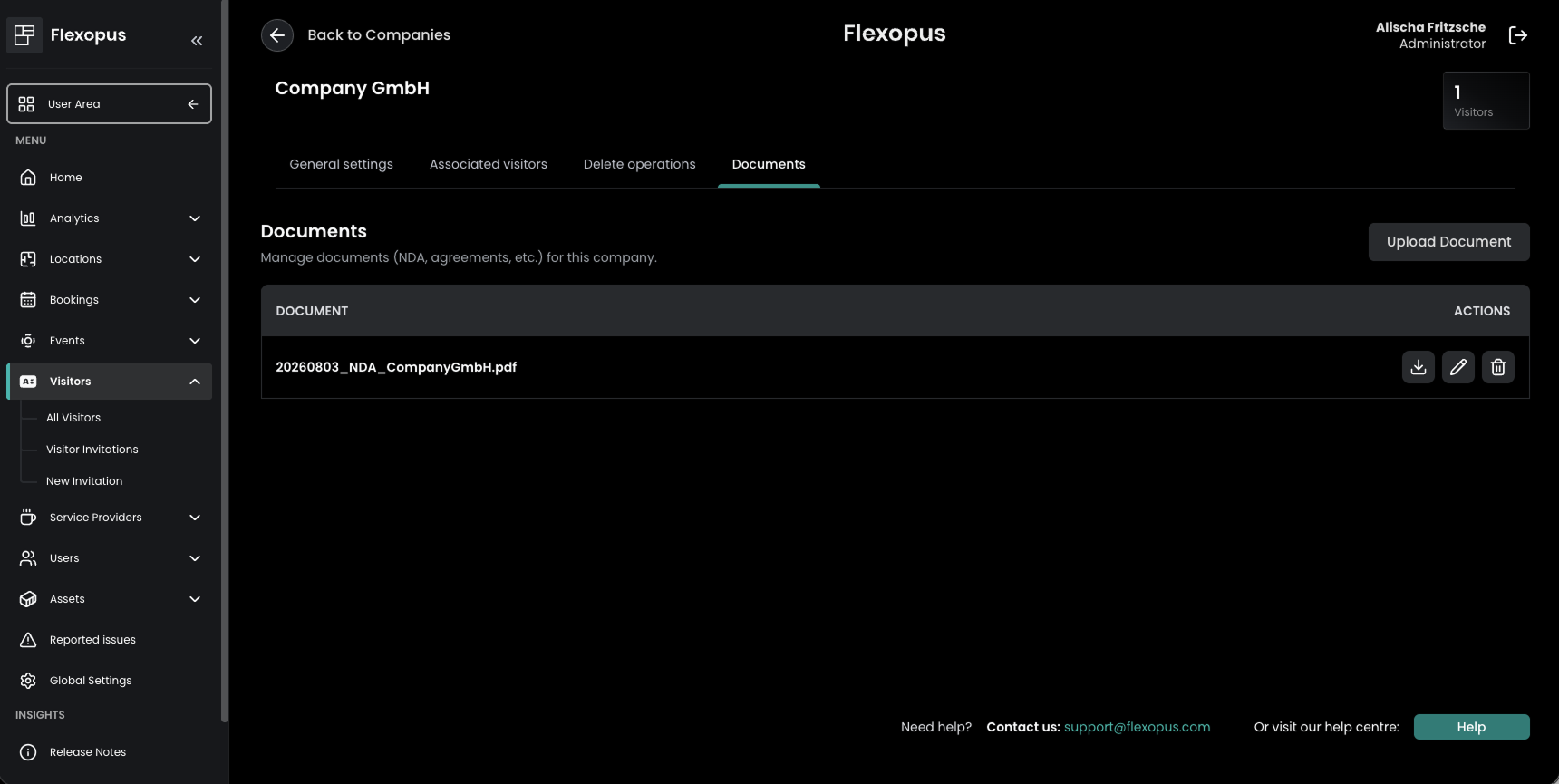
Visitor Management now supports storing company-specific documents directly within Flexopus.
In the Admin Area under Visitors → All Visitors → Companies, administrators can edit a company and upload relevant files in the Documents section. This allows agreements, NDAs, or other company-related documents to be stored digitally in one central location, making them easier to access and manage whenever required.
Flexopus Assets
Asset Inventory
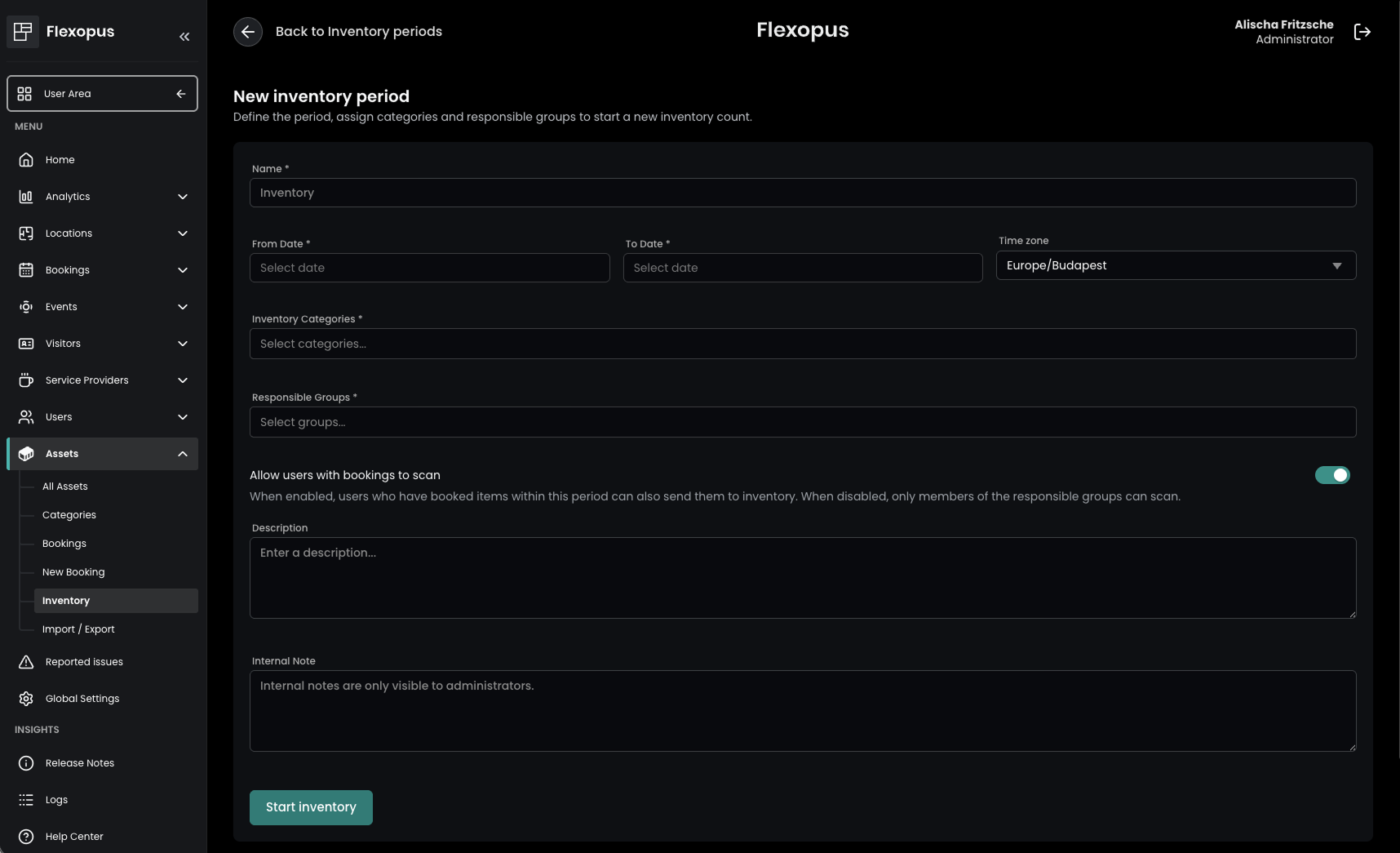
Flexopus now supports asset inventory, making recurring inventory processes significantly easier and more transparent.
The new feature is available under Assets → Inventory in the Admin Area. Administrators can create inventory periods, define a name, select the relevant asset category, assign the responsible user group, and configure whether users with active asset bookings should participate in the inventory. This is especially useful for permanently assigned assets or equipment that remains with a user over an extended period.
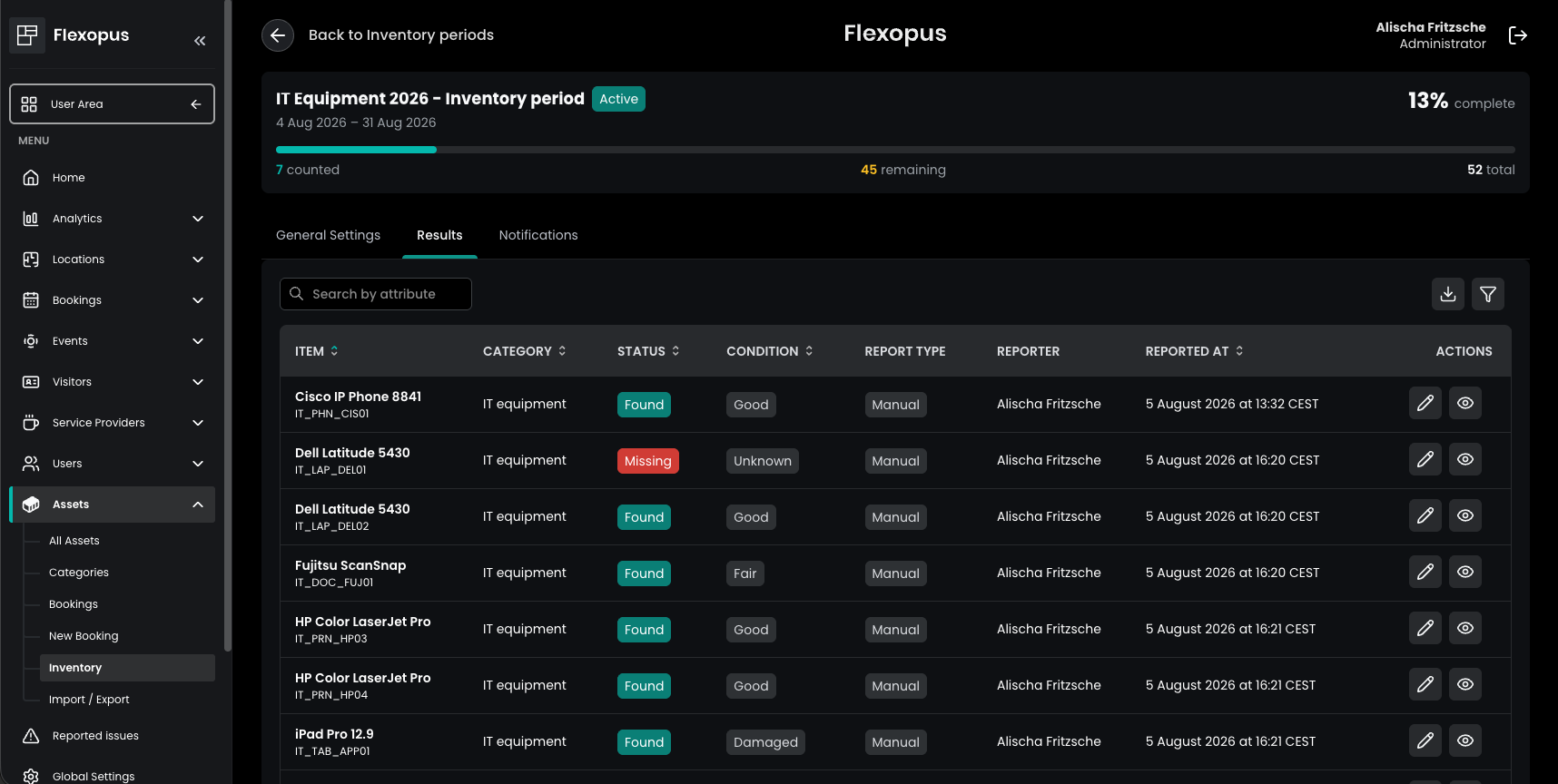
Once an inventory period begins, assigned users can inventory their assets, document their condition, and track progress at any time. Administrators receive a clear overview of the current inventory status, including who has already completed their inventory and which assets are still outstanding. To ensure inventories are completed on time, reminder emails can also be sent conveniently to all participants directly from Flexopus.