2.48.0
General
Improvement Service Order Reminders to Reduce Waste and Improve Planning
Never lose track of your catering and service orders again. Our new provider-specific reminders help users to efficiently manage every booking. They provide the perfect timing to review and adjust orders, optimizing resources and saving costs by aligning them with the actual needs.
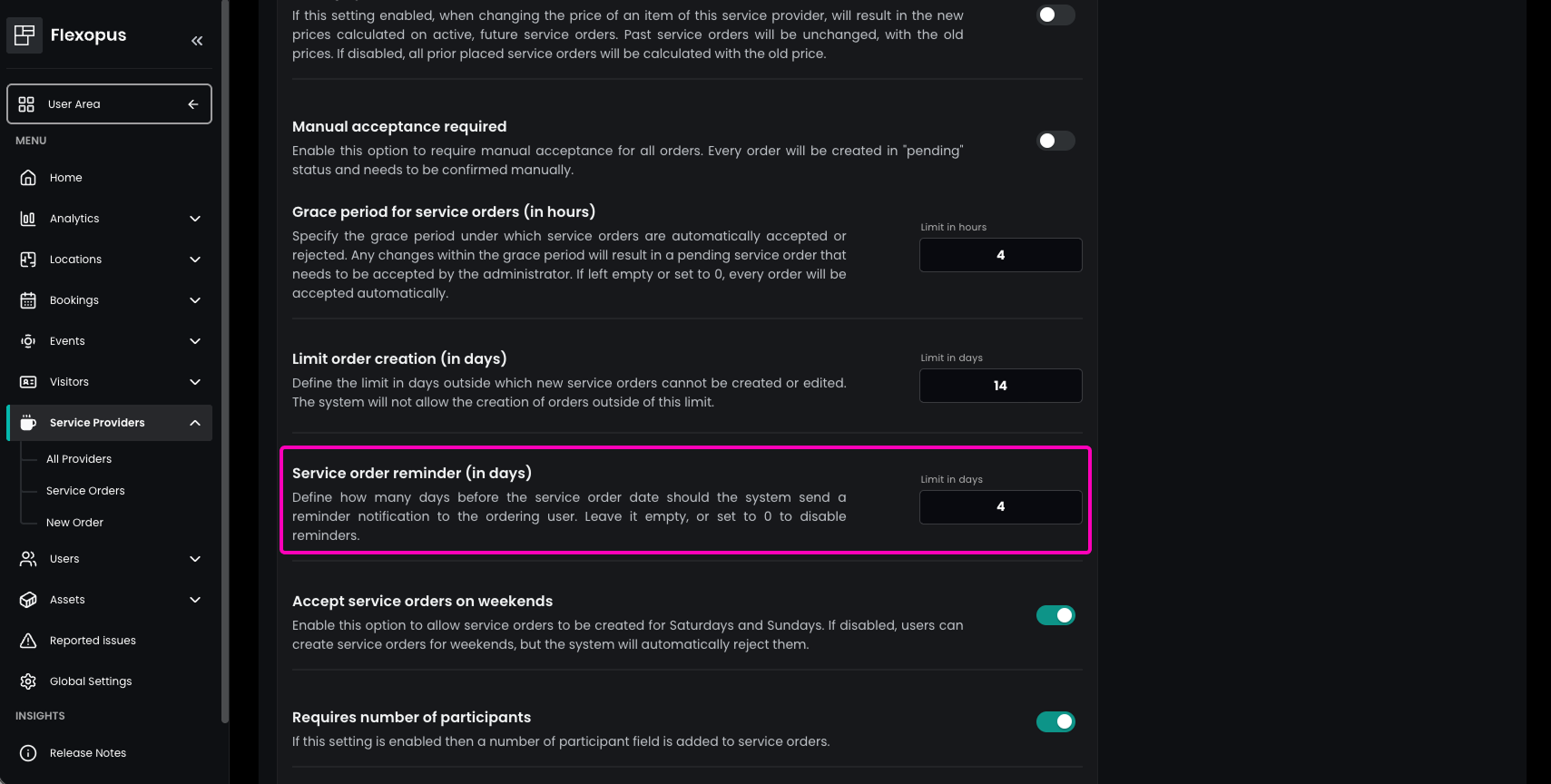
In the Admin Area under Service Providers → All Providers, administrators can select the desired provider and navigate to Order settings, where they can define a Service order reminder (in days). This allows organizations to align reminders with provider-specific cancellation policies. Setting the value to 0 disables the reminder functionality.
Based on this configuration, users automatically receive a reminder email ahead of their scheduled service order. This gives them enough time to review, adjust, or cancel their booking if needed.
Improvement Richer User Profiles with Tags for Better Collaboration
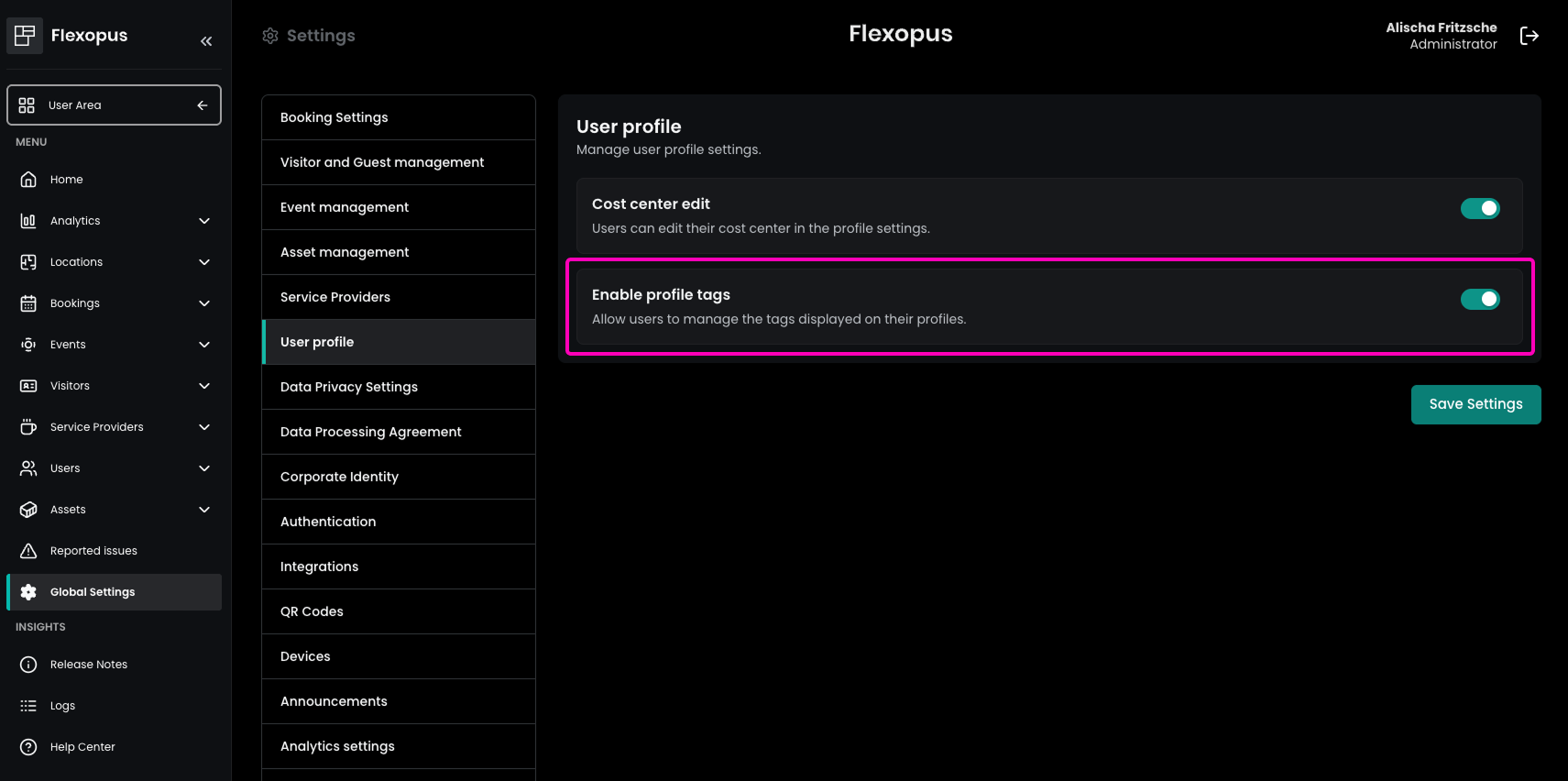
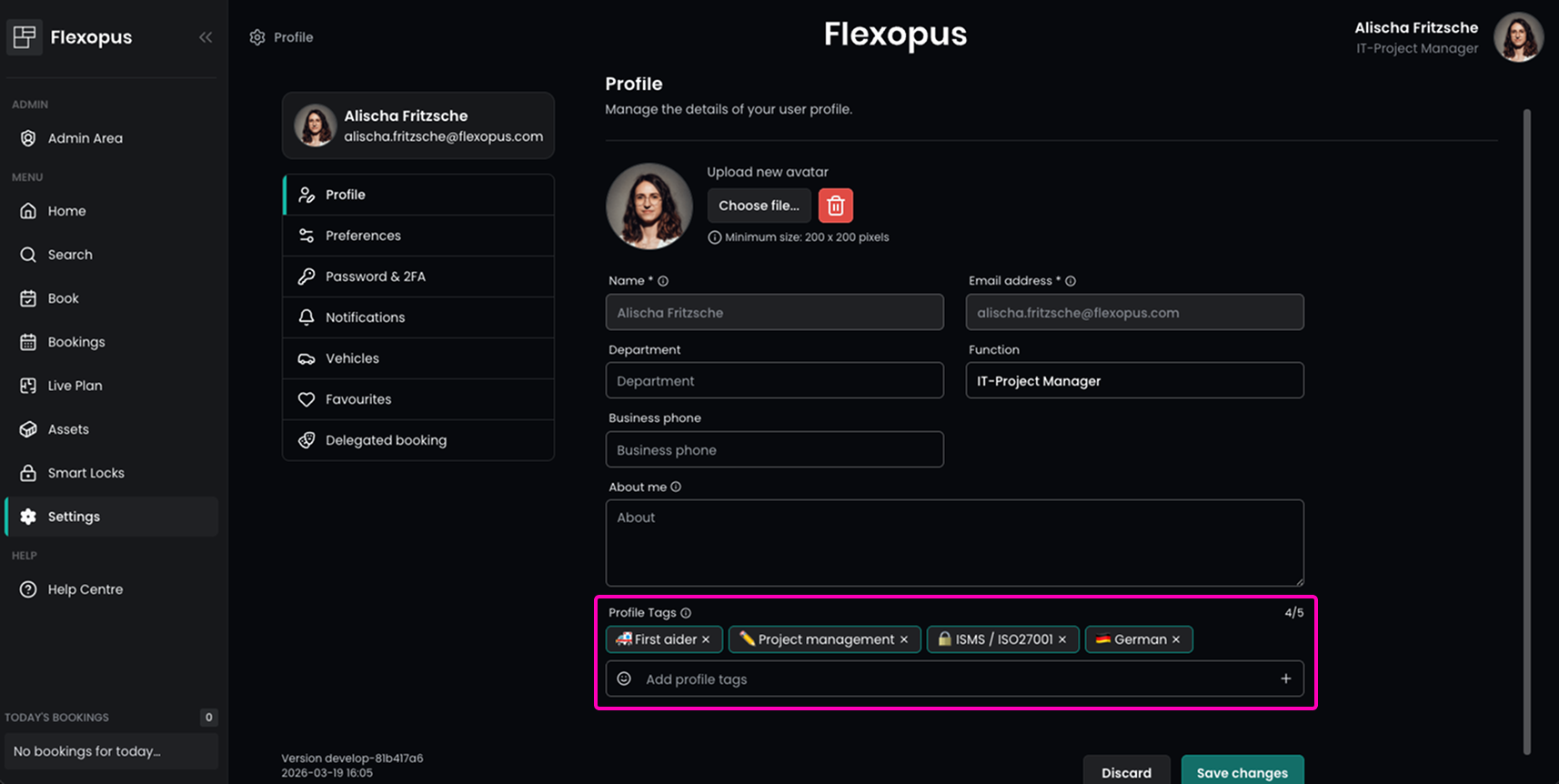
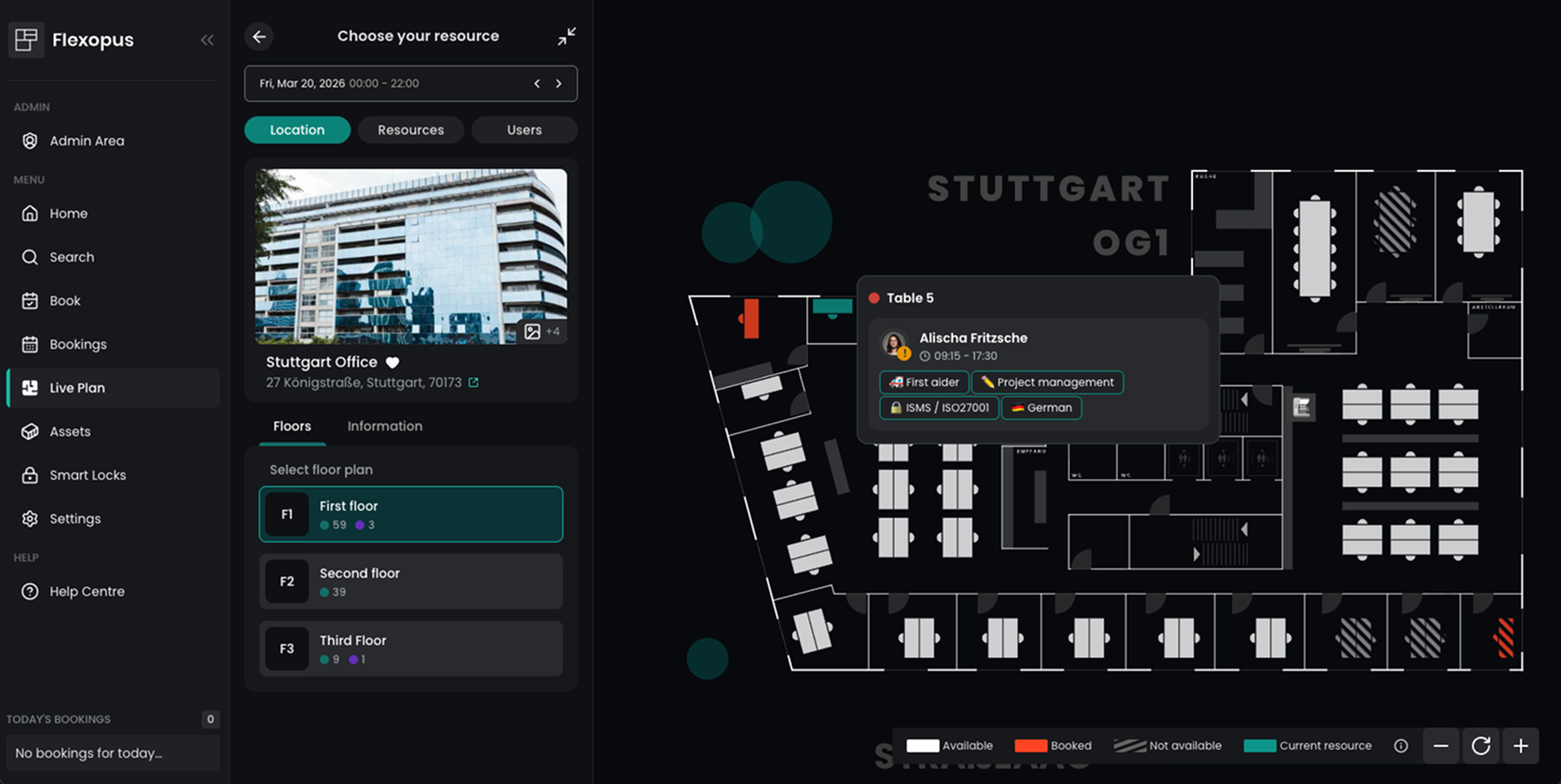
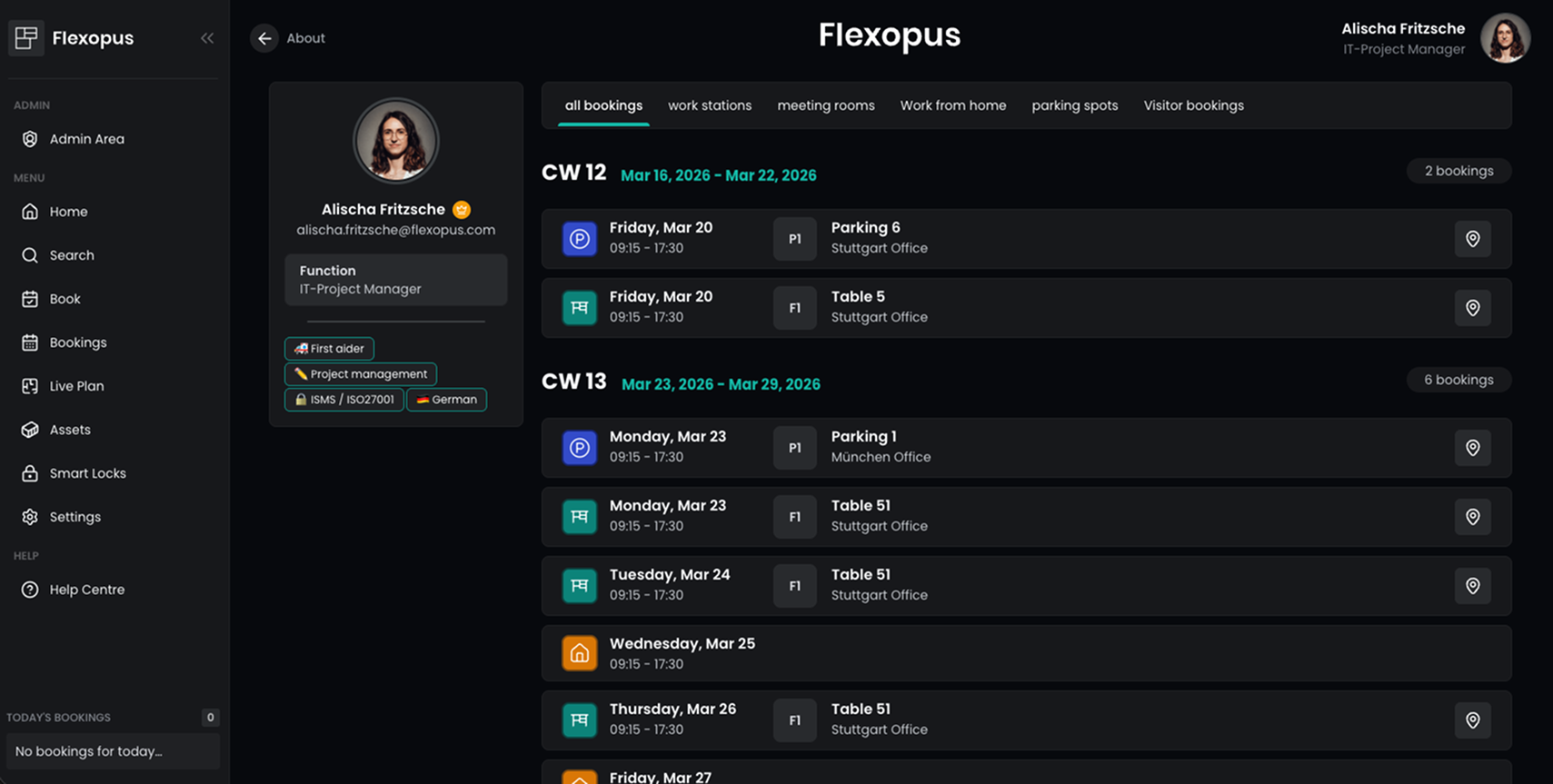
Elevate your networking! User profiles can now be enhanced with profile tags - perfect for highlighting e.g. skills, languages, or key responsibilities. This feature empowers everyone to find the right contacts, sparking better connections and taking collaboration to a whole new level!
Admins can enable this feature in the Admin Area under Global Settings → User Profile → Enable Profile Tags. Once activated, users can manage their tags under User Settings → Profile → Profile Tags. These tags are then visible to colleagues, for example in the Live Plan or user detail views.
Profiles set to anonymous will, of course, remain fully anonymized, ensuring user privacy is always respected.
Correction Improved Room Finder Sorting for Faster Meeting Room Selection
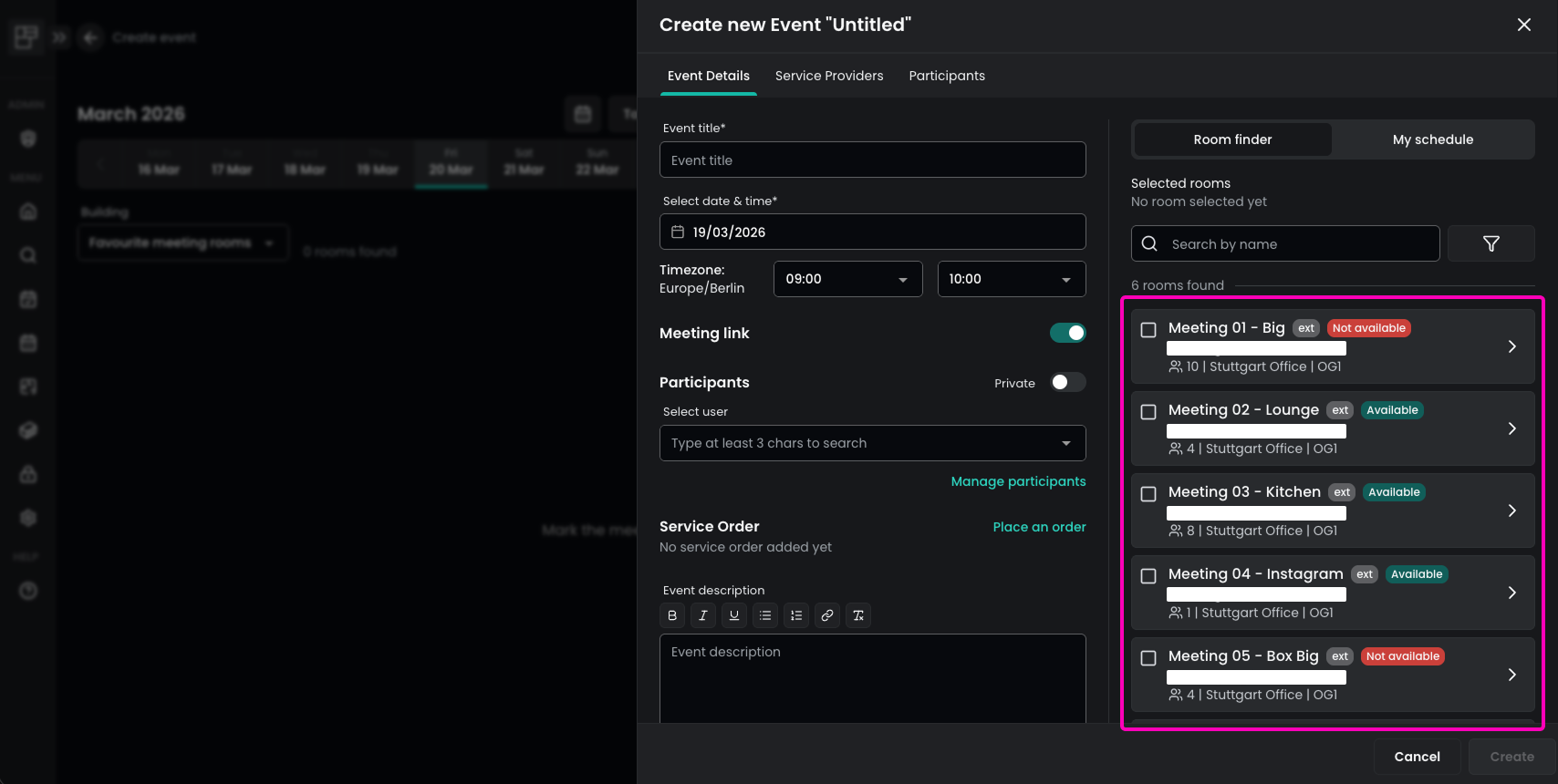
Finding the right space just got smarter. The Room Finder now features a more intuitive, hierarchical sorting structure. Meeting rooms are automatically organized by location, then floor plan, and finally alphabetically by name. This makes it easy to find exactly what you need at a glance—even without using filters.
Flexopus Visitor
No changes.
Flexopus Assets
Improvement Stay Informed with Asset Booking Confirmation Emails
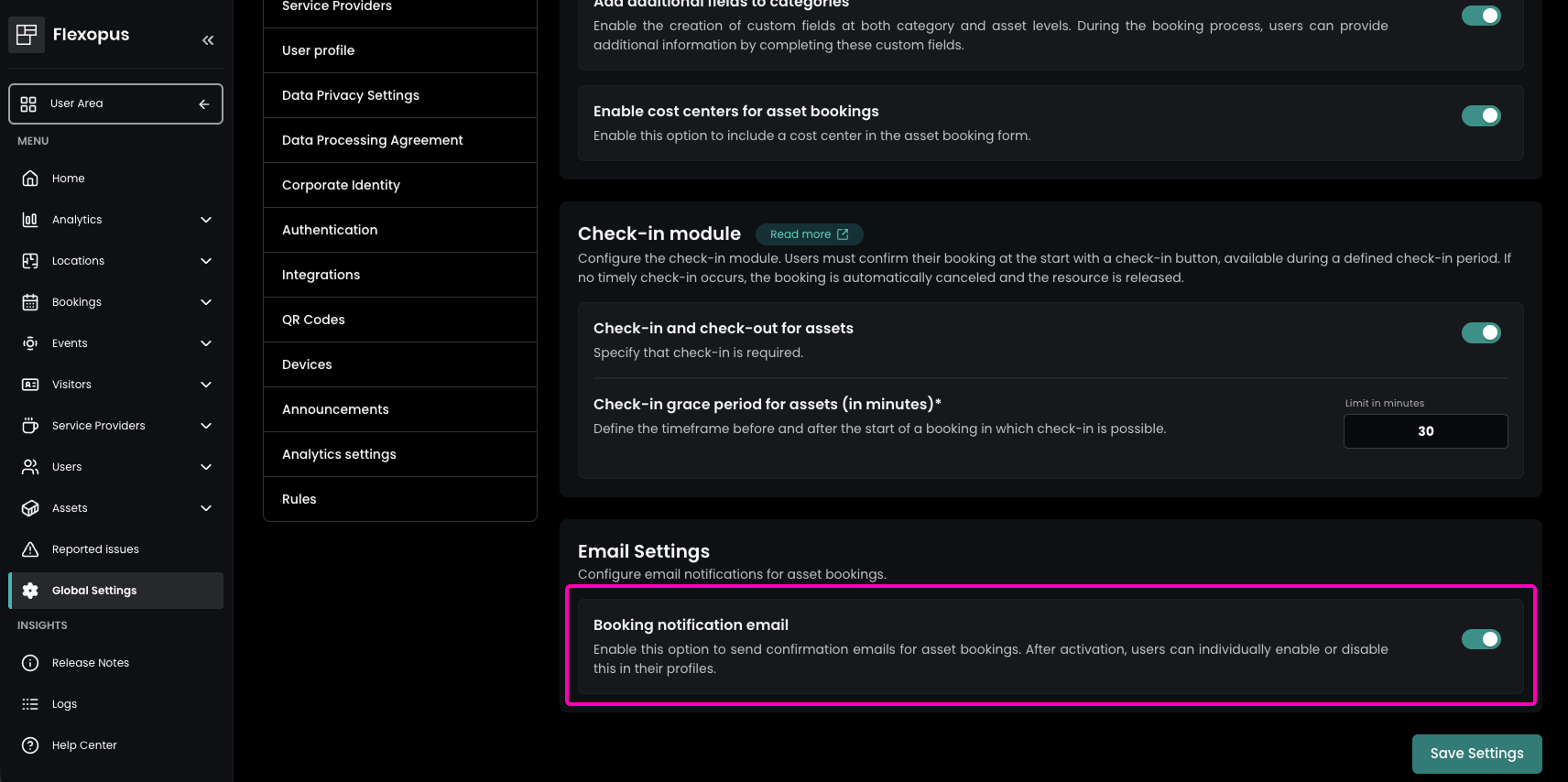
Your reservations, instantly confirmed! Users can now receive email confirmations for their asset bookings, providing a clear and documented overview right in their inbox. This update ensures they always have their booking details handy and organized, making it easier than ever to keep track of their reservations.
This option can be activated in the Admin Area under Global Settings → Asset Management → Email Settings → Booking notification email. Users who prefer not to receive these notifications can disable them individually in their profile settings under Notifications.
This provides better transparency and reassurance, especially for important or long-term asset bookings — allowing users the flexibility to find their reservation details wherever they need them, whether in their inbox or directly in Flexopus.
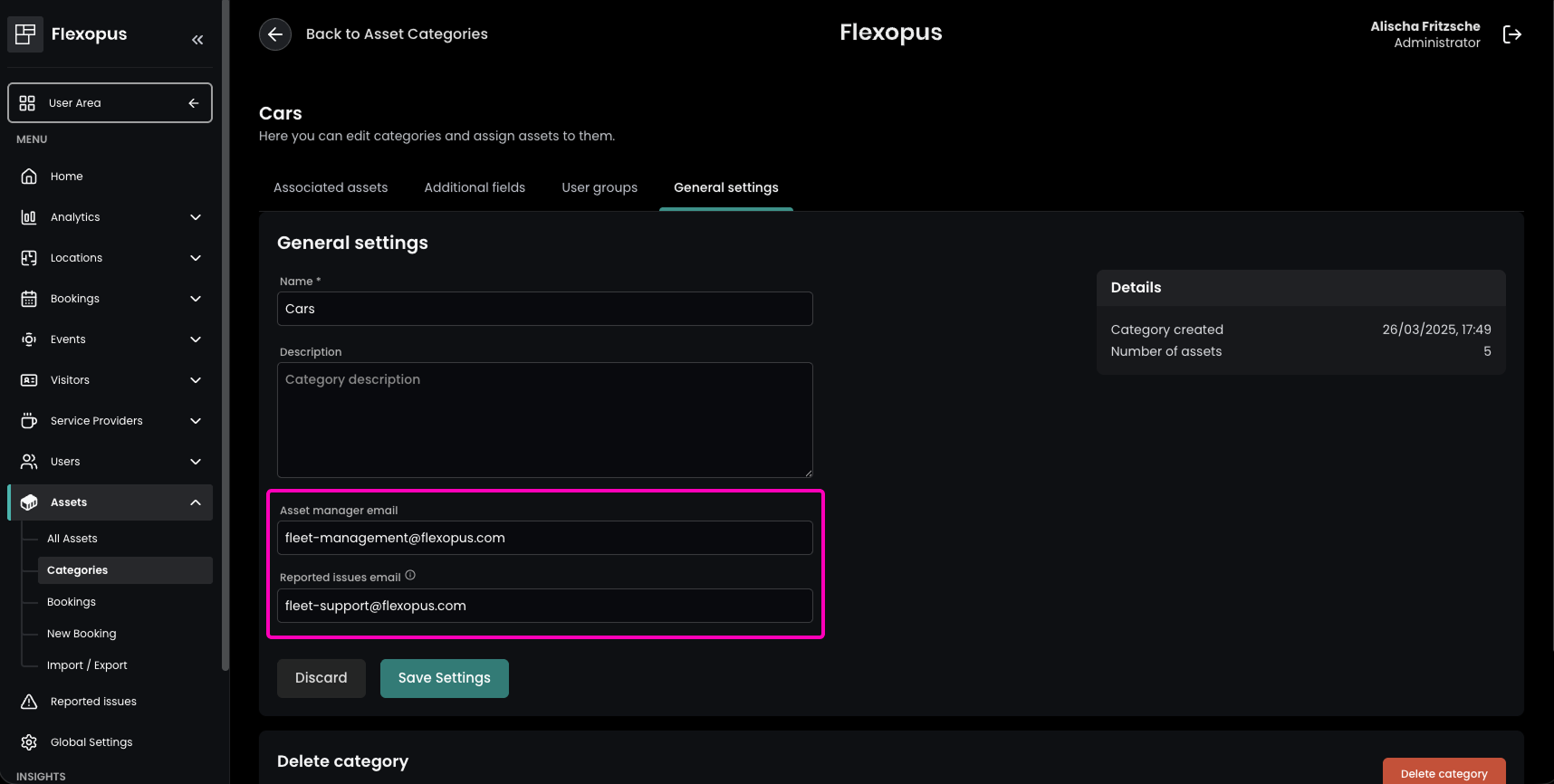
Improvement Flexible Issue Reporting per Asset Category
By assigning separate email addresses to different asset categories, you can now ensure that every issue reporting is routed exactly where it belongs. This makes it easy to distinguish between asset managers and technical support — getting the right information to the right contact without any detours.
Admins can set this up in the Admin Area under Assets → Categories by selecting a category and configuring the Reported issues email in the General Settings. This update streamlines your internal workflows and significantly improves response times.
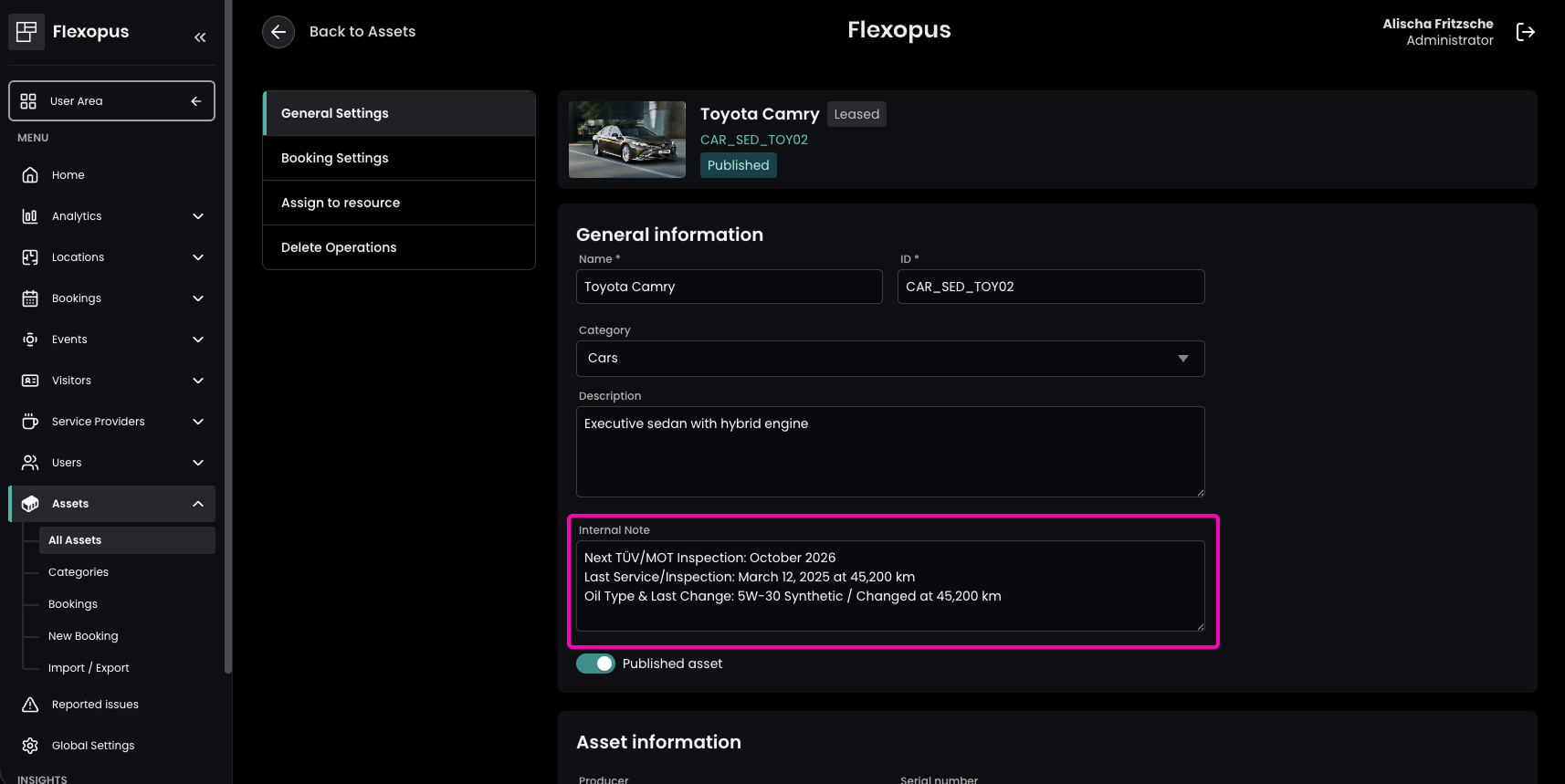
Improvement Internal Notes for Better Asset Documentation
Keep every detail in check with internal asset notes! You can now add internal notes to your assets, making it easier to document important details like damages, special conditions, or maintenance history. This ensures that all relevant internal information stays with the asset and is visible exclusively to administrators and asset managers within the Admin Area.
Admins can set this up in the Admin Area under Assets → All Assets by selecting the desired asset and adding an Internal Note in the General Settings. This update provides better asset tracking and keeps your team informed perfectly.
Improvement Immediate Check-In Option for Effortless Asset Bookings
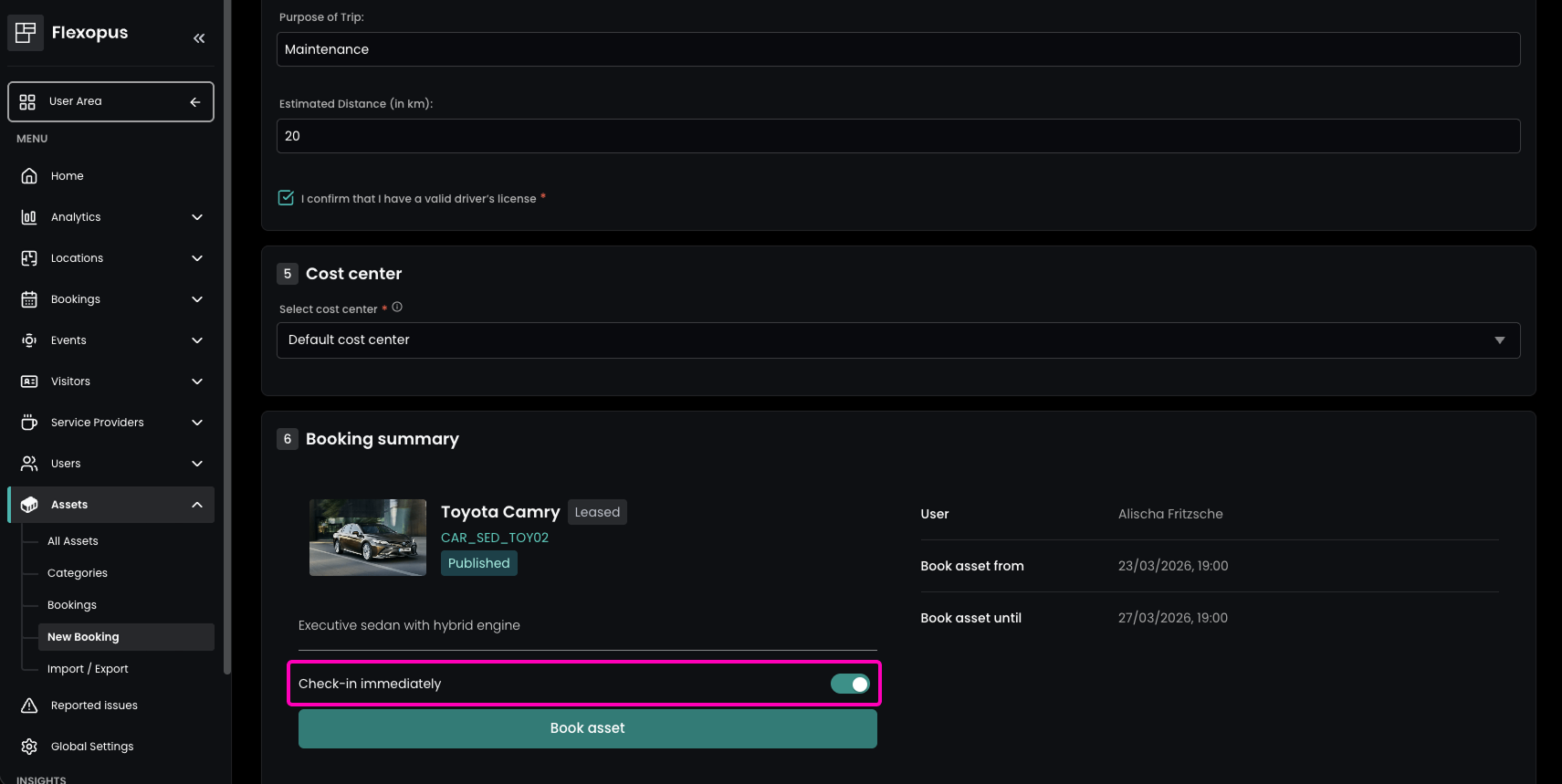
Simplify your workflow with immediate check-ins. Administrators now have the option to automatically check in asset bookings at the very moment they are created. This ensures that reservations are secured right from the start, completely eliminating the risk of missed check-ins or automatic cancellations.
This is particularly useful for tasks like maintenance, inspections, or cleaning — scenarios where you want your workflow to run smoothly without an extra manual check-in step. Simply activate the toggle in the Admin Area under Assets → New Booking while creating a new booking, and you’re all set!
Note: Asset check-in can be enabled in the Admin Area under Global Settings → Asset Management.