Added: An option for admins to enable a booking summary for the next day has been introduced. Users will receive a booking summary at the specified time in their time zone. Additionally, users can enable or disable the booking summary in their profile settings.
Admin Side
Added: The group view and editor have been improved to display associated objects, group admins, and other relevant information.
Added: The ability to crop uploaded building images and profile images has been added.
Added: General usability enhancements have been made, including improved messages.
Client Side
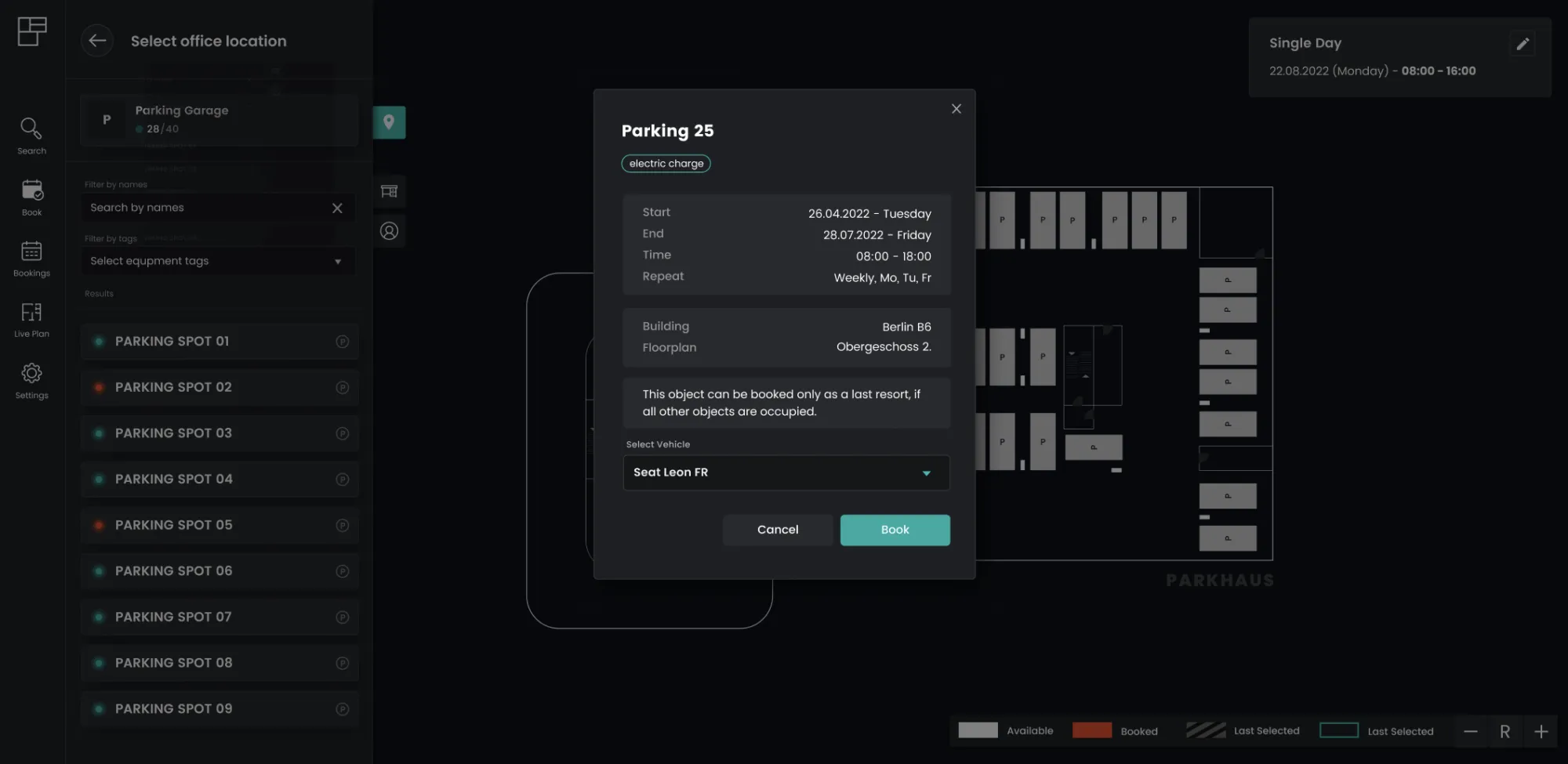
Added: The vehicle selection feature for users during recurring parking space booking creation has been implemented. This feature is relevant only if the admin requires users to associate a vehicle with their booking.
Added: Bookings on the live map are now grouped by type, improving visual organization.
Fixed: An issue with default time duplication on booking screens has been resolved.
Added: Two-factor authentication (2FA) for local Flexopus accounts can be enabled to enhance login security. More info can be found in the help article for administrators and users.
Admin Side
Added: Admins can now upload a custom image to be displayed during login, providing a personalized touch to the login experience.
Added: Admins can upload a separate logo specifically for the light mode, allowing better customization for different themes.
Added: Administrators now have the flexibility to control the visibility of past bookings on the live map. Admins can specify the number of days of past bookings that should be displayed. The default setting for this feature is disabled. If data anonymization is enabled, the specified visibility value will take precedence.
Admins can decide how many days past bookings can be shown in the live map. Default is off. Data anonymization takes precedence.
Fixed: The issue with bulk booking deletion has been resolved
Client Side
Fixed: Various enhancements have been made to comply with the Web Content Accessibility Guidelines (WCAG), improving accessibility and user experience for all clients.
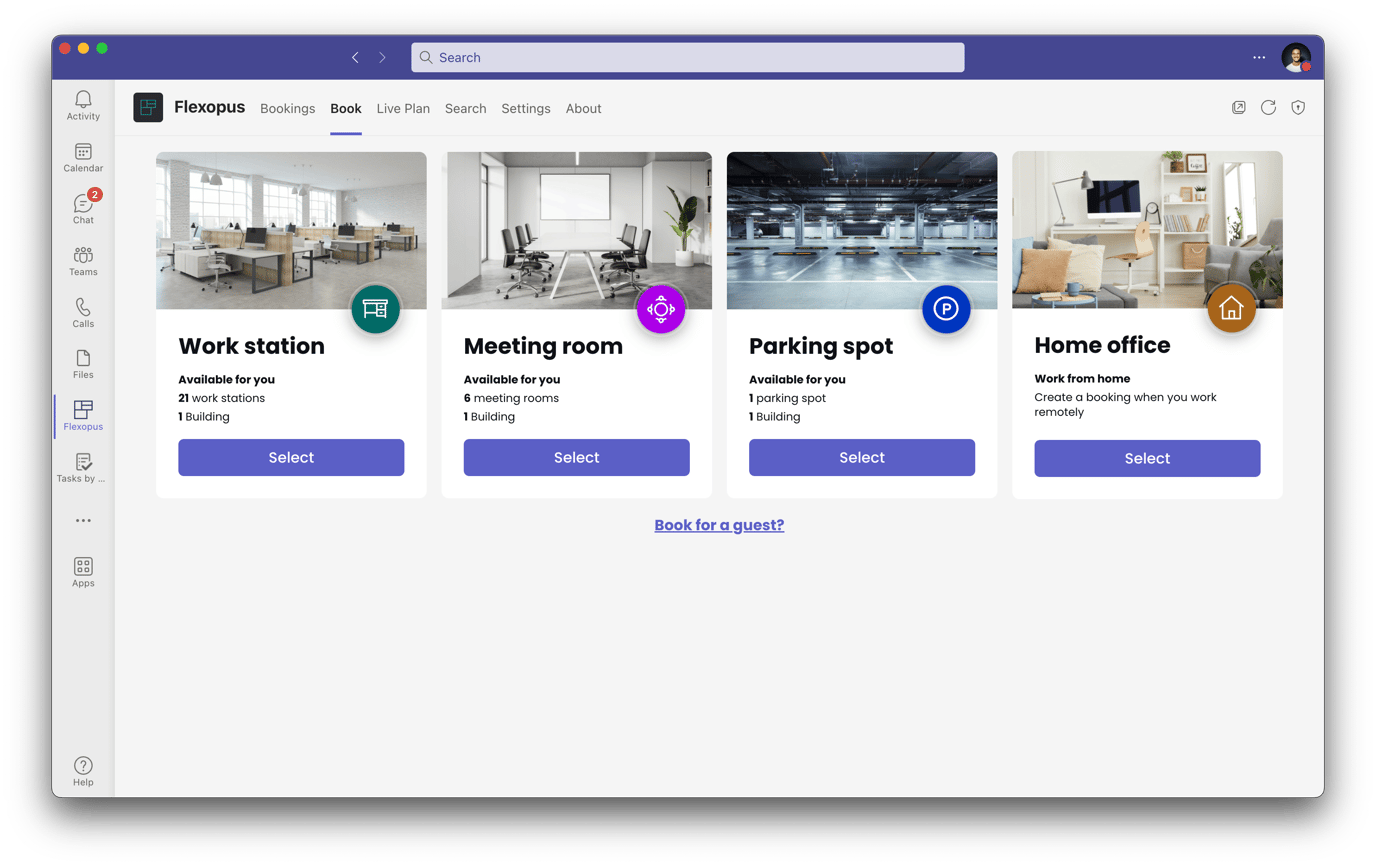
Flexopus can now be integrated as a Teams app in the Microsoft Teams desktop and mobile app, making it easier than ever for users to book flexible objects. With this release, we aim to provide users with a seamless booking experience, regardless of where or how they choose to book.
The app is listed directly in the Microsoft Teams Store, and can be installed with one click for all employees in an organization.
We have designed the Teams app to align with Microsoft's corporate identity (CI), ensuring a consistent look and feel for users. The app offers a bright appearance for users who prefer a lighter theme.
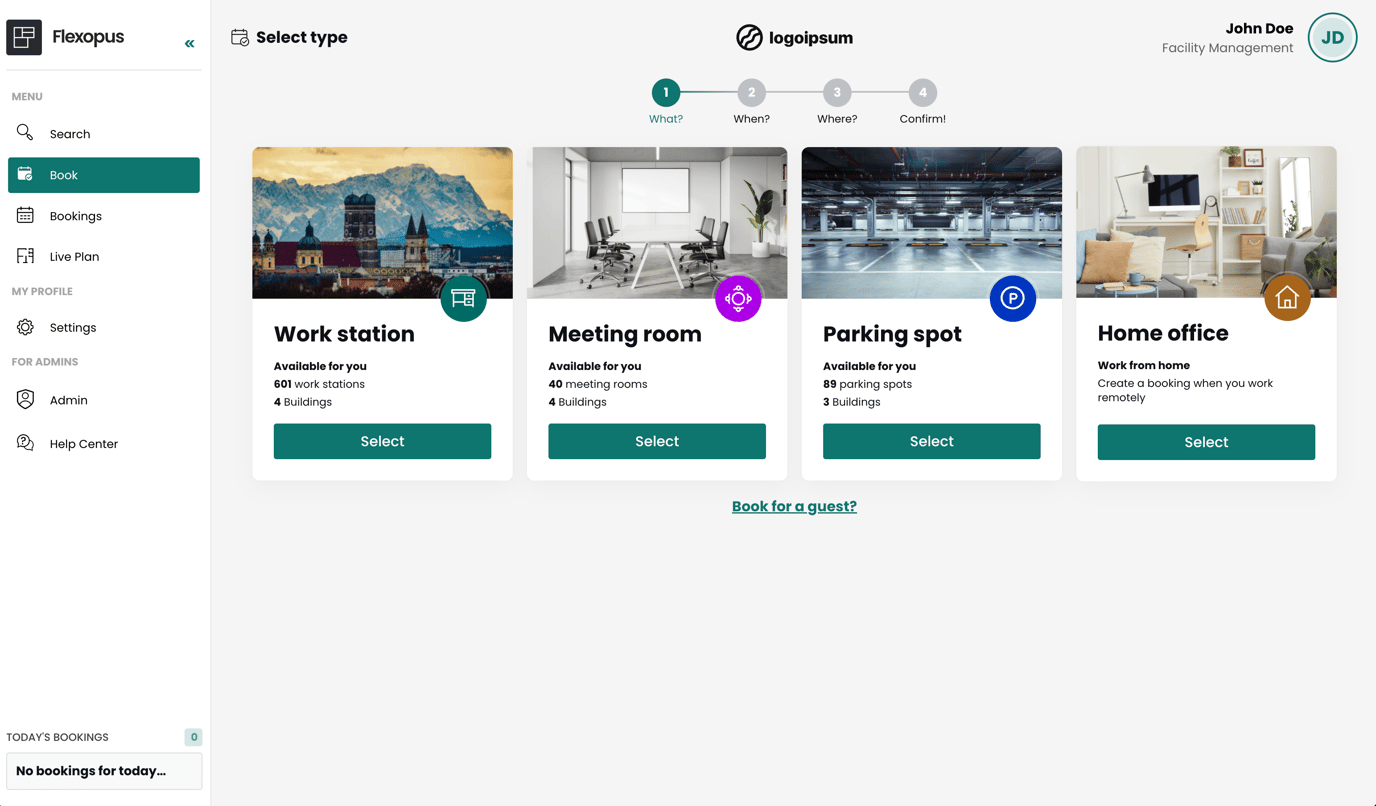
Experience Flexopus in a bright appearance. With the new version, every user can now choose between a light and dark mode in the profile settings. Enjoy a pleasant display that caters to your needs and preferences.
Light mode
(3.) Redesigned Booking List
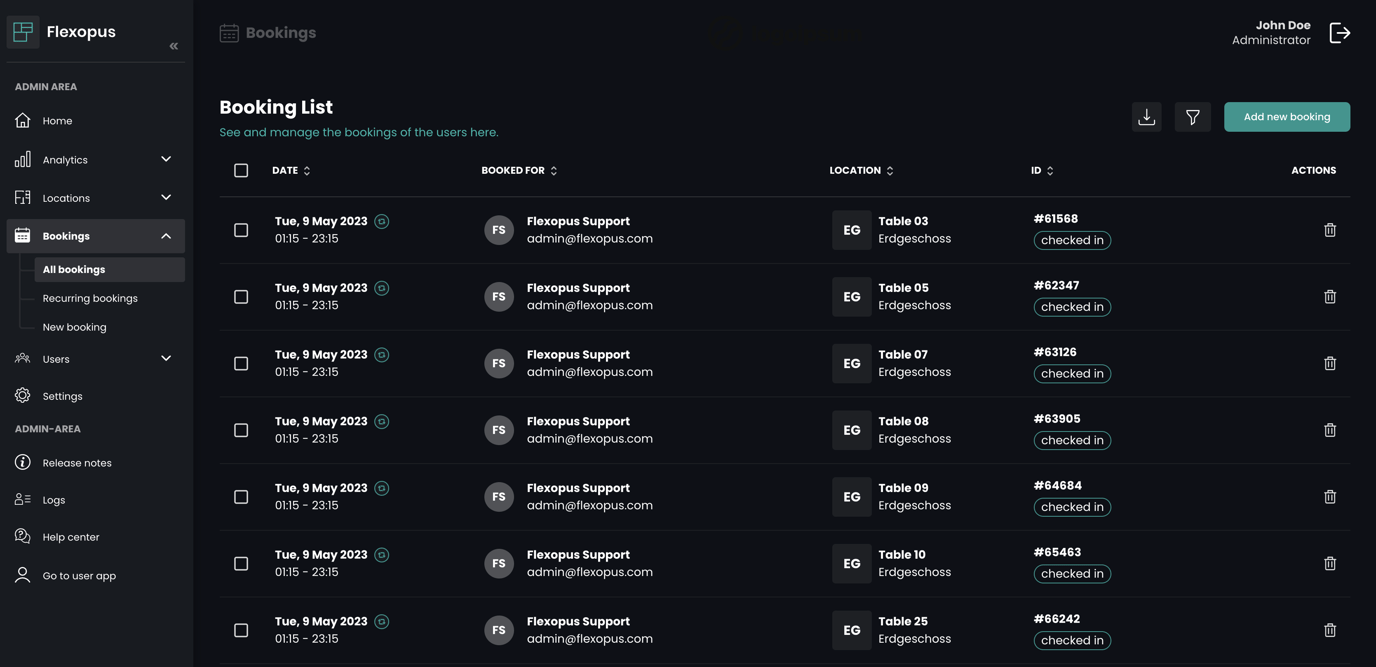
We have completely redesigned the booking list to provide a better overview of your bookings.
Booking list
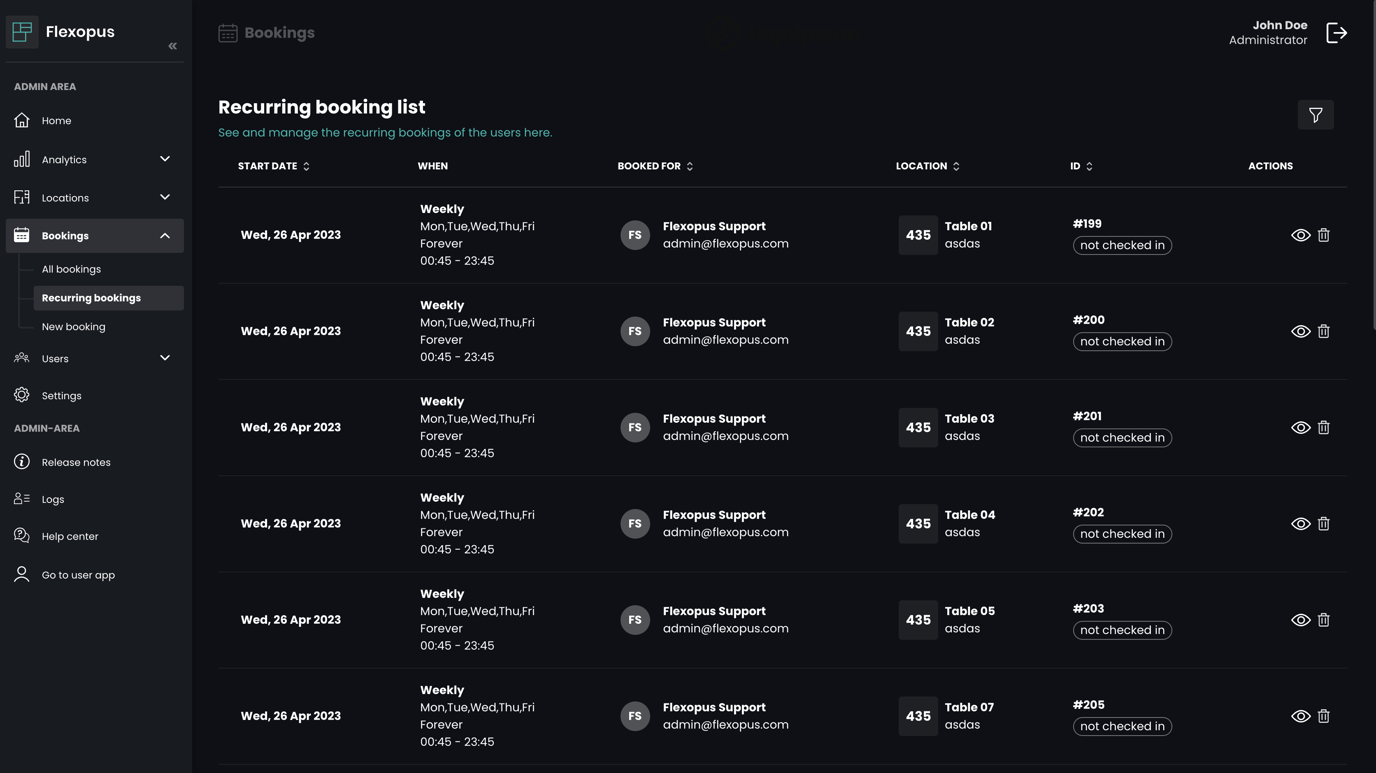
Additionally, we have introduced a new view for recurring bookings, allowing for improved management and organization.
Recurring booking list
(4.) Digital Signage Display – Beta
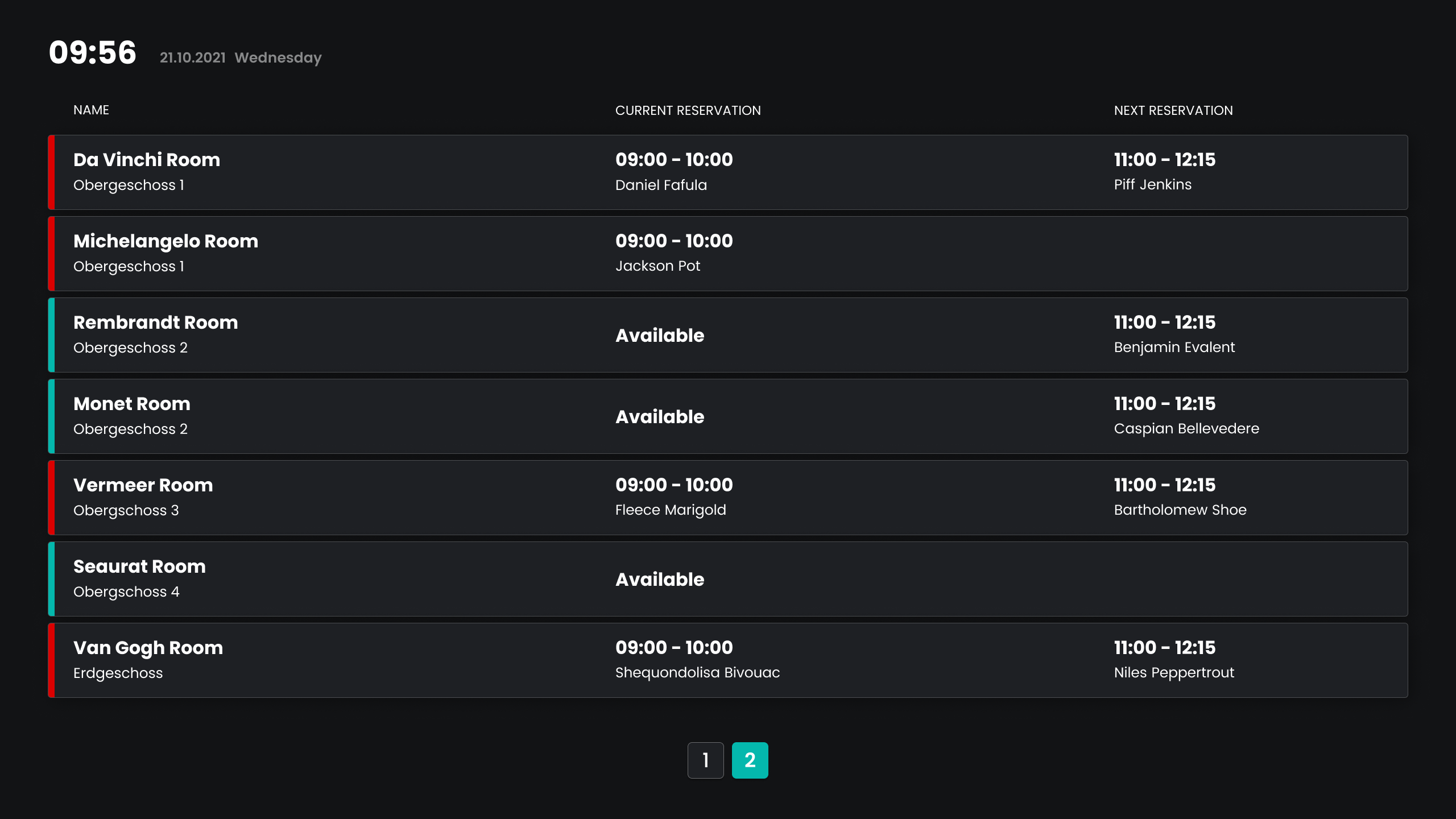
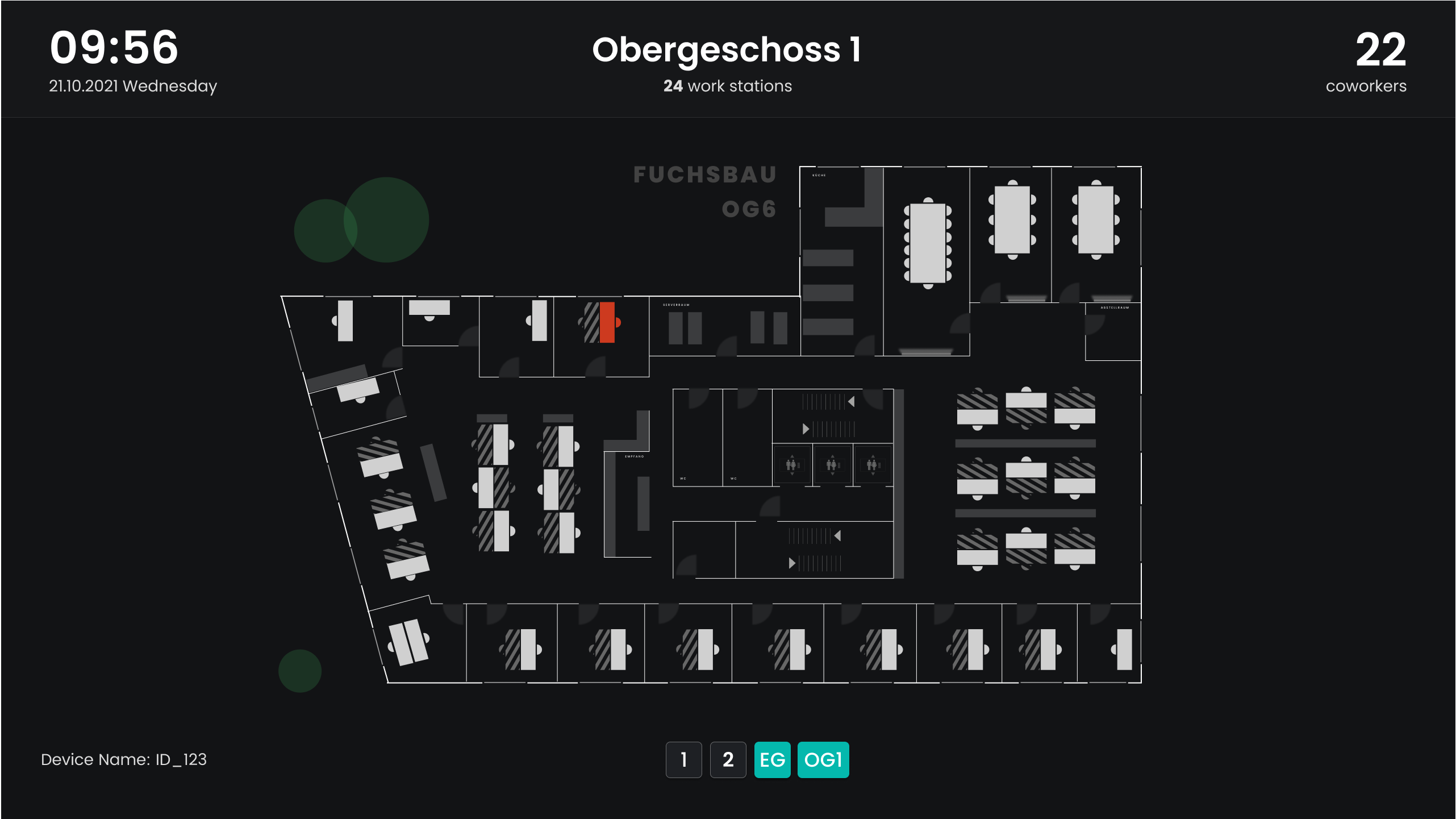
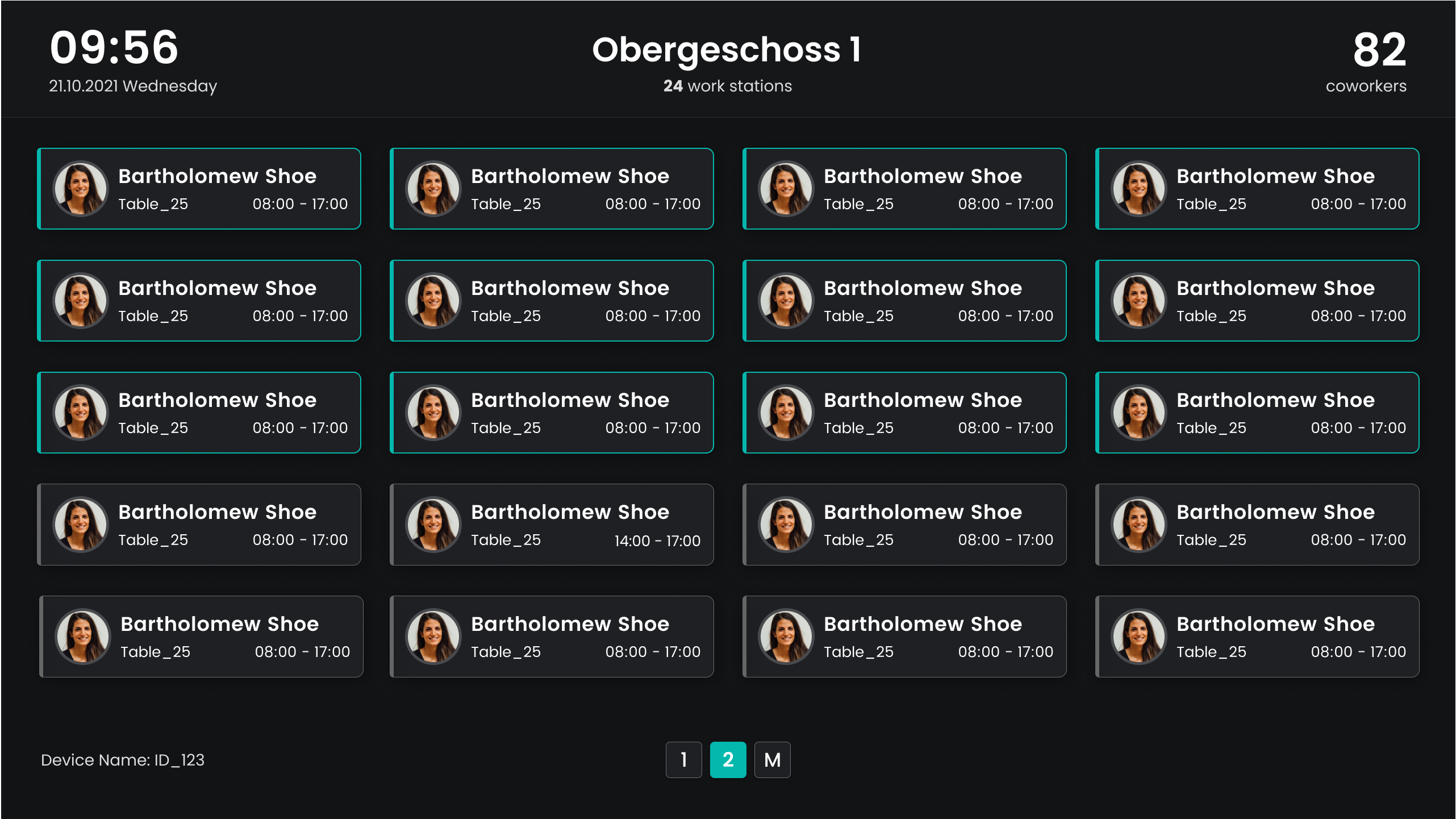
We are pleased to announce the release of our digital signage displays with three different types available for use. These displays can be paired with 4K smart TVs and modern browsers to display the following views:
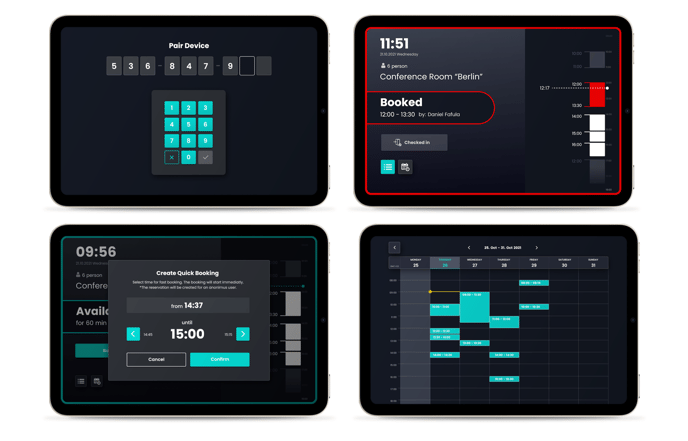
Object availability view: This view provides users with an overview of the occupancy status of selected objects like meeting rooms. It displays the current booking as well as the next booking.
Digital signage meeting rooms
Live plan view: The live plan view displays the selected plan with the current booking status. This view gives users a quick overview of available objects that can be used.
Live plan view
Presence list view: The presence list view shows users who currently have an active booking on the selected plan.
Presence list view
(5.) Public REST API
Upon request, we can provide you with a REST API interface for automated and autonomous data exchange to external systems. Simply contact our support team and we will provide you with a token-based interface. If you are missing endpoints, you can submit a feature request.
Added: We have added support for Arabic and Japanese languages.
Fixed: The application now hides unavailable links for disabled profiles.
Fixed: Info tooltip icons no longer appear on a new line.
Changed: The cookie banner has been removed as we do not track anything and only use necessary cookies.
Admin Side
Added: The vehicle function is now available for each customer and can be activated in the global administrator settings.
Added: The user list can now be filtered by role, allowing for more targeted searches.
Added: User roles are now available in user exports, providing more comprehensive data.
Added: During the booking process, users can now search for profile descriptions, such as "first responder".
Added: If buildings or floor plans are unpublished, a hint will be displayed on the respective edit pages.
Added: User profiles can now be deactivated in the data protection settings so that only users in the live plan are displayed.
Added: The data processing agreement (DPA) can be managed in the admin area.
Fixed: The drop-down menu for downloading analyses now properly closes after clicking on another one.
Fixed: Statistic tiles can now be exported as CSV, PNG, or SVG files.
Client Side
Added: All booking-related emails now have a unified layout and subject information, creating a more consistent experience for users.
Added: We have made further improvements to the accessibility of Flexopus, ensuring compliance with the Web Content Accessibility Guidelines (WCAG).
Fixed: Locations and buildings are now sorted in the user app exactly as the admin arranged them in the admin area, improving organization and ease of use.
Changed: We have made several improvements to the user profile layout, making it more user-friendly.
Changed: Pop-ups on the live map now open inside the screen area, preventing them from being cut off and improving usability.
(1.) Introducing of a new building and floor plan management
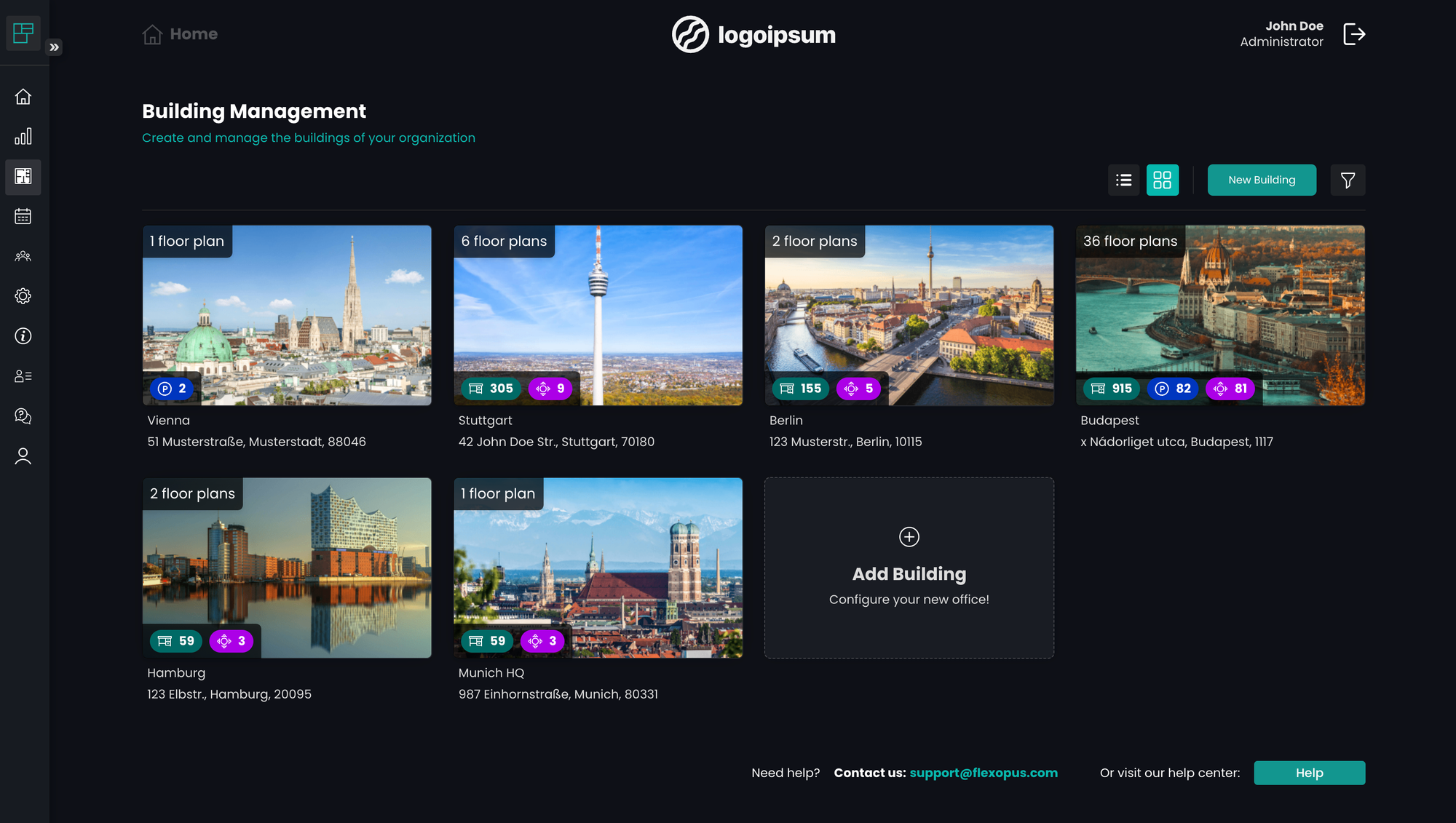
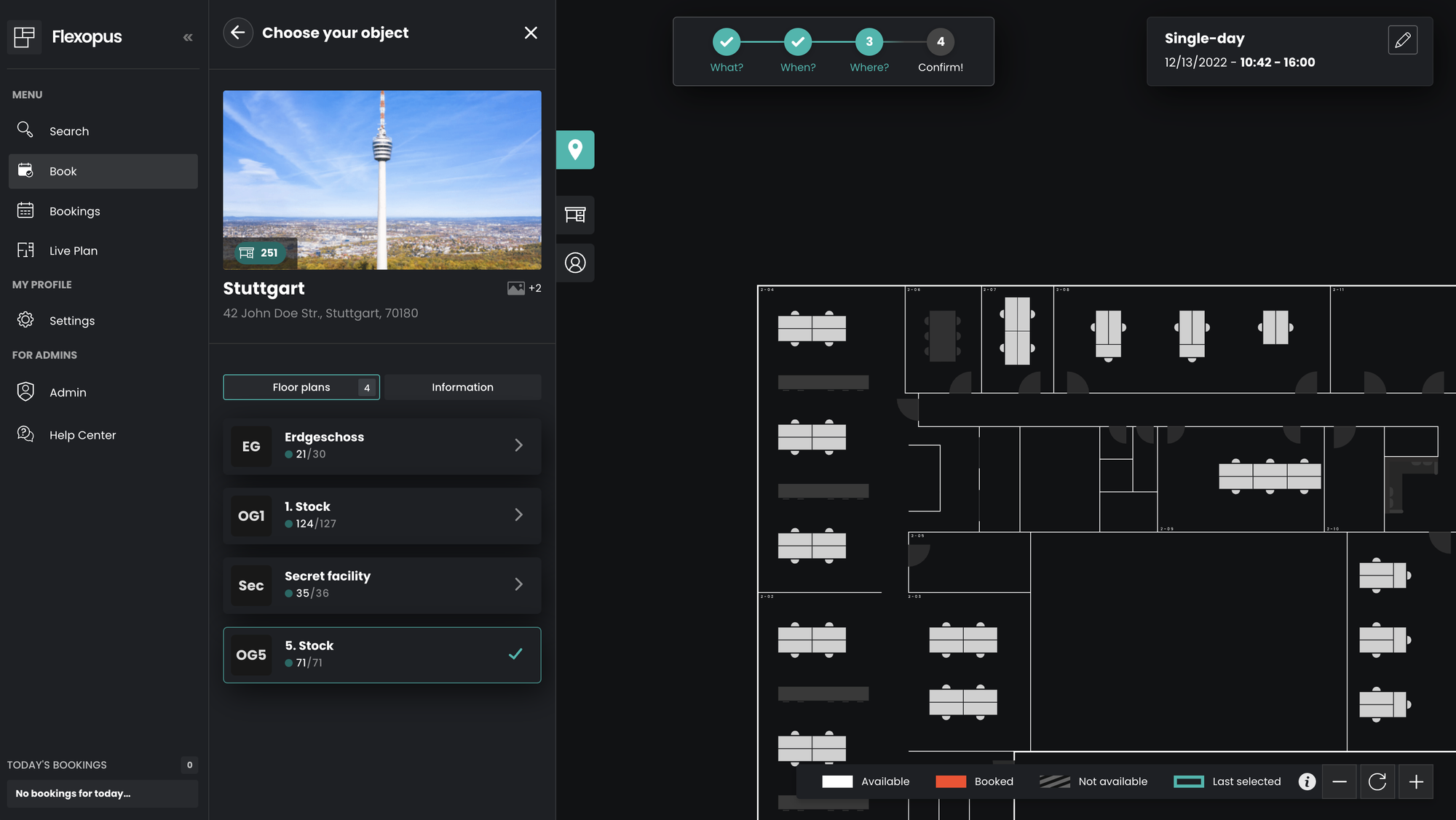
We are introducing a new building management. The building management layer is basically a group of floor plans. A building can be used as a group of floor plans in a physical building, or you can assign additional corresponding floor plans like parking garages to a building. As part of the release, floor plans are automatically added to buildings.
Building Management
Please note: After the release, each user has to select first the building and then the floor plan.
User Floor Selection
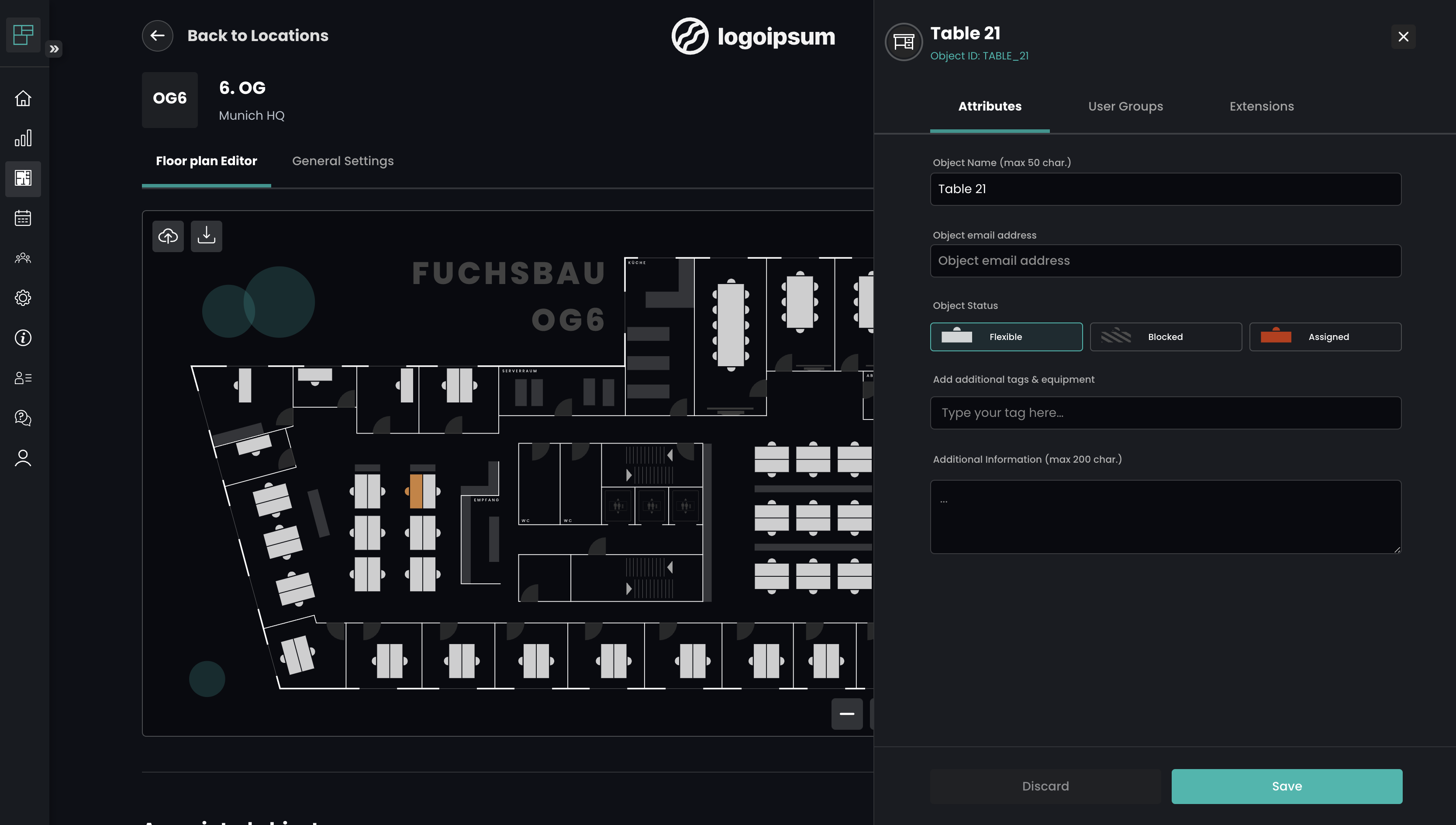
For administrators: The design of the plan management (in the admin area) has been optimized for an easier use. The settings are now in their own tab and the edit box is now on the right side, instead of the left side. The cover image of the building plans is no longer used, instead images can be published at building level.
Floor management
Note: During the migration, we will logically group the existing plans for you. If you have any change requests here, please send a message to support@flexopus.com.
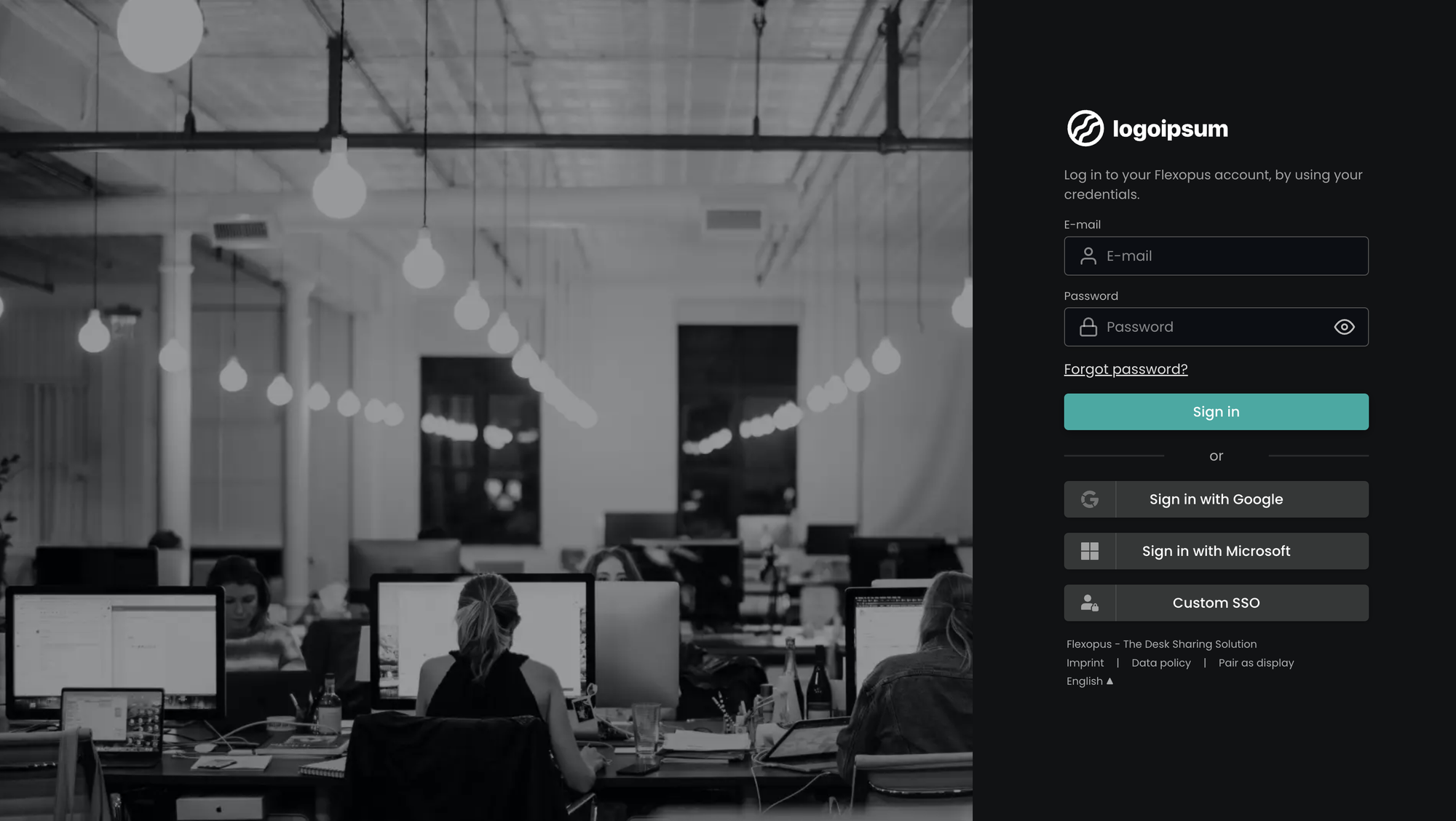
(2.) Redesigned login screen
The login screen has been redesigned to work better on different screen sizes.
Please note: After the release, each user will see the new login screen.
Login Screen
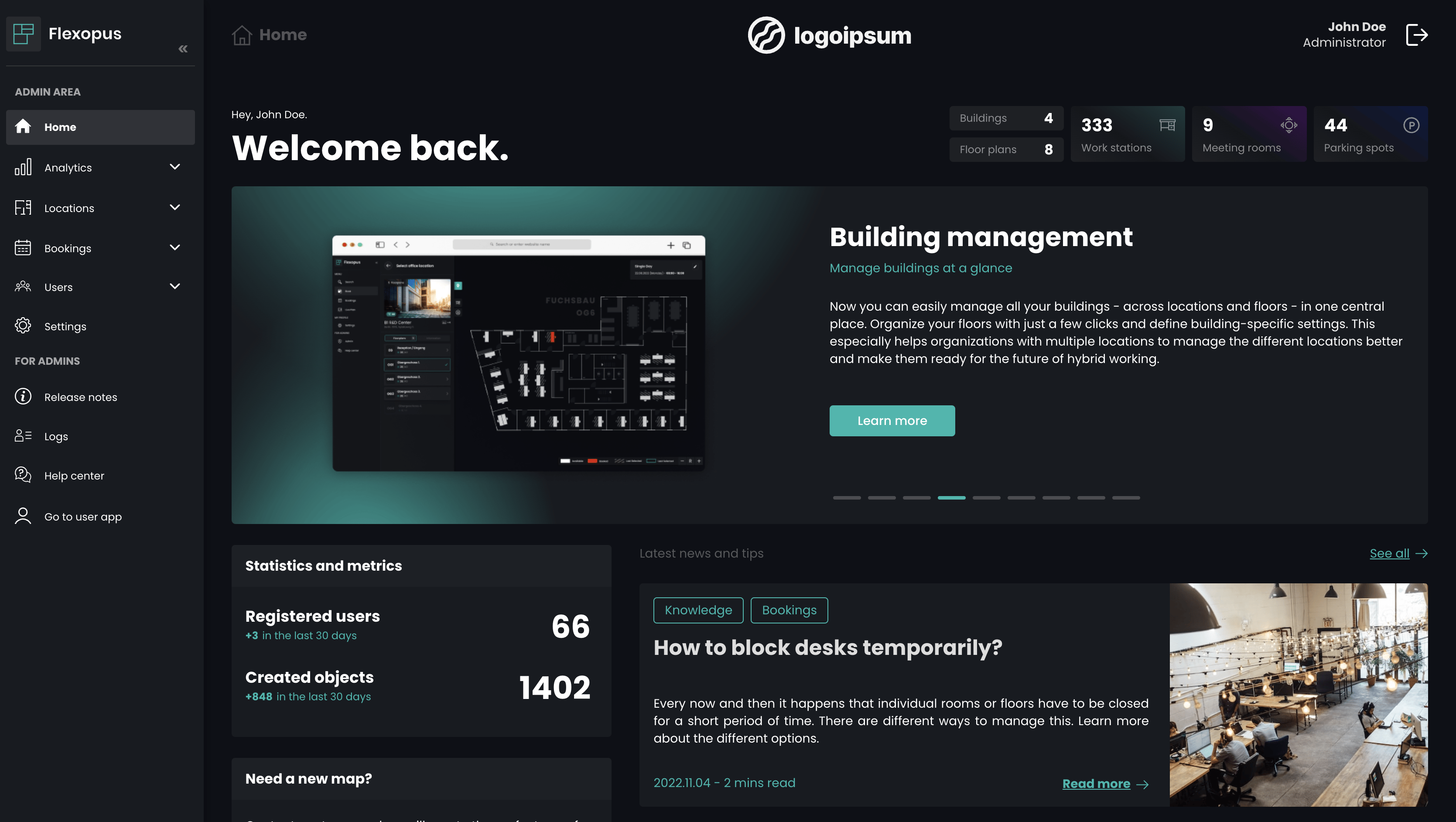
(3.) New home page for the admin area
A completely new home page for admins has been added for an easier start in the admin area. Furthermore, special features and admin tips are presented on the new home page.
Admin Home Area
(4.) Improved statistics for admins
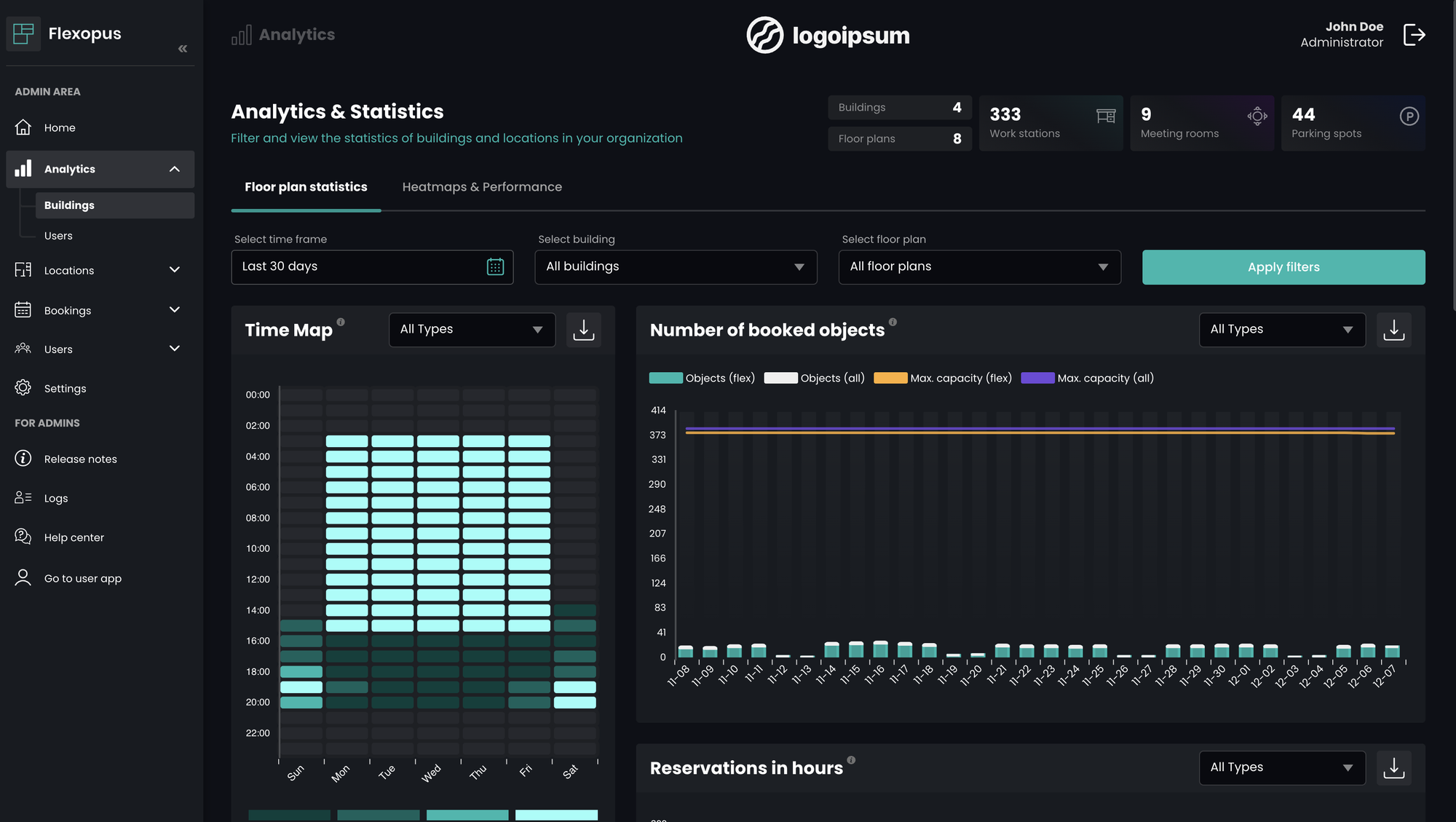
The analytics and statistics dashboard has been redesigned and optimized to better reflect the new building management.
Building statistics
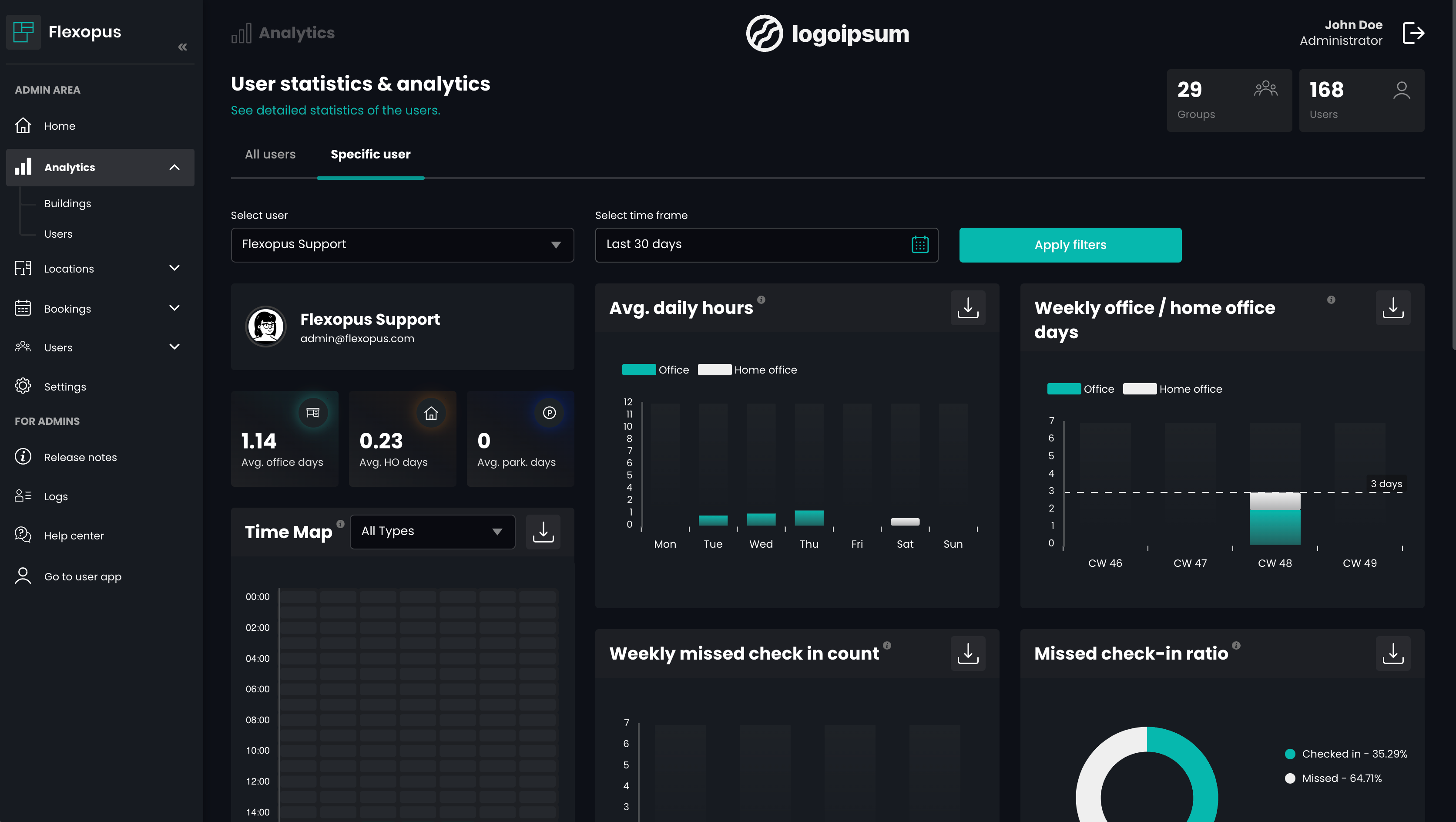
From now on, statistics about users can also be evaluated. If you want to use the user statistics, the booking anonymization has to be deactivated completely or the booking anonymization function must be set to at least 90 days. Please comply with your organization's privacy policy at any time and speak with your data protection officer before activating the feature.
Please note: The user statistics are disabled by default.
User statistics
(5.) Redesigned QR code screens
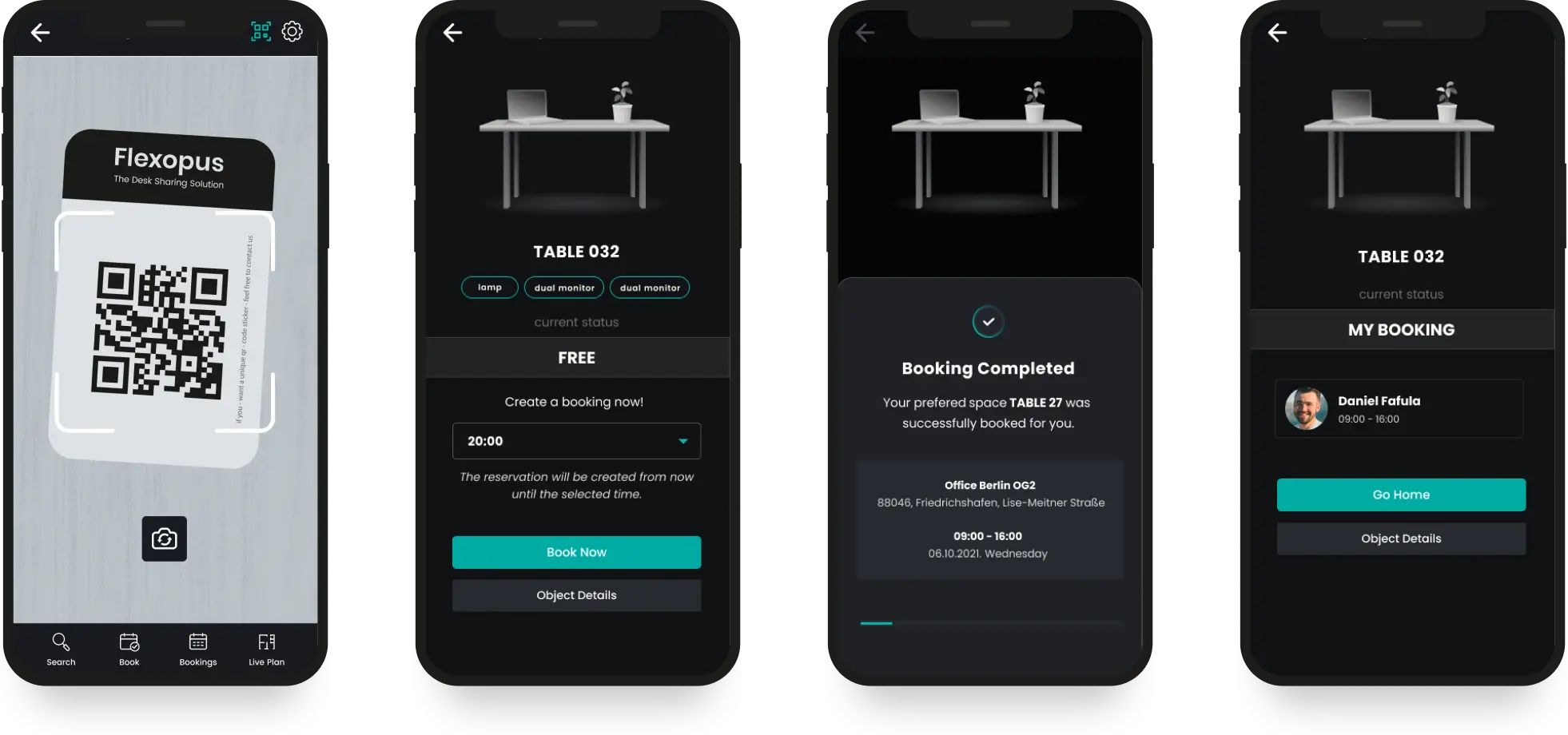
All screens for the QR code feature have been redesigned for a better user experience. Assigning for admins and scanning QR codes by the users becomes even more intuitive.
QR Codes
(6.) Customizable booking times
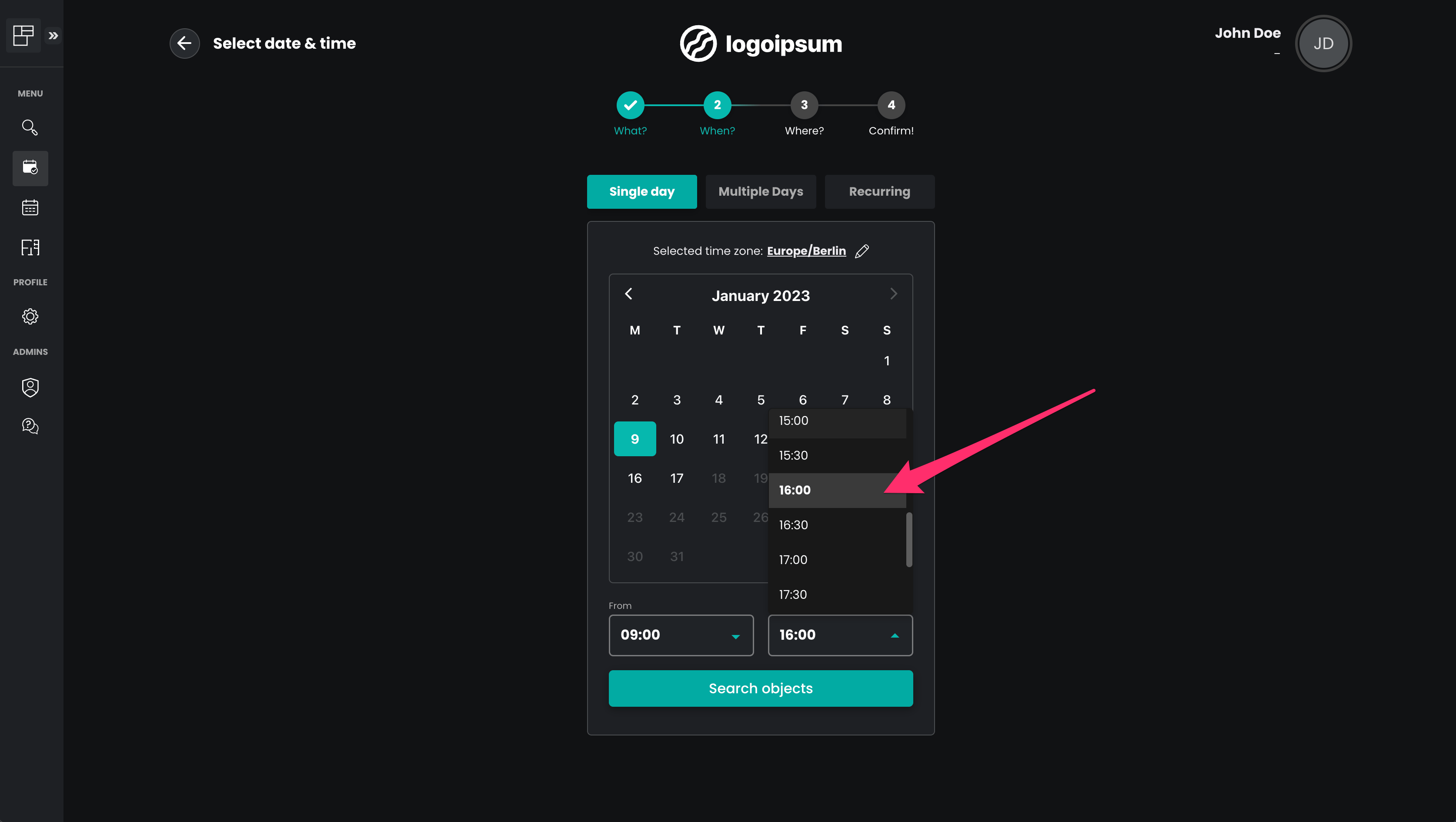
Previously, the user could select the start and end times of a booking in 15-minute increments in the booking process. The admin now has the option to change this interval in the global settings. 10, 15, 30 and 60 minutes can now be selected.
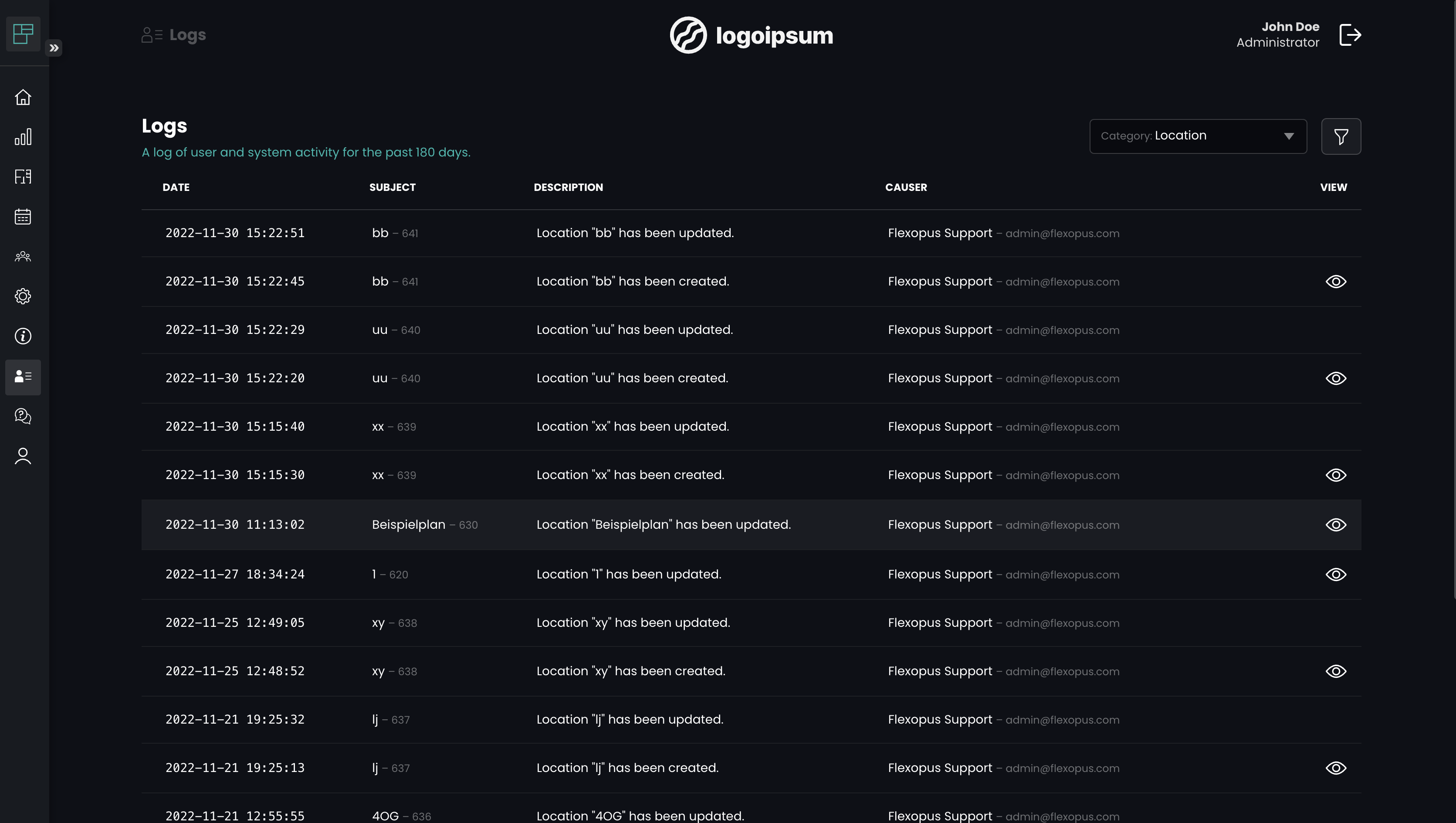
Only administrators can now view application audit logs (max. for the last 180 days) in the admin area to better track potential security incidents. If you have enabled the booking anonymization feature, the logs may be available for a shorter period of time - according to your settings. For example, if you have set personal data to be anonymized after 14 days, the linked username will be removed/deleted from the log entries after 14 days, according to your setting. The logs are still kept, but are not linked to personal identifiable information in any way.
Logs
(8.) Add vehicles (license plates) to parking spot bookings
There is a new beta feature that allows to specify the license plate number of the vehicle when booking a parking space. The admin can export the license plates in the booking list, for example, to check whether only authorized vehicles are in the parking spaces.
Vehicles
Note:The feature must first be enabled by Flexopus. If you want the module to be enabled for you, then write an informal email to support@flexopus.com.
(9.) Native iOS and Android App
To be able to access Flexopus faster and easier, you can also install the application as a native app on your end device. The admin can disable the possibility to log in on the native app version.
You have to enter your organization's Flexopus URL once after installation, e.g. <organisation>.flexopus.com
(10.) Microsoft Outlook add-in
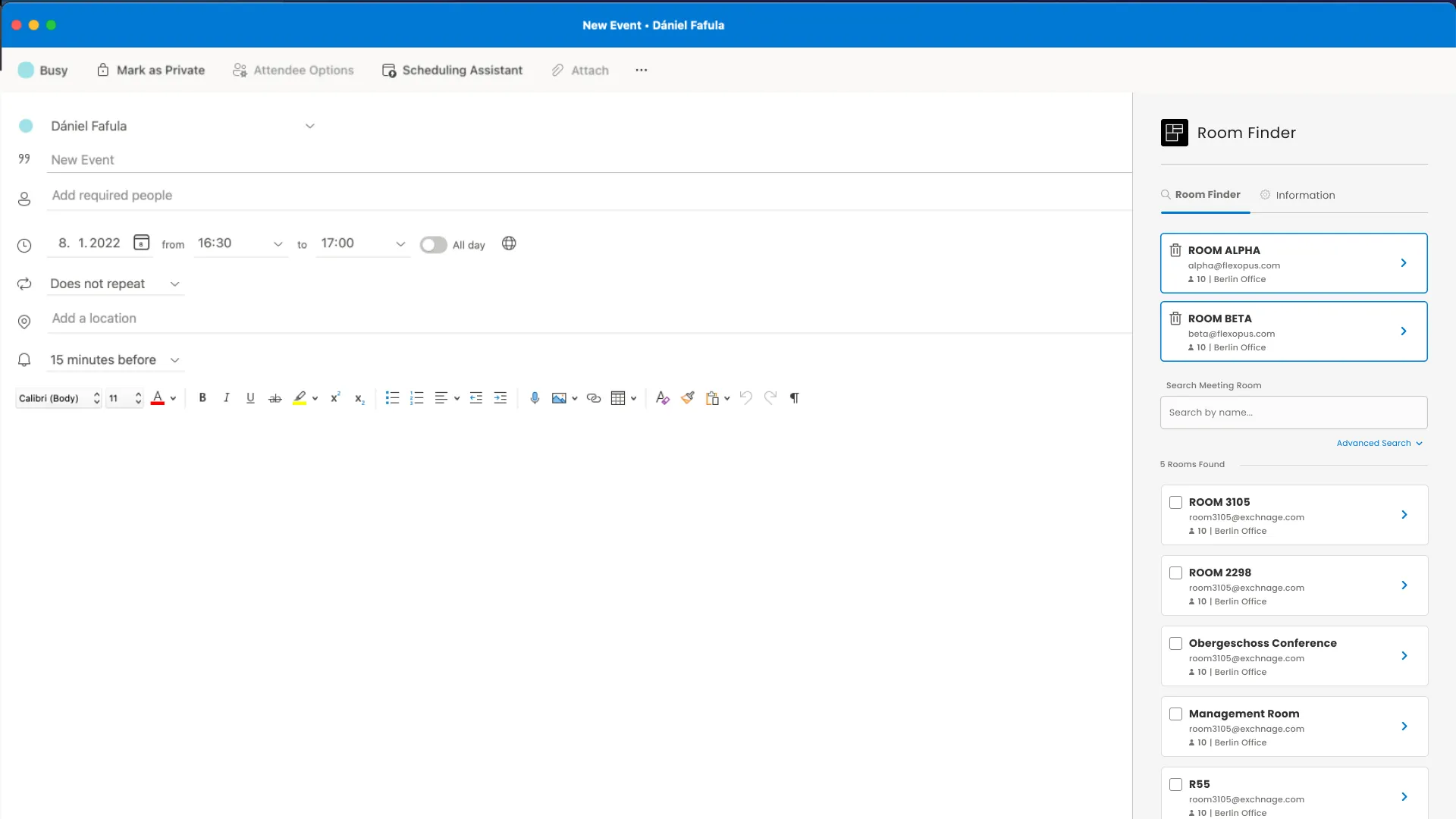
With the help of the Flexopus Outlook add-in, the room booking in Outlook is extended by a graphical user interface with a smart search. In the detailed view, floor plans can be viewed directly in Outlook. Furthermore, rooms and other resources are also searchable and filterable with the characteristics defined in Flexopus, e.g. room size or equipment features. Room booking in Outlook has never been easier than with our new Flexopus Outlook add-in.
Outlook plugin
General
Add: New building management feature to allow grouping of locations (now floor plans)
Add: Reservations that are deleted due to a missed check-in are now marked as such
Add: Vehicle registration plate support for parking space reservations (feature preview, has to be enabled by support@flexopus.com)
Fix: Various minor fixes and improvements
Admin Side
Add: New main dashboard site with all important info at a glance
Add: Logs of user and system activity are now viewable by administrators
Add: New Location Manager Lite role, without any access to other user data (More information: roles & permissions)
Add: New map editor version with magnetic lines, text labels, and more
Add: New interface to manage floor plans (previously locations)
Add: User-level analytics, which are enabled only when the personal data anonymization feature is disabled or set to at least 90 days.
Add: Analytics page improvements, new metrics are available
Added: Guest bookings can be optionally enabled by the administrator. When enabled, users can create object bookings for guests (people who are not present as users in Flexopus) with their names and email addresses.
Admin Side
Added: The map editor has received a major update with an even more intuitive interface. Furniture and other special objects can be managed additionally and the layer order can be defined (front/back).
Added: A new sidebar menu design has been added for easier navigation.
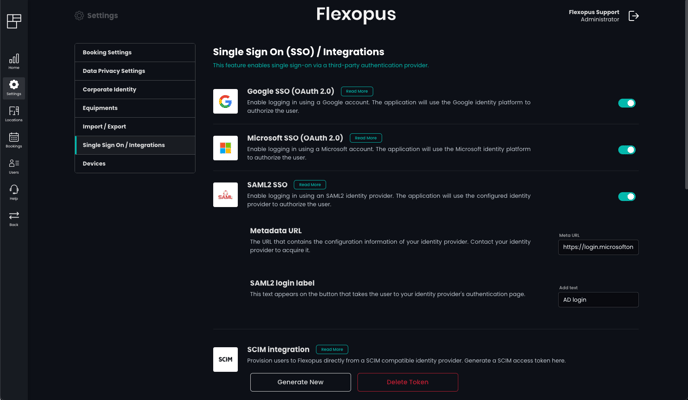
Added: It is now possible to upload the SAML2 metadata as an XML file.
Added: Group synchronization via SAML2 for providers that support sending the groups with the user data (e.g.: Microsoft AD FS, Keycloak) is now possible.
Added: An API endpoint for importing users using a file has been added. It is now possible to generate an API token for this feature in the Integration settings section.
Added: The FLOSS (Free/Libre Open Source Software) libraries used can be viewed in the admin area.
Added: Added a setting to enable/disable email notifications for permanently assigned object bookings.
Added: The iCalendar file attachment (ics file) can be enabled/disabled in booking email notifications.
Added: It is now possible to disable/enable users via the user import function.
Fixed: Better error messages are sent to the SCIM server if there are configuration or communication problems.
Fixed: The number of group users now shows the correct total.
Fixed: The location analysis page no longer gives an error when there are no locations.
Fixed: Export drop-down menus have been optimized.
Fixed: Images are validated faster.
Fixed: Dates are now formatted correctly in Excel exports.
Client Side
Added: A new sidebar menu design has been added for easier navigation in the desktop version.
Added: Meeting room capacity is displayed to the user if set.
Added: The dot marks in the date selector whether a booking exists on that day now include all overlapping booking types (e.g. home office and work station bookings).
Added: Filters are remembered when switching between list and map view.
Added: Objects can be filtered on the map according to the entered search criterion.
Added: If a booking is changed afterwards, for example by an admin, then the new email booking confirmation will show the person who made the change.
Fixed: Date and time formats have been optimized and unified.
Fixed: Email notifications for bookings are no longer marked as "optional" by Outlook.
The admin can enable a new booking type "home office".The global settings have been redesigned.BETA: Digital signage displays can be used for meeting rooms. (paid extra feature)
General
New booking type: home office We have added home office as a new booking type. As an administrator you can enable home office for selected user groups of your organization. The selected users can create home office bookings. Home office can not overlap with a work station or parking spot booking. This feature is available for all customers for free.
Redesign of global settings The global settings have been restructured and redesigned for a better and easier configuration experience.
BETA: Digital signage displays for meeting rooms As an administrator you can pair digital signage displays (for example tablets) with meeting rooms. The displays can be mounted in front of meeting rooms to display the status of the room and associated bookings of the meeting room.
Additional features: quick booking, check-in on site, calendar view of the bookings and list view of the bookings is implemented. Display bookings from Microsoft Exchange is supported (if you have the integration enabled). Connected devices can be managed in a list as an administrator. The connection can be established with a time limited pairing code.
Digital signage displays have to be a browser capable devices (for example a tablet) with a minimum screen size of 7" and the capability to run in kiosk mode.
This feature is currently in the beta phase for selected customers. In the future it will be a paid extra feature. If you are interested, you can apply for the free beta program at support@flexopus.com.
Admin Side
Added: Multiple selection of bookings in the booking list for bulk deletion.
Added: User access expiration date can be configured for each user.
Added: Before marking an object with existing bookings as not available, the system will ask what to do with the existing bookings – delete all or keep all.
Added: Users with elevated access rights are marked in the list view with a yellow crown.
Added: Booking type cover images in the first booking step can be customized.
Improved: Creating a new booking is moved to a button instead of a tab.
Improved: Notifications are using the same UI as the frontend.
Fixed: Unique IDs for group and user IDs during SCIM synchronization.
Fixed: "Last month" in analytics can be deselected.
Fixed: SSO domain white list validates the domains entered. (flexopus.com instead of @flexopus.com)
Fixed: "Session expires on close" setting is now saved as expected.
Client Side
Added: Arrows for better navigation between days in the time selector of the live map.
Added: Profile images are now displayed in the live map user list and the booking workflow map view.
Added: Objects are displayed as inactive elements when the search query (tag or name) is not matching on the floor plan view.
Added: Display the object description in object tooltips on the floor plan view and on the booking confirmation view.
Added: Show the info popup of an object when hovering on the list elements in the floor plan view.
Added: Show up to 6 tags in the object popups on the map view.
Fixed: The map redirect on the bookings is setting the time for the live map too.
Fixed: Deleting multiple objects shows a loading animation.
Fixed: When navigating from the live plan to the fast booking, the date and time is remembered.
Fixed: The available date selection range on the live map view is taking the skip weekends setting into account.
Add: Support multiple timezones. A location timezone can be set when creating a new location. If multiple timezones are set among locations, users can choose which timezone to book in and they are offered locations and objects in the given timezone. By default, every location uses the default timezone set in the booking settings area on the Dashboard
Admin Side
Add: New setting to allow limiting SSO logins to users who are already imported into the system
Add: Button to delete every booking for a given object in the location editor
Add: It is now possible to set the privacy filter to user preference and set the default value
Add: Recurring bookings can now be filtered in the booking list
Add: Improve analytics page
Client Side
Add: Support recurring bookings. Users can now create recurring reservations with different rules. It is also possible to allow or disable these rules to last forever. If they can not last forever, user bookings are still constrained to the limits set in the booking settings area on the Dashboard
Add: Synchronize profile photos from SSO providers when possible. This feature never overwrites existing profile photos.
Add: Emails are now properly translated
Fix: Friendly messages for SSO errors
Fix: Password field is cleared after every login attempt on the login page
Microsoft Exchange Integration for Meeting Rooms The first Microsoft Exchange integration is available from this version. Meeting room bookings can be synchronised through the new Microsoft Graph API. The synchronisation enables the users to manage meeting rooms in Outlook / Microsoft Teams and Flexopus as well.
Admin side - Concierge Booking The concierge booking workflow for admins has been completely revised. A map is now integrated and conflicting bookings are shown. The admin can still “overbook” objects.
Map Editor - Beta Location managers and admins can edit existing maps. If the feature is activated. If you want access to the map editor write an email to support@flexopus.com. Simple operations like adding, moving or deleting objects are possible. If you want to move walls or furniture you have to contact support@flexopus.com.
Calendar Redesign / Monthly View The booking calendar got a UI facelift. New functions were implemented: like jump to today, create a new booking button, select type for booking after the time selection. The new monthly overview screen is available on desktop only.
Dots on calendar days Existing bookings of the user are displayed with dots on the calendar in the booking process and the quick booking calendar. This feature should help the user to avoid conflicted bookings by gaining a better overview.
Timezone handling per location You can define a different timezone for the locations, if you have an office outside of the main timezone. The booking workflow is always using the timezone of the selected location.
QR-Code Handling Scanning a QR code while logged out now opens the originally QR code page again after logging in. The user can also check out by scanning the QR code.
Mobile - Dynamic popups All mobile popups are full width bottom centred. The user can close them by dragging the popups or clicking outside of the active area.
Mobile - Booking navigation The confirmation screen on the mobile view now includes quick “jump back” buttons to edit the booking steps (Time, Location, Object Selector). It also remembers the user's last selection.
Shibboleth Support Shibboleth is now an officially supported SAML2 identity provider of Flexopus.
Customization of permissions Users with the right to edit users can no longer change the password, e-mail address and access rights of users with higher permission levels.
Handle incoming icalendar events When a user presses decline or proposes a new time for the booking confirmation email, the system handles these messages. Bookings can be deleted by declining the event. In case of a proposal, the system edits the booking if possible and declines the proposal in case the proposed edit is not possible. At the moment this is not supported for recurring bookings created by the administrators on the "advanced booking" tab.
New settings for bookings There is now an option to allow users to have more than one meeting room booking at any given time. In addition booking more than one bookable using the advanced (recurring) booking feature at the same time is possible. Booking confirmations to bookable object address are sent even if the user notification is disabled. The name of the user will be included in booking confirmations.
Dealing with inactive users If a user is inactive, he can be deleted after a certain period of time. This option is disabled by default.
The release notes may be extended until the release date.
General layout design changes The application has a polished dark theme to improve the contrast, and the look and feel. This is the first step for introducing a light theme in the future.
New layout for the profile settings page The usability of the settings page was improved through a better design and more info texts. We added an advanced password complexity checker to validate rules (upper- and lowercase letters, number, special character) on the frontend interactively.
The live map supports day and time period selection Instead of a single time, the live map supports a time period on a selected day. The live map is checking for bookings between the selected start and end times on the selected day. This allows presence checking for the selected interval within a day.
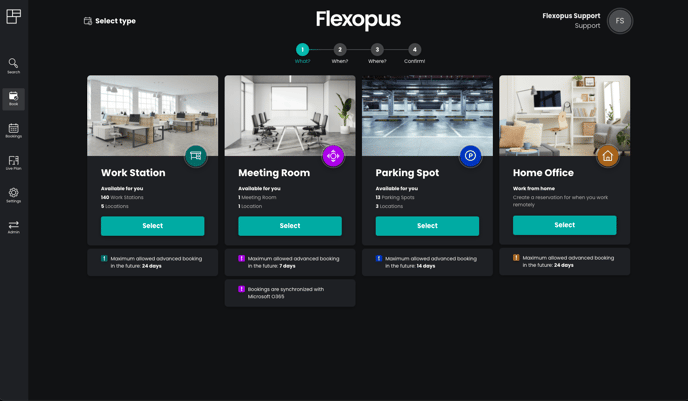
Object type selection as a first booking step The users have to select the booking type first (work station, meeting room, parking spot). This helps to introduce new booking types like home office or vehicles with different settings in the future. If there is just one booking type available, then this step is automatically skipped.
Improved booking confirmation on desktop The final step of the booking in the desktop version is now a popup screen for better user guidance.
Conflicted bookings are shown in the booking process When creating a new booking, the system now checks if the user has any overlapping bookings in the selected period of time. Overlapping bookings will be listed on the date selection page. The user can edit or delete them to continue the booking workflow.
Improved design for popups and in-app notifications The workflows for deleting, editing, checking in and out do not lead to modals and page redirects anymore. The user will stay on the same page, the result of the action is visible in a notification.
Android mobile notifications for check-in reminders The PWA on Android devices is now capable of sending a mobile popup notification to remind the user to check-in.
Booking list design and additional “all” category The personal booking list is now extended with an all-category to see all bookings week by week in a list with infinite scroll.
The last selected object on the floor plan now has a green border The previously used orange coloring of the last selected bookable is now changed to a green border.
Object overview has a map The object overview page now includes a quick floor plan to find the object more easily. The general live map link was removed from the name, only the listed associated bookings are clickable to jump to the live map on the date of the booking.
The booking overview has a map Similar to the new object overview a quick simplified floor plan view was introduced to make finding the object easier.
Tag search on floor plan improved Now supports key navigation and has a better layout.
Better SSO login behavior Deactivated users get a proper error message when trying to log in using an SSO provider. Handle when a user goes back while logging in using an SSO provider.
Admin Side
New analytics layout with additional statistics The layout of the analytics page was completely revised. New statistics and tables were introduced: time heatmap, utilization percentage over time, table list of the selected location. The object table is exportable in a CSV. There is a new general statistics page that provides overall statistics for all the locations. The time selection includes a quick selection (quarters, entire year, months).
New global equipment management page All assigned equipment tags are displayed in an editable table to gain more transparency about the equipment available.
Better email delivery rate We improved the email delivery with a secondary failover system.
Additional email adress field for objects Add notification email address field to bookable objects. Booking notifications will be sent to this email as well. Can be used to inform needed extern services automatically. (catering services, techinical department etc.)
Protection of Flexopus support accounts You can no longer delete support accounts so that we are able to help in case of a support case.
Additional fields in the bookings export The bookings export now contains the email address of the users for every booking if it’s not anonymized.
Better user import error handling More transparent error messages when a user import fails.
Improved location overview Unpublished locations are now marked (grayscale filter) on the locations page to have better visual feedback.
Limitation of browser session length The admin can now limit the browser session length of users. For security reasons the users are logged out after expired sessions.
QR codes for blocked bookable objects It is now possible to assign QR codes not availible bookable objects.
LDAP integration A new Single Sign On (SSO) option was introduced to support LDAP.
Global default language for new users The admin can set the default language of the login page by setting the default language in the global settings. If a user has already set a personal language in the profile settings this setting has no effect.
Recurring bookings The admin can create recurring bookings to repeat monthly, every three or four weeks.
User groups added to booking filter The admin can now filter for user groups in the bookings list.
New user manager role The admin can manage users' bookings in all or given groups, but can not access global settings or location settings.
New Super administrator role The admin can make other users administrators. Normal administrators can not do this anymore. Every current administrator becomes a super administrator.
LDAP integration support for on-premise version It is now possible to synchronize users from and authenticate them using an LDAP server
The release notes may be extended until the release date.
Added: New email layouts with better compatibility when using different mail clients
Added: Stronger, more common password policy
Added: Better e-mail address validation
Added: We now use a failover email provider as well for better email delivery
Fixed: Various styling issues, minor usability improvements
Fixed: Improved translations
Fixed: Global search now reveals less information (security)
Fixed: Password reset requests now do not reveal if an address exists in the system (security)
Admin Side
Added: SCIM (System for Cross-domain Identity Management) integration: Provision your users and groups directly from your IdP (Identity Provider) for a centralized user management experience and avoid the administration overhead.
Added: Per user anonymization is now an option: When selected, every user can choose on their profile page whether to hide their information from others
Added: Global tags: When adding tags to bookables you can now search every tag already in use for better re-using tags
Added: Filter box auto-close when clicked outside
Added: Select users by name & email when associating bookings
Added: Changing fixed bookables via import is now possible
Fixed: Better error messages
Fixed: Better SVG support
Fixed: Bookable import sometimes lost the tags
Fixed: Smaller user import regression
Fixed: Delete every reservation for an already expired recurring rule is now possible
Client Side
Added: Fast booking is here. Select a bookable on the live map, or from the search page and make a reservation from there
Added: Filter bookables by tags on the booking map and live map
Added: Hide meeting room / parking place tabs if the company has no meeting rooms / parking places
Added: "Your place" labels: If a reservation belongs to you, the page will express this and not use your name
Added: Show informative error when a user tries to log in from an unapproved domain via SSO
Added: Option to hide presence from others. An administrator has to enable the feature first
Fixed: Selecting a booking from the calendar view and pressing back now goes back to the calendar view correctly
Fixed: Sort bookables ending with numbers in the natural order
Fixed: Regression where the search results were not clickable
Fixed: Better pagination in the booking list
Fixed: Check-in button regression
Fixed: Some parts of the map were not clickable in certain scenarios
Added: Email addresses of new users are now verified correctly with an email. The status is displayed in the status column in the user overview (active, unverified, disabled).
Fixed: The "Ghost User" used for statistics is now excluded from all search results.
Admin Side
Added: There is a new user role "Location Manager". Users can use this role to manage locations, view statistics and bookings of this location.
Added: A global timezone setting is added. Changing this, is currently disabled. The default timezone is "Europe/Berlin".
Client Side
Added: In addition to the list view of the bookings, there is now also a new calendar view for a better overview of the bookings.
Added: The booking location name is now visible in listings.
Added: Users can disable check-in notification emails in their profile settings.
Added: Installed Flexopus apps as PWAs now show a notification when there are new updates.
Fixed: Blocked parking spots are now visible on the map.
Fixed: The date picker in the mobile version is now consistent with the desktop version.
Fixed: The live map now correctly displays bookings in the future.
Initial release of Flexopus Version 2 including the client side and the admin side function to provide all Version 1 functionalities with improved usability and style
Introduce tenant based software architecture with separated databases for every client