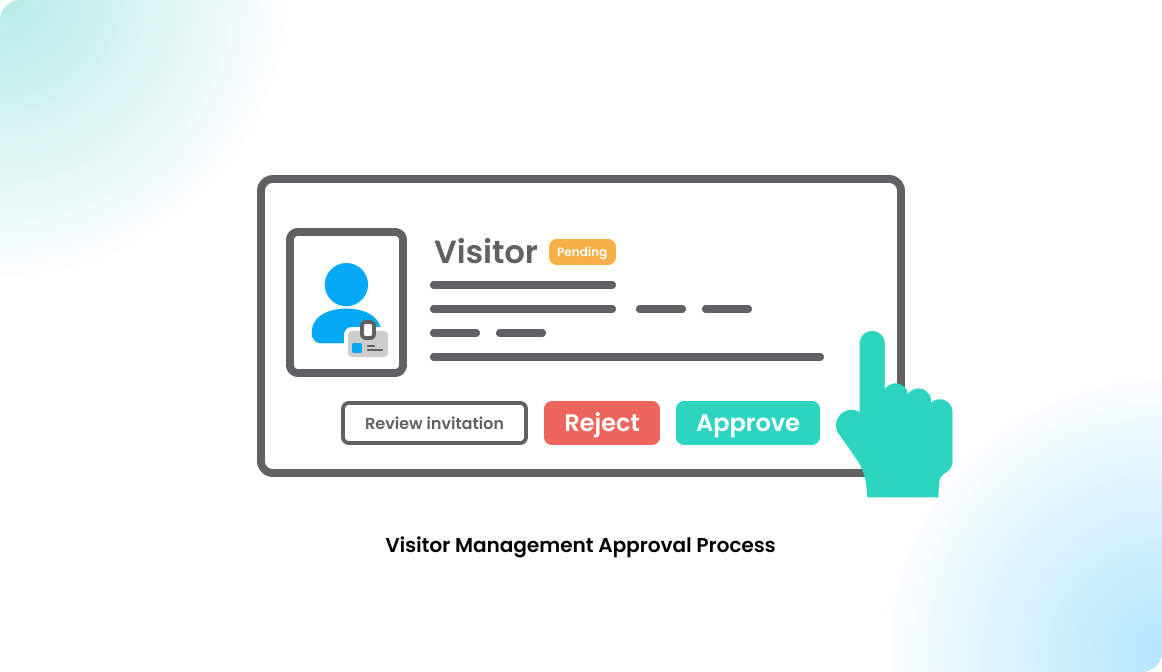
Visitor Management Approval Process
Overview
Some organizations require visitor invitations to be reviewed before they are confirmed. This may depend on internal policies, site security rules, or the type of visitor being invited.
The visitor invitation approval process helps teams manage these requirements in a structured way. When approval is required, invitations are routed to the appropriate approver before the visit is finalized.
This article explains how visitor invitation approvals work and what hosts and approvers can expect during the process.
Visitor categories
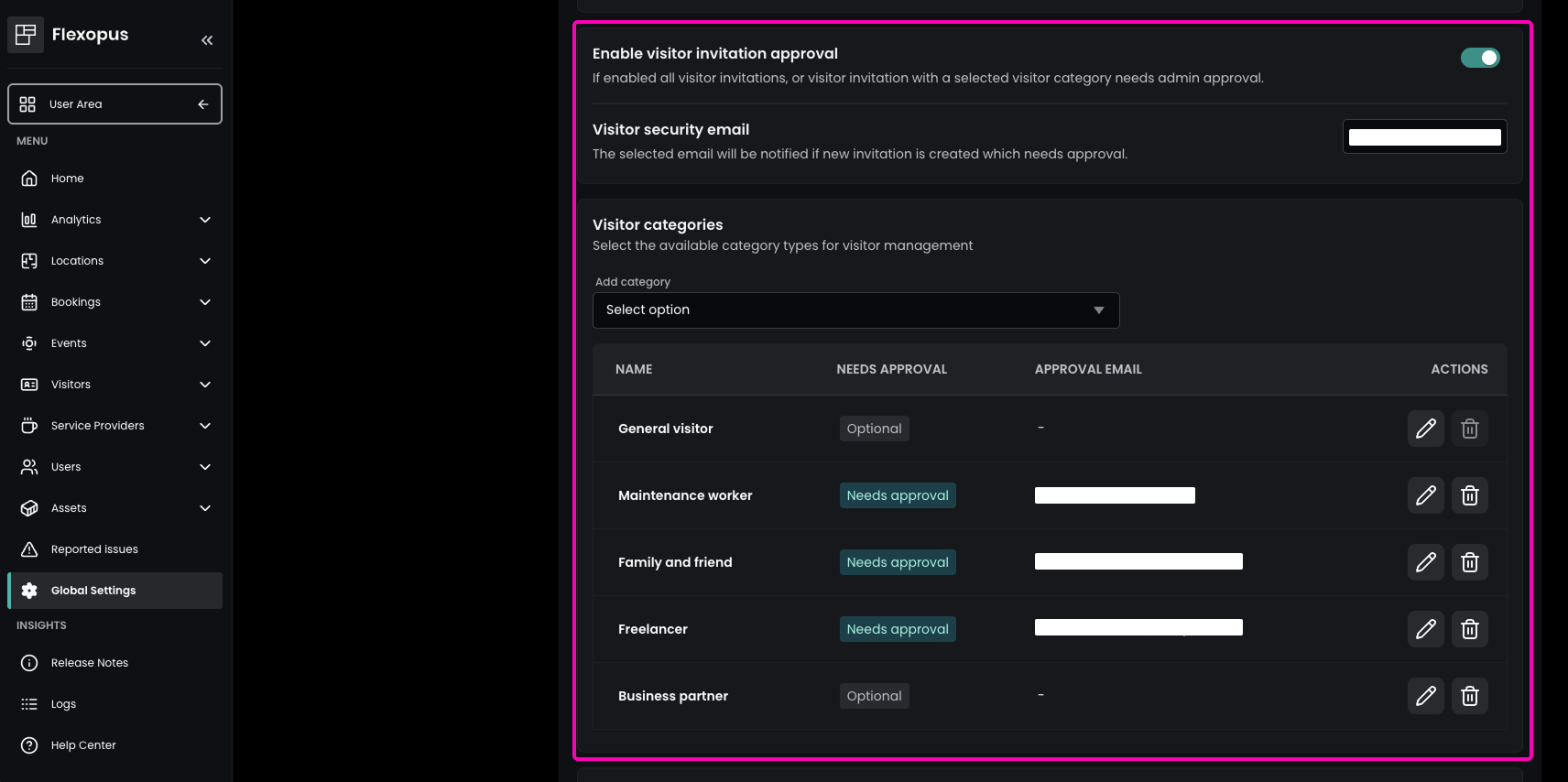
In Flexopus, your organization can choose which visitor categories are available from a predefined list. To manage them, navigate to Global Settings > Visitor and Guest management > Visitor categories. Click Add category to enable a category for your organization.
For each category, you can define whether visitor invitations require approval before they are confirmed. To activate the approval process for a category, click the pencil icon and enable Needs approval.
You can also assign a category-specific email address. This address is notified whenever an invitation is created for the respective visitor category.
Additionally, a general visitor security email address can be configured. This can also be a distribution list. The general visitor security email address is notified about all visitor invitations that require approval, regardless of the selected category.
Approval Process
Approval notification
When a visitor invitation is created for a category that requires approval, the configured contact person or email address is automatically notified.
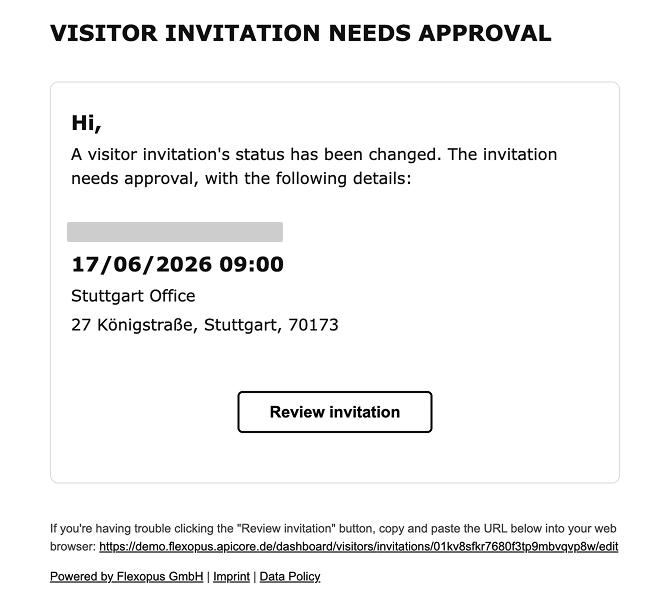
The notification email informs the recipient that a new visitor invitation is pending approval.
The invitation remains in Pending status until it has been reviewed and approved or rejected. While the invitation is pending, the guest is not notified.
This ensures that visitors from approval-required categories are checked before an invitation is sent to the guest.
Approve or reject a visitor invitation
A pending visitor invitation can be reviewed in two ways:
- By clicking the
Review invitationbutton in the notification email - By opening the admin area and navigating to
Visitors > Visitor Invitations
The Review invitation button opens the individual visitor invitation directly. From there, an admin can click the shield icon and choose either Approve or Reject.
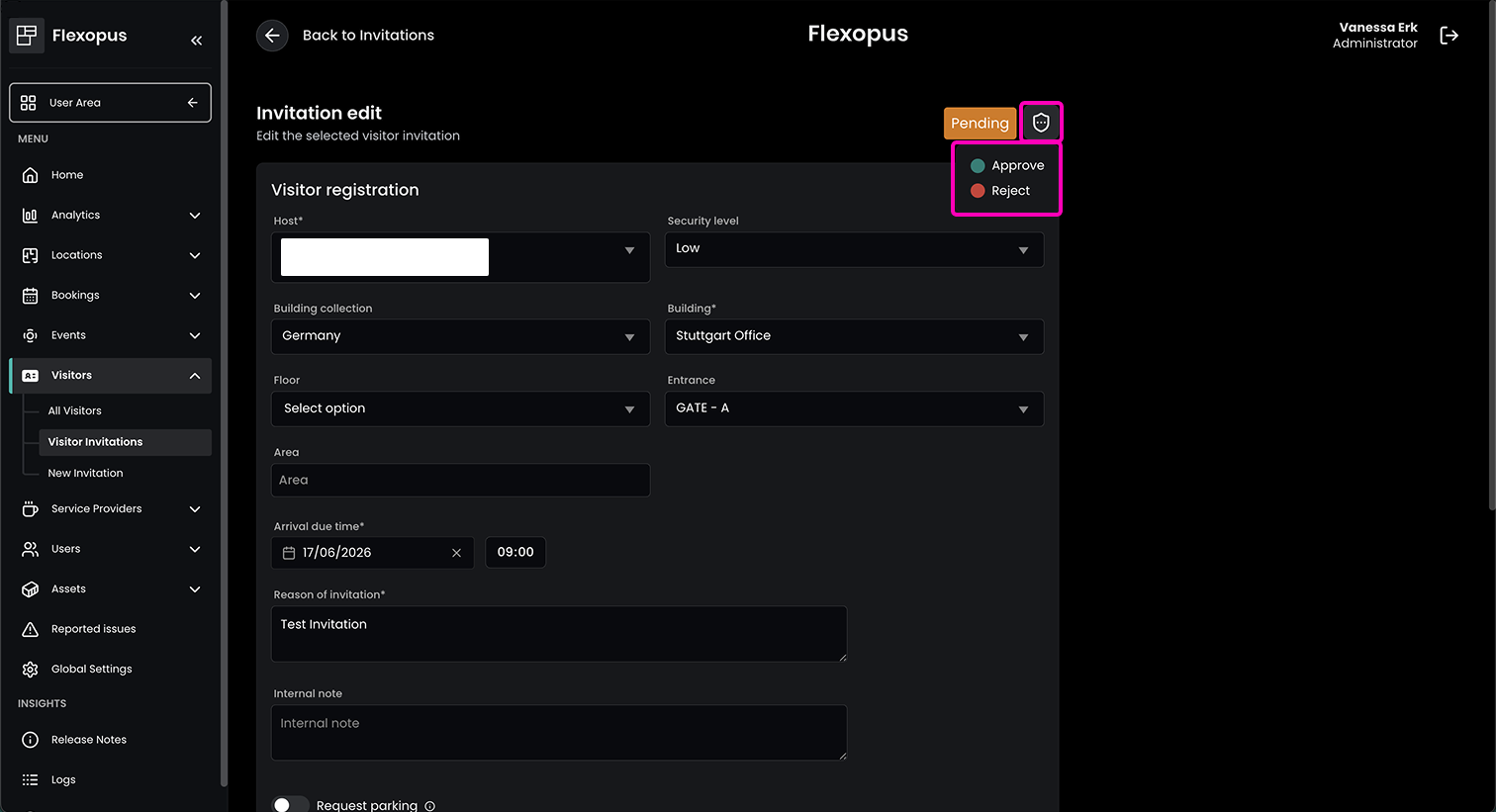
Admins can also approve or reject invitations from the visitor invitations overview by clicking the shield icon next to the relevant invitation.
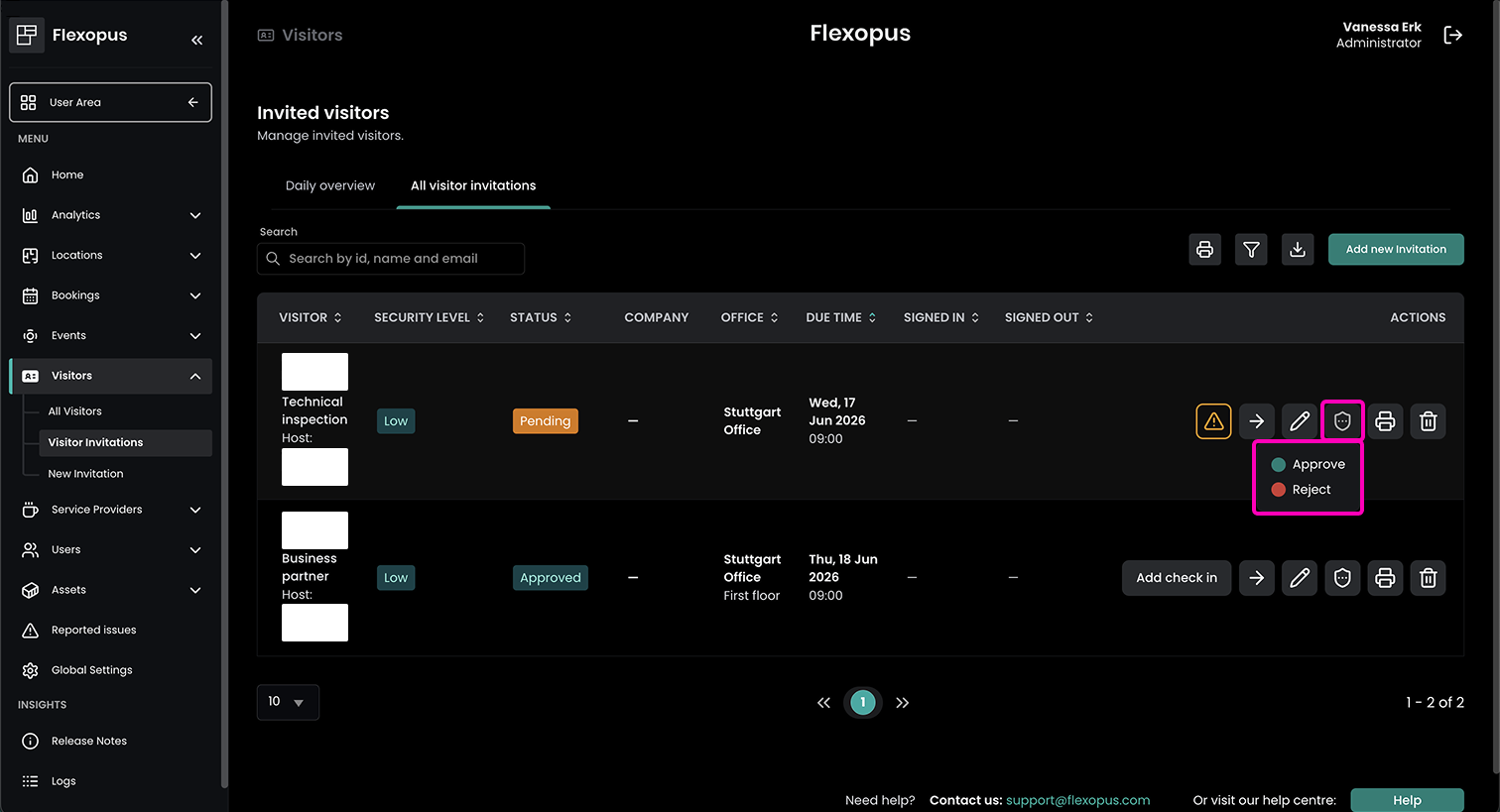
After an invitation has been approved, it can still be changed back to Pending or set to Rejected.
This should only be done in exceptional cases, as changing the status of an already approved invitation may affect the visitor’s access.
Adding a reason for rejection
When rejecting a visitor invitation, admins can enter a reason for the rejection. This helps make the decision transparent for the host.
The host is notified that the visit has been rejected and can see whether changes are needed before reinviting the visitor, or whether the guest cannot be invited at all.
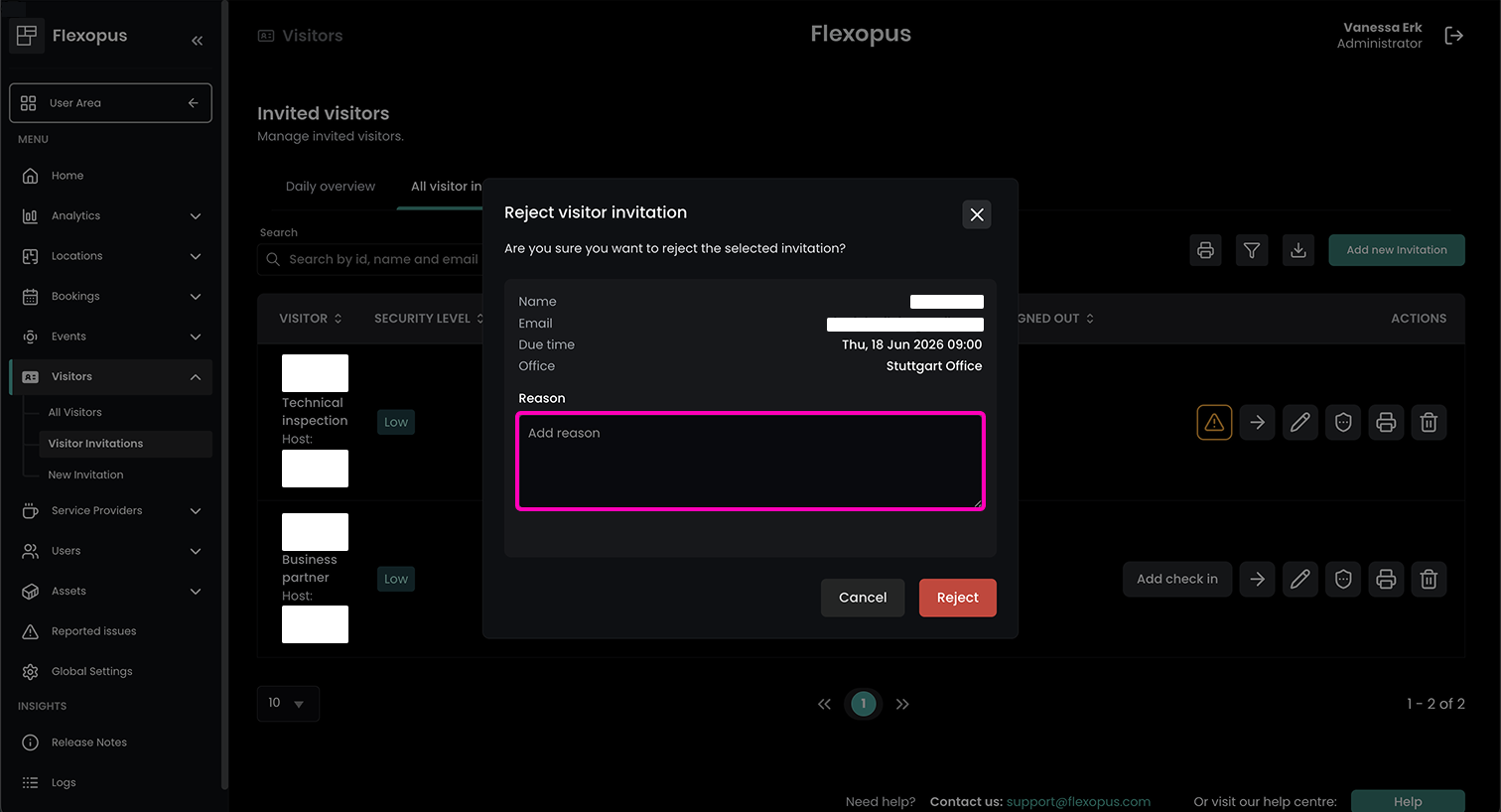
The guest is not notified about the rejected invitation.
Approved invitation
Once an invitation has been approved, the host is notified of the admin’s decision and can continue preparing for the visit.
The visitor invitation is then sent to the guest.